
You’re doing everything right. Your service is solid, your prices are fair, and your customers love you. Yet when someone in Albuquerque searches for exactly what you offer, your business is nowhere to be found. That’s one of the most frustrating positions a local business owner can be in. The good news is that your Google Business Profile (formerly Google My Business) is often the missing piece. A well-optimized profile acts like a digital storefront that’s always open, always lit up, and always welcoming new customers. This guide walks you through exactly what to do to increase your local search visibility and generate more qualified leads.
Table of Contents
- Get started: What you need before optimizing
- Step-by-step: How to optimize your Google My Business profile
- Common pitfalls and how to avoid them
- Track and measure your results
- Why most Google My Business advice misses what actually matters
- Ready for better local visibility? Let’s take your online presence further
- Frequently asked questions
Key Takeaways
| Point | Details |
|---|---|
| Primary category is critical | Choosing the right business category is the single biggest factor for search ranking. |
| Complete every detail | Fill out every section of your Google My Business profile to improve visibility and trust. |
| Focus on engagement | Respond to reviews and post updates regularly to drive more customer actions. |
| Avoid duplicate listings | Double-check for and remove any duplicates to prevent confusion and ranking loss. |
Get started: What you need before optimizing
Now that you understand why a strong Google My Business presence is essential, let’s walk through what you need before making any optimizations.
First, you need an active Google account and a verified Google Business Profile. If you haven’t claimed your listing yet, that’s your starting point. An unverified profile is like a storefront with locked doors and the lights off. Google won’t surface it confidently, and customers can’t trust it fully.
Before you log in and start editing, gather everything you’ll need in one place. Having accurate, consistent information ready prevents costly errors that can confuse both Google and your potential customers.
Here’s what to prepare:
- Business name exactly as it appears on your signage and legal documents
- Physical address or service area (if you’re a mobile or home-based business)
- Primary phone number that’s local and actively monitored
- Website URL that’s current and functional
- Business hours, including holiday hours
- A short business description (750 characters max) that clearly explains what you do
- High-quality photos of your location, team, products, or services
Category selection deserves special attention. Primary category selection outweighs all other factors in local ranking optimization. That means your primary category isn’t just a label. It’s the single most powerful signal you send to Google about what your business does and who should find it.
| Requirement | Why it matters | Where to find it |
|---|---|---|
| Verified Google account | Grants full profile control | myaccount.google.com |
| Accurate NAP (name, address, phone) | Consistency builds trust | Your business records |
| Primary business category | Top local ranking factor | Google’s category list |
| Recent photos (min. 3-5) | Builds credibility with users | Your own devices or a photographer |
| Business description | Helps Google and users understand you | Write fresh, no copy-paste |
Pro Tip: Before creating a new listing, search Google Maps for your business name. Duplicate listings are more common than you’d think, and they can split your ranking power and confuse customers. Use our GMB optimization checklist to make sure nothing gets missed.
Step-by-step: How to optimize your Google My Business profile
With everything in place, you’re ready to fully optimize your listing, step-by-step.
-
Choose your primary category carefully. This is the most impactful decision you’ll make. If you run a plumbing company, “Plumber” should be your primary category, not “Home Services.” Be specific. You can add secondary categories, but your primary one carries the most weight.
-
Complete every field in your profile. Incomplete profiles signal to Google that your business may not be active or trustworthy. Fill in your address, phone, website, hours, and service areas. Every blank field is a missed opportunity.
-
Upload relevant, high-quality photos. Businesses with photos receive significantly more direction requests and website clicks than those without. Show your storefront, your team at work, your products, and your completed projects. Keep photos current.
-
Write a compelling business description. Focus on what you do, who you serve, and what makes you different. Avoid keyword stuffing. Write naturally and clearly, as if you’re explaining your business to a neighbor.
-
Publish Google Posts regularly. Posts offer high engagement with users, even though they have low direct ranking impact. Think of posts as a way to keep your profile alive and give searchers a reason to choose you over a competitor.
-
Respond to every review. Thank customers for positive feedback. Address negative reviews professionally and constructively. Your responses are public, and they shape how potential customers perceive your business before they ever contact you.
“Your Google Business Profile is often the first impression a potential customer has of your business. Make it count every single time.” — King Digital
Here’s a quick comparison of profile completeness impact:
| Profile element | Completion impact | Ranking influence |
|---|---|---|
| Primary category | Critical | Very high |
| Business hours | High | Medium |
| Photos (5 or more) | High | Medium |
| Google Posts (weekly) | Medium | Low to medium |
| Review responses | High | Medium |
Pro Tip: To boost Albuquerque GMB visibility, focus on getting reviews from real customers shortly after a job is done. A steady stream of fresh reviews signals active business to Google. For deeper Google Business page management tips, and to master Google Business Profile rankings, consistency is everything.
Common pitfalls and how to avoid them
Following the steps above covers the basics, but small missteps can still hold your profile back. Here are key errors to watch for.
Duplicate listings are one of the most damaging issues a local business can have. If Google finds two listings for the same business, it may split ranking signals between them or suppress both. Always check for and merge or remove duplicates before you optimize.

Category mistakes are surprisingly common. Many business owners pick a broad category because it sounds inclusive, but broader is rarely better on Google My Business. Specificity wins. If you’re an HVAC contractor, “HVAC Contractor” beats “Contractor” every time.
Ignoring reviews is a reputation killer. Customers who leave negative feedback and get no response feel dismissed. Worse, potential customers reading those unanswered reviews assume you don’t care. A thoughtful reply, even to a harsh review, shows professionalism and builds trust.
Here’s a quick list of the most common pitfalls:
- Duplicate listings that split your visibility and confuse Google
- Wrong primary category that misrepresents your core service
- Unanswered or ignored reviews, especially negative ones
- Outdated photos that no longer reflect your business
- Inconsistent business information across your website, social profiles, and Google
- Keyword stuffing in your business name or description
One myth worth addressing: geotagging your photos. Many guides suggest embedding GPS coordinates in your image files to boost local rankings. The reality is there’s no reliable evidence that geotagged images improve rankings. Google’s Vision AI focuses on image content instead. What matters is that your photos clearly show what your business does, not where the photo was taken.
Pro Tip: For a full breakdown of local map strategy, explore our Google Maps optimization guide. And if you want to understand the mechanics of attracting customers via Google Maps, we’ve covered that in depth as well.
Track and measure your results
Finally, to ensure your efforts drive real business results, you need to track and measure the outcomes.
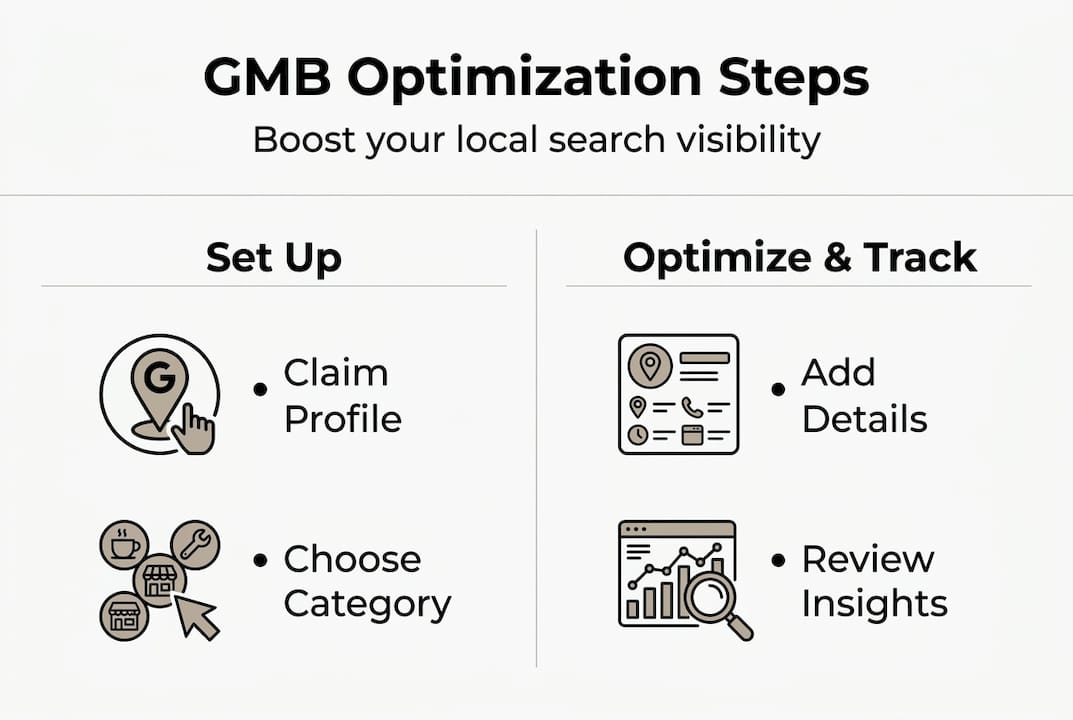
Google Business Profile includes a built-in analytics dashboard called Insights. It shows you exactly how customers are finding and interacting with your listing. Most business owners set up their profile and never check the data. That’s a missed opportunity.
Here’s what to monitor regularly:
- Search views: How many times your profile appeared in search results
- Map views: How many times your profile appeared on Google Maps
- Direction requests: How many users asked for directions to your location
- Phone calls: How many users clicked your phone number directly from your profile
- Website clicks: How many users visited your website from your profile
- Photo views: Which images are getting the most attention
- Post engagement: Which updates or offers drove the most interaction
User engagement metrics such as calls and direction requests are important for verifying the real impact of your optimizations. If you update your photos and photo views spike the following month, that’s a clear signal you’re moving in the right direction.
Check your Insights at least once a month. Look for trends, not just one-time spikes. If direction requests are climbing steadily, your local visibility is improving. If calls drop off, it may be time to revisit your phone number or hours. You can track GMB performance more effectively when you treat it as an ongoing process, not a one-time setup.
Adapt your strategy based on what the data tells you. If a certain type of post drives more engagement, do more of it. If certain photos get far more views, upload similar ones. Let the numbers guide your next move.
Why most Google My Business advice misses what actually matters
Armed with data and insights, it’s important to understand why some well-publicized strategies might not deliver the impact you expect.
A lot of Google My Business advice focuses on tactics that feel sophisticated but don’t actually move the needle. Geotagging photos is a perfect example. It sounds technical and strategic, so it gets repeated everywhere. But Vision AI understands the content of photos while geotags are not a ranking factor. Spending time on that instead of uploading genuinely useful images is a real cost.
What actually matters is less exciting but far more effective: the right primary category, complete and accurate business information, and sustained, authentic customer interaction. For Albuquerque businesses competing in a local market, standing out depends on relevance and engagement, not technical tricks.
We’ve seen businesses in this city transform their local search success simply by fixing their category, filling in every profile field, and responding consistently to reviews. No geotagging. No metadata games. Just clean, honest, complete information paired with real customer activity.
Focus your energy where Google is actually paying attention. That’s where the results are.
Ready for better local visibility? Let’s take your online presence further
If you’re energized to build on your Google My Business success, advanced local SEO and website upgrades can help you go even further.
Google My Business optimization is a powerful starting point, but it’s just one piece of a winning local strategy. At King Digital, we help Albuquerque businesses turn a strong profile into a full pipeline of qualified leads.
From understanding local SEO ranking factors specific to the Albuquerque market, to conducting targeted local SEO keyword research that attracts buyers ready to act, to building a high-converting SEO website design Albuquerque businesses can rely on, we offer the full picture. Let’s build something that works for your business, not just your profile.
Frequently asked questions
What is the most important factor for Google My Business ranking?
Primary category selection outweighs all other factors in local ranking optimization, making it the single most impactful choice you’ll make when setting up your profile. Choose the most specific, accurate category that reflects your core service.
Do geotagged images help my Google My Business listing rank higher?
No. Geotagged images do not improve rankings because Google’s Vision AI evaluates what’s in the photo, not where it was taken. Focus on uploading clear, relevant images instead.
How often should I post updates on Google My Business?
Post at least once a week. While posts offer high engagement with users and keep your profile active, their direct ranking impact is low, so consistency and quality matter more than volume.
What should I include in my business description?
Briefly mention what you offer, your specialties, and your location to help both users and Google understand your business clearly. Keep it natural, accurate, and free of keyword stuffing.
Can I manage more than one location with the same Google account?
Yes, you can manage multiple business locations under a single Google account, making it straightforward to keep all your profiles updated from one place.
Recommended
- The Ultimate Google Business Profile Audit and Optimization Checklist | King Digital Marketing Agency
- Unlock Your Online Visibility with Google Business Profile | King Digital Marketing Agency
- Google Business page management: The #1 Key to Dominate
- Unlock Local Success: Master Your Google Business Profile for Top Map Rankings | King Digital Marketing Agency