If your Albuquerque business isn’t showing up when locals search for what you offer, you’re losing customers to competitors who simply set up their Google My Business profile correctly. An incomplete or unverified listing is like a storefront with locked doors and the lights off. Nobody stops in. This guide walks you through every step of setting up, claiming, and optimizing your Google My Business profile so your business shows up where it counts, on Google Maps and in local search results, and starts generating real calls, visits, and sales.
Table of Contents
- Why Google My Business matters for Albuquerque businesses
- What you need before you start
- Step-by-step: Creating and claiming your Google My Business profile
- Optimizing your Google My Business listing for maximum local impact
- Common mistakes to avoid and troubleshooting tips
- How to measure success and keep your Google My Business profile working
- Boost your Albuquerque business with expert GMB and local SEO help
- Frequently asked questions
Key Takeaways
| Point | Details |
|---|---|
| Visibility boost | A complete and active Google My Business profile makes your business far more visible to local customers. |
| Consistency is key | Maintaining up-to-date info and weekly activity greatly increases your Google search ranking. |
| Measurable growth | GMB Insights let you track real rises in profile views, calls, and visits. |
| Avoid common pitfalls | Simple mistakes like inconsistent info or neglecting reviews can undo your optimization. |
| Expert help available | Local specialists can help you master GMB and local SEO for even bigger results. |
Why Google My Business matters for Albuquerque businesses
When someone in Albuquerque searches for “plumber near me” or “best green chile restaurant,” Google pulls from its local index to show a map pack of three businesses. That map pack gets the lion’s share of clicks. If your business isn’t in it, you’re invisible to a massive pool of ready-to-buy customers.
Your Google My Business profile is more than a listing. It’s a digital business license that legitimizes your presence online. Customers use it to check your hours, read reviews, get directions, and call you directly. A complete, active profile builds trust before a customer ever visits your website.
Active GMB management boosts visibility and engagement in measurable ways. Businesses that master Google Business Profile consistently outperform competitors in local search. Our Google local business guide shows exactly how this plays out for Albuquerque SMBs.
Top business impacts of an optimized GMB profile:
- Higher placement in Google Maps and local search results
- More inbound calls and direction requests from nearby customers
- Increased trust and credibility through visible reviews and accurate info
- Better conversion rates because customers find what they need instantly
- Competitive advantage over businesses with incomplete or unverified listings
With the benefits in mind, let’s cover exactly what you’ll need before you start optimizing.
What you need before you start
Rushing into GMB setup without the right information leads to errors that can hurt your ranking or delay verification. Take ten minutes to gather everything first.
You’ll need your exact business name, physical address, primary phone number, website URL, and business email. These must match exactly across every online directory you’re listed in. This consistency is called NAP (name, address, phone) accuracy, and it’s a foundational local SEO signal. You’ll also need your primary and secondary business categories, your operating hours, and a clear business description.
Posting regular updates and accurate info signals freshness to both Google and customers, so having this information ready from day one sets you up for long-term success. Review our Google profile management steps for a deeper look at keeping your profile current.
| Requirement | Why it matters |
|---|---|
| Exact business name | Prevents duplicate listings and confusion |
| Physical address | Required for map placement and verification |
| NAP consistency | Core local SEO ranking signal |
| Primary phone number | Enables direct calls from your profile |
| Website URL | Drives traffic and supports ranking |
| Business categories | Tells Google what searches to show you for |
| Logo and 3+ photos | Builds trust and increases click-through rates |
| Google account | Required to claim and manage your listing |
| Business verification | Confirms authenticity to Google |
You’re now prepared to dive in. Next, let’s break down GMB optimization step by step.
Step-by-step: Creating and claiming your Google My Business profile
Follow these steps carefully. Skipping any of them can delay your verification or reduce your profile’s effectiveness.
- Go to Google Business Profile at business.google.com and sign in with your Google account.
- Search for your business name. If it already exists, claim it. If not, create a new listing.
- Enter your business name and category. Choose the most specific primary category that fits your business.
- Add your location. If you serve customers at a physical address, enter it. If you’re a service-area business, you can hide your address and list your service areas instead.
- Add your phone number and website URL. Double-check these for accuracy.
- Choose your verification method. Google offers three options: postcard by mail (arrives in 5 days), phone verification (instant, if eligible), or email verification (instant, if eligible).
- Complete verification. Enter the code you receive to activate your listing.
Pro Tip: If you’re eligible for phone or email verification, choose it. Postcard verification can take up to two weeks, and your listing won’t appear in search until it’s verified. Speed matters when customers are searching right now.
Avoid these common pitfalls. Don’t choose a vague category like “local business” when a specific one like “HVAC contractor” is available. Don’t create a duplicate listing if one already exists for your address. Seeding Q&A with common questions helps steer customer engagement from the moment your profile goes live. Use our Google Business page management resource and GMB audit checklist to make sure nothing gets missed.
Profiles claimed. Now it’s time to transform a basic listing into an optimized powerhouse.
Optimizing your Google My Business listing for maximum local impact
Claiming your profile is just the starting line. Optimization is where you pull ahead of competitors.
Start by completing every section of your profile. Write a business description that includes your primary services and your location (mention Albuquerque specifically). Add all relevant services or products. Set your hours accurately, including holiday hours. Upload your logo and at least five high-quality photos of your business, team, or work.

Post weekly with events, offers, and updates using clear calls to action. This signals activity and freshness to Google, which rewards active profiles with better placement. Think of it as a social feed that directly influences your search ranking.
Pro Tip: Batch your content creation. Spend 30 minutes every Monday writing four posts for the month. Schedule them using the Google Business Profile dashboard. Consistency beats intensity every time.
| Profile element | Minimal listing | Fully optimized listing |
|---|---|---|
| Business description | Missing or generic | Keyword-rich, location-specific |
| Photos | 1 or none | 10+ high-quality, updated regularly |
| Posts | Never posted | Weekly posts with CTAs |
| Q&A section | Empty | Seeded with 5+ common questions |
| Reviews | Few, no responses | Many, all responded to |
| Services/products | Not listed | Fully detailed with descriptions |
| Visibility | Low map pack presence | Consistent top-3 placement |
Managing your Q&A section is often overlooked. Seed it yourself by asking and answering the questions your customers ask most often. This controls the narrative and reduces friction for potential customers. Explore business profile optimization strategies and learn how to boost online visibility with Google Business. For map-specific tactics, our Google Maps local business visibility guide goes deeper.
Even optimized profiles can be derailed by common mistakes. Here’s what to watch for.
Common mistakes to avoid and troubleshooting tips
Even well-intentioned business owners make errors that quietly tank their local rankings. Knowing what to avoid saves you time and protects your visibility.
Top 5 avoidable GMB mistakes:
- Inconsistent NAP information: If your address is listed differently on Yelp, your website, and your GMB profile, Google loses confidence in your data and ranks you lower.
- Choosing the wrong primary category: This is one of the biggest ranking factors. Research competitors in Albuquerque to see which categories they use.
- Ignoring reviews: Not responding to reviews, especially negative ones, signals disengagement. Google notices, and so do potential customers.
- Letting your profile go stale: No posts, outdated photos, and old hours tell Google your business isn’t active.
- Creating duplicate listings: Multiple listings for the same location confuse Google and split your ranking signals.
Warning: Every response you post publicly on your GMB profile, whether to a review or a Q&A, is visible to every potential customer who finds you. Never respond in anger or defensiveness. Keep every public reply professional, empathetic, and solution-focused. One poorly worded response can undo months of positive reputation building.
CTAs and activity signals are critical to ongoing GMB performance. If your profile sits idle, your ranking will drift. Use our Google local search optimization resources and the optimize local search guide to stay ahead.
Now, let’s see how these efforts will pay off and what results to expect next.
How to measure success and keep your Google My Business profile working
Optimization without measurement is guesswork. Google Business Profile Insights gives you real data on how customers find and interact with your listing.
Here’s what to track and how often:
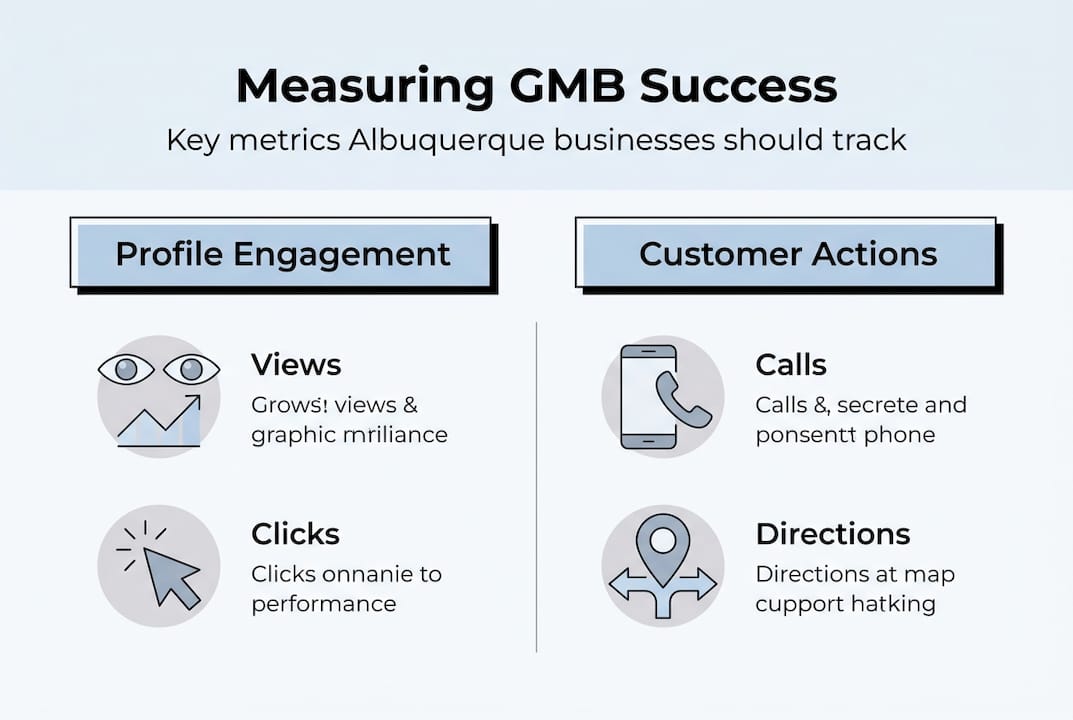
- Profile views (weekly): Are more people seeing your listing after recent updates?
- Search queries (monthly): What terms are customers using to find you? Use these to refine your description and posts.
- Direction requests (monthly): A strong indicator of foot traffic intent.
- Phone calls (weekly): Direct measure of how well your profile converts viewers into leads.
- Post engagement (after each post): Which content types drive the most clicks and actions?
- Photo views (monthly): Profiles with more photos get significantly more engagement.
Engagement metrics in GMB reveal the impact of recent activity and optimization. Set a monthly review appointment with yourself. Compare this month’s numbers to last month. If calls are down, check whether your hours changed or a competitor added new photos. If views are up, identify what you did differently and repeat it.
For Albuquerque SMBs, a realistic 90-day benchmark is a 20 to 30 percent increase in profile views and a noticeable uptick in direction requests and calls. These numbers are achievable with consistent effort. Use the track GMB profile performance tools we recommend to stay on top of your progress.
With your profile now in top shape and a routine for maintenance, you’re ready to outshine competitors in local search.
Boost your Albuquerque business with expert GMB and local SEO help
A fully optimized Google My Business profile is one of the highest-return investments an Albuquerque small business can make. It costs nothing to set up and pays dividends in visibility, trust, and leads every single day. But getting it right, and keeping it that way, takes strategy and consistency.
At King Digital, we specialize in helping Albuquerque SMBs dominate local search. Whether you need help building your profile from scratch, recovering a suspended listing, or scaling your results with a full local SEO strategy, we’re here for it. Explore our Albuquerque SEO ranking guide to understand what drives rankings in your market. Ready to improve local search ranking and attract more qualified leads? Our local SEO keyword research services give you the edge your competitors don’t have.
Frequently asked questions
How often should I post updates or offers on Google My Business?
Aim to post at least weekly for the best engagement and activity signals. Consistent posting tells Google your business is active and relevant.
What is the best way to handle negative Google reviews?
Respond professionally and promptly, addressing the customer’s concern directly and demonstrating that you take feedback seriously. A calm, solution-focused reply often impresses future customers more than the negative review itself.
How long does Google My Business verification take?
Most verifications complete within five days via postcard, but phone or email verification can be instant if your business is eligible for those options.
Can I have more than one business location on my Google My Business account?
Yes, you can manage multiple locations from a single GMB account dashboard, making it straightforward to keep all your listings consistent and up to date.
How do I know if my Google My Business optimization is working?
Check GMB Insights metrics for increased profile views, calls, and direction requests over time. Steady month-over-month growth in these numbers confirms your optimization efforts are paying off.
Recommended
- Google Maps local business: Maximize Visibility 2025
- Google profile management: 5 Steps to Maximize
- Unlock Your Online Visibility with Google Business Profile | King Digital Marketing Agency
- Google Local Business: Your Free Ticket to More Customers | King Digital Marketing Agency
