Choose the Right Adobe Web Design Tool for Your Website
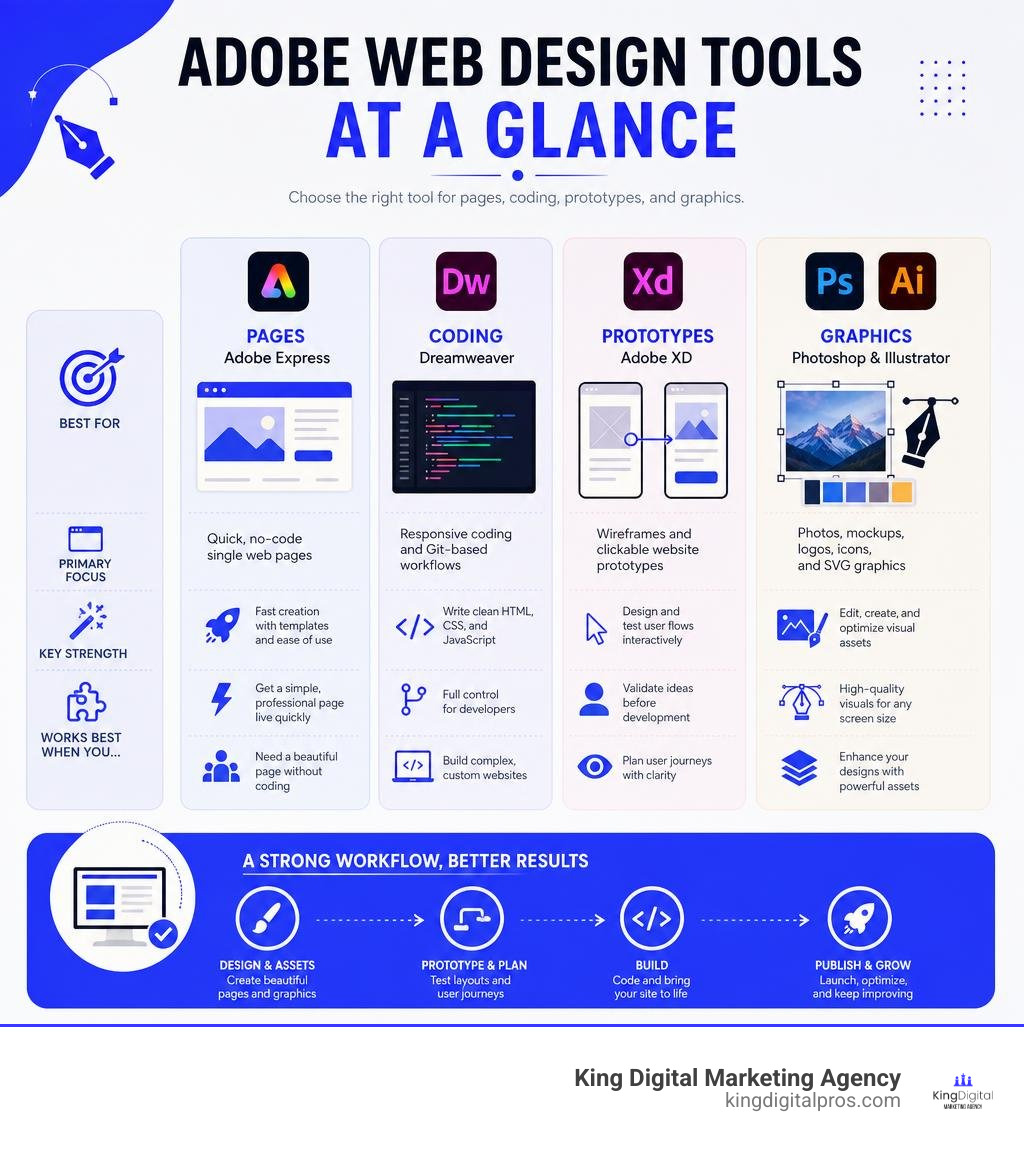
Adobe web design is a group of tools for planning, designing, coding, and publishing websites. The best choice depends on your goal: use Adobe Express for a fast, simple landing page; Dreamweaver for hands-on HTML, CSS, and JavaScript work; Photoshop and Illustrator for web assets; and Adobe XD for testing page layouts and user journeys before development.
| Tool | Best for | Main limitation |
|---|---|---|
| Adobe Express | Quick, no-code single web pages | Not a full CMS for complex websites |
| Adobe Dreamweaver | Responsive coding and Git-based workflows | Requires web development knowledge |
| Adobe XD | Wireframes and clickable website prototypes | A prototype still needs development to become a live site |
| Photoshop | Editing photos and preparing visual mockups | Raster images do not scale like vectors |
| Illustrator | Logos, icons, and scalable SVG graphics | Not a website builder |
For a busy business owner, the key distinction is simple: Adobe tools help create the design and assets, while platforms such as WordPress or Shopify usually manage the live site, content, products, and ongoing updates. A strong workflow connects both, so a polished design also supports fast load times, clear calls to action, and search visibility.
I’m Bernadette King, a digital marketing strategist focused on helping small businesses turn better messaging, SEO, and conversion-focused content into sustainable growth. In Adobe web design projects, I look at the full path from brand visuals and page structure to the marketing results a website needs to produce.
Adobe web design vocabulary:
Overview of the Creative Cloud Web Ecosystem
When people talk about adobe web design, they rarely mean a single program. Adobe Creative Cloud includes over 20 creative desktop and mobile applications. Instead of forcing every task into one massive, bloated builder, Adobe breaks the website creation lifecycle into specialized software tools.
To bring a brand-new website to life, design teams usually follow an end-to-end production pipeline:
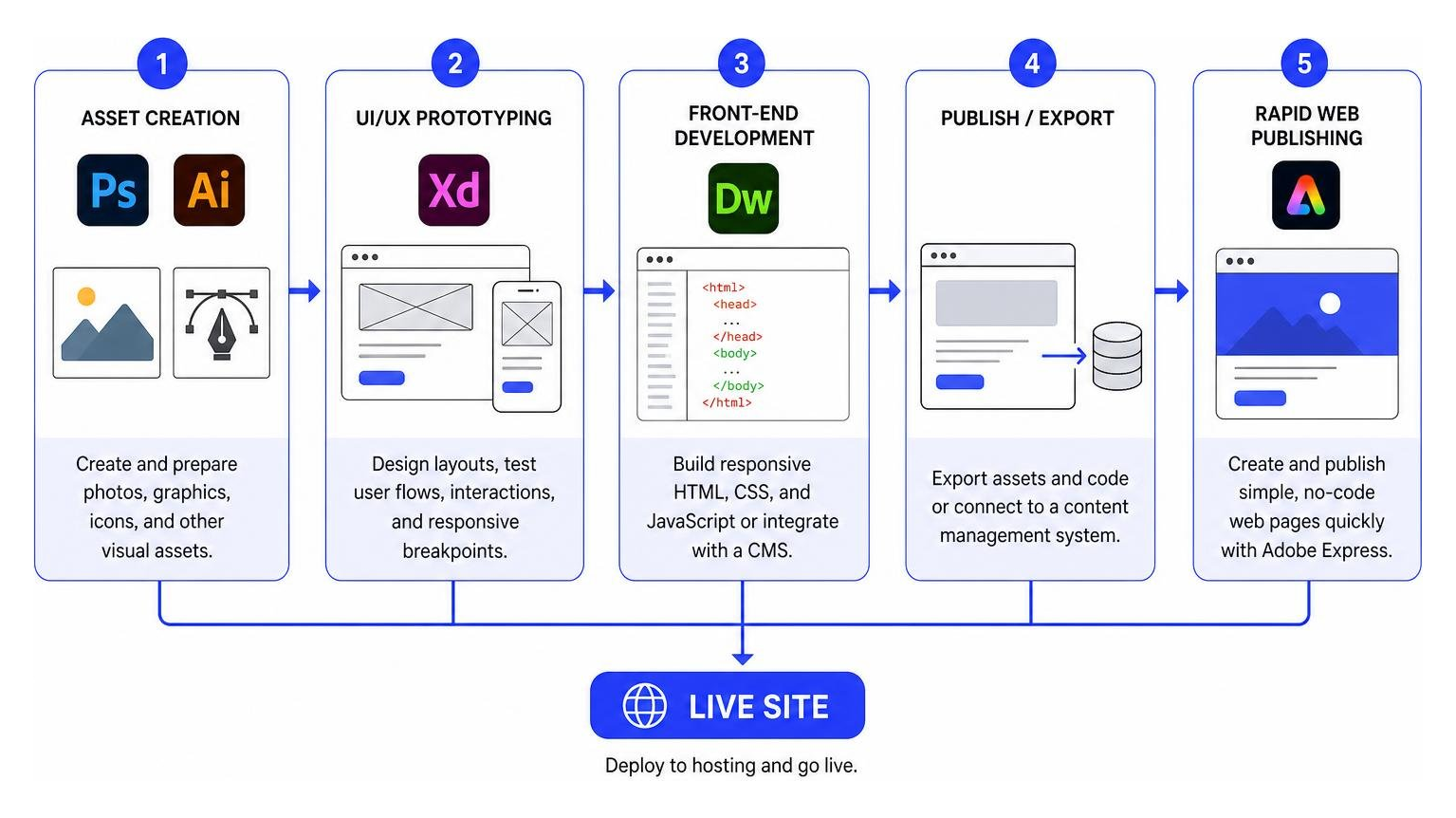
- Asset Creation: Photos are edited in Photoshop, and vector graphics or icons are crafted in Illustrator.
- UI/UX Prototyping: Pages are laid out in Adobe XD to test user paths, interactions, and responsive breakpoints.
- Front-End Development: Developers use Dreamweaver to write clean HTML5, CSS3, and JavaScript, or export assets to a content management system.
- Rapid Web Publishing: For simple landing pages, non-technical creators bypass traditional coding entirely using Adobe Express.
By leveraging Creative Cloud Libraries, assets created in Photoshop or Illustrator sync seamlessly across Adobe XD and Dreamweaver. This shared ecosystem ensures that brand colors, custom typography, and graphical components stay perfectly aligned throughout the entire web production lifecycle.
Software Comparison for Adobe Web Design
Selecting the correct software within the Adobe suite prevents wasted time and budget. Different tools solve distinct problems across visual styling, interaction design, and front-end coding.
| Feature / Capability | Adobe Dreamweaver | Adobe Express | Adobe XD | Photoshop / Illustrator |
|---|---|---|---|---|
| Primary Output | HTML, CSS, JS code files | Hosted web pages & URLs | Interactive wireframe links | PNG, JPG, WebP, SVG graphics |
| Skill Level Required | Intermediate to Advanced | Beginner (No-code) | Intermediate | Intermediate |
| Code Control | Full hand-coding engine | None | None (Design specs export) | Limited CSS export via Generator |
| Multi-Device Live Preview | Yes (Live View & multi-monitor) | Yes (Desktop/Mobile preview) | Yes (Live device mirroring) | No |
| Version Control | Native Git panel | Cloud auto-save | Cloud version history | Local / Cloud asset sync |
Understanding how these application options stack up allows web teams to pick the exact tool required for their technical skill level and business objectives. For official product details and direct access, check out Website design software | Adobe Dreamweaver.
Adobe Dreamweaver: Responsive Coding and Version Control
Adobe Dreamweaver remains Adobe’s core software for developers who want direct control over source code alongside a visual editing environment. Unlike pure text editors, Dreamweaver features visual Live View editing, allowing users to alter element properties, inspect DOM trees, and apply CSS classes directly on a real-time preview canvas.
For modern code management and responsive build processes, Dreamweaver delivers several key operational advantages:
- Starter Templates: Pre-built HTML/CSS layouts for portfolio showcases, ecommerce landing pages, personal blogs, and responsive HTML email newsletters.
- Fluid Grid Layouts: Visual layout helpers that divide screen sizes into desktop, tablet, and mobile viewports, streamlining media query adjustments.
- Integrated Git Support: Developers can execute common source code operations – such as staging, committing, pushing, and branching – directly inside the Dreamweaver UI.
- Multi-Monitor Display Workspaces: Allows developers to isolate code editing views on one screen while rendering full-screen visual previews on a secondary monitor.
While Dreamweaver is a robust environment for custom HTML/CSS sites, developers creating rich HTML5 digital ad units or specialized animated web banners often combine it with dedicated third-party utilities like Google Web Designer – Home for quick banner creation.
Adobe Express: Quick Web Page Creation for Beginners
Not every web project requires thousands of lines of code or complex database configurations. When local service providers or marketing teams need a landing page quickly, Adobe Express acts as an accessible, code-free website builder.
Users pick a pre-built template, customize content blocks, insert text headers, and incorporate interactive photogrids or video embeds. Express provides hosted web page generation, deploying finished pages straight to Adobe’s cloud servers. Key highlights include:
- Thousands of customizable design templates tailored for event landing pages, eatery menus, and service spotlights.
- One-click theme applications that immediately update colors and fonts across the whole page to match your brand identity.
- Built-in photo editing, Adobe Stock integration, and access to Adobe’s premier font foundry.
- Integrated publishing options that generate shareable URLs, along with password protection controls for private co-editing.
For a fast setup without managing web servers, explore the Free Website Builder: Design a Web Page | Adobe Express tool to get started immediately.
Adobe XD: Prototyping and UX Solutions for Adobe Web Design
Before writing code, professional web designers use Adobe XD to map out user experiences (UX) and build user interface (UI) wireframes. Adobe XD bridges the gap between raw graphics and dynamic site mechanics by generating interactive visual prototypes.
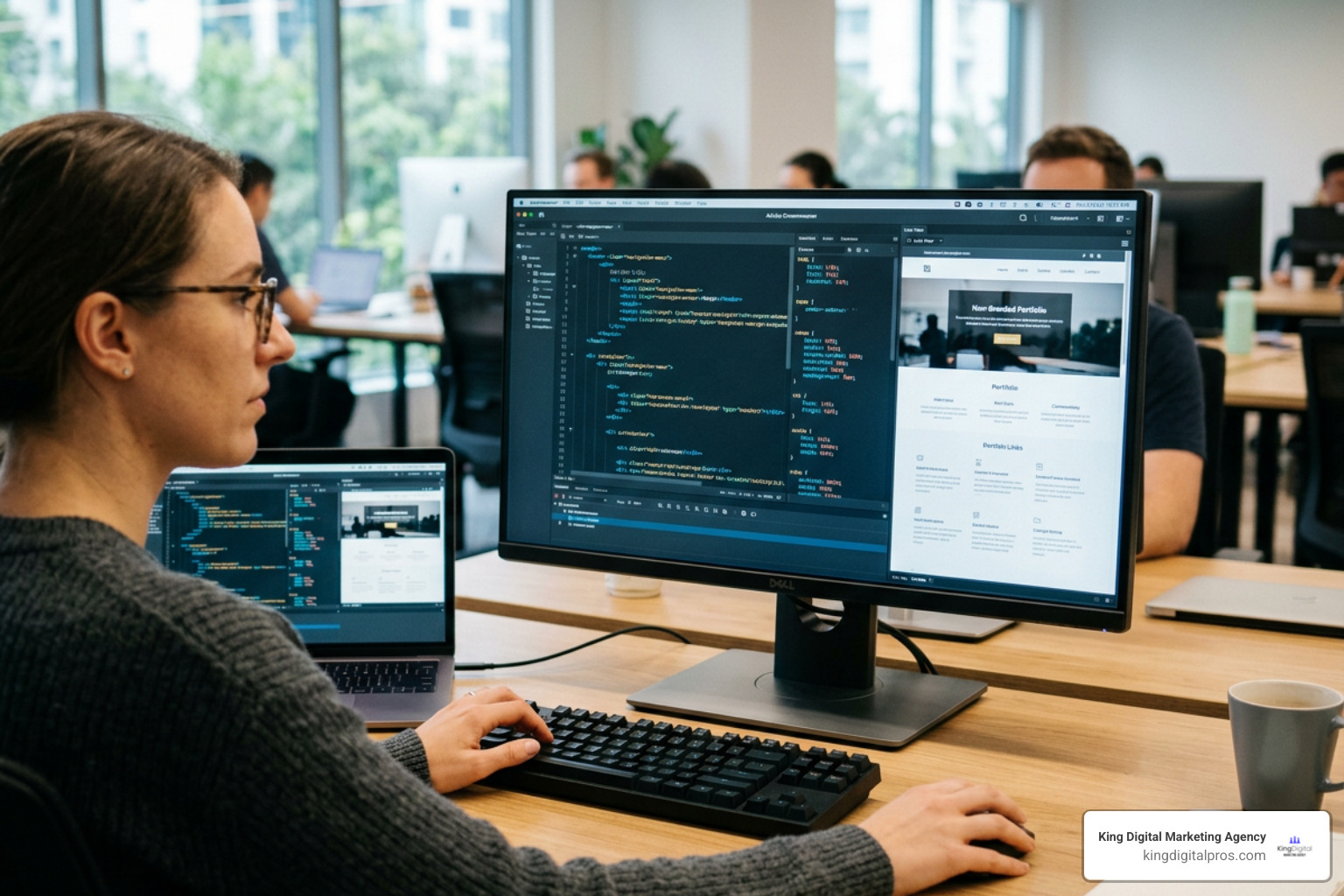
Using Adobe XD’s Repeat Grid functionality, designers can drag list items or photo galleries across artboards to automatically replicate elements with identical margins and padding. XD also allows real-time interactive previews on connected physical devices via USB or cloud syncing. This lets designers test mobile gestures, click triggers, and navigation transitions before a web developer writes a single line of production code.
Photoshop and Illustrator: Asset Creation for Adobe Web Design
Visual media forms the visual core of modern websites. Photoshop and Illustrator provide the essential graphic assets that fuel both Dreamweaver layouts and content management systems.
Photoshop excels at raster image editing, photo manipulation, non-destructive layer masking, and Content-Aware Fill to eliminate unwanted photo distractions. For years, designers relied on Photoshop’s Slice Tool for PSD to HTML conversion workflows, splitting high-fidelity web page comps into HTML table fragments and image assets. Today, web professionals leverage Adobe Generator, an automated tool that extracts production-ready WebP images and exports CSS code snippets directly from Photoshop layer hierarchies.
Illustrator focuses on resolution-independent vector graphics. Web elements like brand logos, custom icons, and UI illustrations must look crisp on high-density Retina displays. Using Illustrator’s image tracing tools, designers convert hand-drawn artwork into scalable vector graphics (SVG), keeping file sizes minimal while ensuring infinite visual scale.
Understanding the underlying value of high-quality media assets explains why is web design important for your business, as clear visuals directly influence visitor trust and conversion rates.
Workflow Evolution: From Adobe Muse to Modern Creative Cloud
To understand current adobe web design choices, it helps to examine how Adobe’s software stack evolved over time. In the past, Adobe offered Adobe Muse, a drag-and-drop desktop application designed for visual creators who wanted to publish static HTML websites without writing code.
When Adobe officially discontinued Muse, static code generation shifted toward modern content management systems and visual cloud tools. Rather than bundling design and hosting into an isolated app, Adobe refocused its suite around open front-end standards, cloud integration, and UI design prototyping.
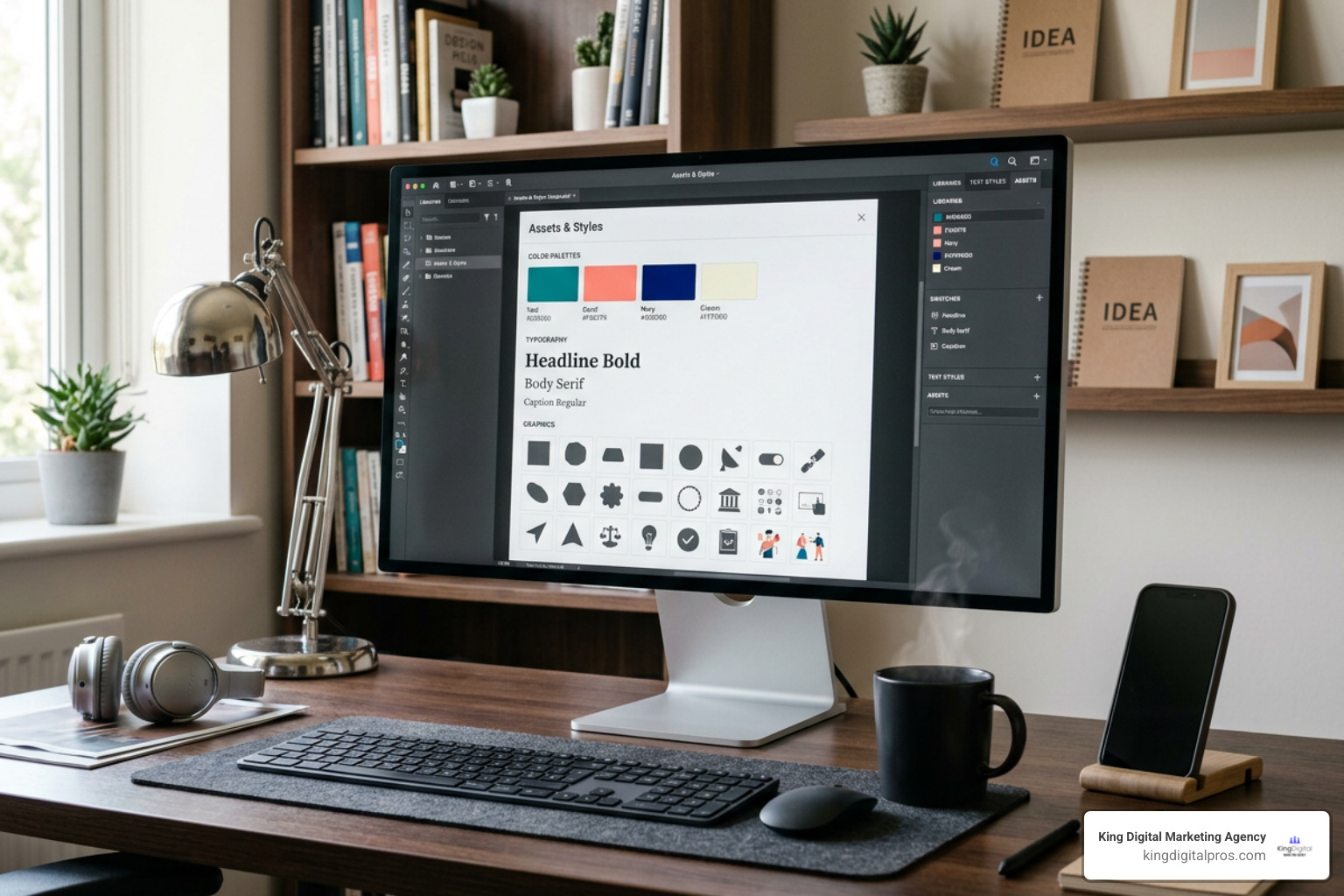
Today, modern web workflows rely on Creative Cloud Libraries to manage assets across applications seamlessly:
Designers store approved typography, brand color swatches, logos, and Adobe Stock photos in shared cloud libraries. An asset updated in Illustrator updates automatically across linked Adobe XD artboards and Dreamweaver code bases, ensuring strict design consistency.
Combining Adobe Design Workflows with Content Management Systems
While Adobe applications excel at asset creation, page layout, and UI prototyping, modern digital business sites usually require content management systems (CMS) like WordPress or Shopify to handle dynamic blogging, database storage, e-commerce checkouts, and security updates.
A professional development workflow pairs Adobe design tools directly with CMS platforms:
- Discovery & UX Wireframing: Page architecture and responsive user flows are designed in Adobe XD.
- Visual Graphic Production: Product images are color-corrected in Photoshop, while interface icons are saved as optimized SVGs in Illustrator.
- Front-End Development & CMS Integration: Designers hand off XD design specs and graphic assets to front-end developers, who write custom WordPress themes or Shopify Liquid code using Dreamweaver or modern code editors.
For small to medium-sized service businesses, applying a structured workflow ensures clean code bases, easy content management, and long-term search engine visibility. To dive deeper into localized strategies, explore our website design guide albuquerque smbs boost local to see how custom platform development powers business growth.
Performance Optimization, SEO, and Aesthetic Inspiration
A stunning web layout built in Adobe software will only succeed if real users can easily discover it online. Bridging visual design and technical search engine optimization (SEO) is essential for online performance.
When preparing design builds, keep these technical performance optimization strategies top of mind:
- Aggressive Image Compression: Convert heavy raster images from Photoshop into next-gen formats like WebP or compressed SVG files from Illustrator to reduce DOM payload sizes.
- Clean HTML Heading Hierarchy: Ensure design comps follow structured H1 through H4 logical flows to assist search engine crawlers in understanding your site structure.
- Mobile-First Layout Planning: Utilize media queries in Dreamweaver or responsive artboards in XD to prioritize small-screen readability and fast mobile rendering speeds.
Beyond technical specs, design aesthetics can draw deep inspiration from physical regional architecture. In Southwestern communities across Albuquerque, Santa Fe, and Taos, traditional adobe architecture offers timeless aesthetic principles for visual web designers.
Physical adobe building techniques – developed over a thousand years by Indigenous Pueblo peoples and later adapted during Spanish colonial eras – rely on thick earthen walls, sun-baked clay, vigas, and natural thermal mass. Adobe structures maintain comfortable interior temperatures by absorbing desert heat during the day and radiating warmth at night.
Web design aesthetic parallels include:
- Earthy Color Palettes: Using natural terracotta, warm clay, sage green, and desert sand tones within Adobe Color palettes.
- Organic Shapes & Soft Borders: Replacing sharp, rigid digital boxes with gentle corner radii and organic UI dividers that mimic hand-plastered earthen walls.
- Thermal Mass Metaphors for Content Architecture: Designing sturdy visual content blocks that provide solid background weight while highlighting clear call-to-action buttons.
- Historic Cultural Preservation: Adhering to visual harmony, much like the historic Pueblo Revival architectural zoning laws enacted in Santa Fe in 1957 to protect local community character.
Combining structural SEO principles with memorable visual aesthetics creates a website that ranks high and engages visitors. To learn how visual balance works alongside site optimization, read our guide on professional seo web design why your site needs more than just good looks.
Frequently Asked Questions About Web Design Tools
Is Adobe Dreamweaver suitable for complete web design beginners?
Adobe Dreamweaver is primarily designed for individuals who have a foundational understanding of HTML, CSS, and basic web standards. While its visual Live View editing panel allows users to make minor text edits and add CSS classes visually, building a custom responsive site from scratch requires comfort with front-end code. Complete beginners looking for a simple, code-free experience should start with Adobe Express or platform-based content builders.
How does Adobe Express differ from full-featured website builders?
Adobe Express focuses on rapid, single-page web creation hosted directly on Adobe servers. It is perfect for short landing pages, event flyers, digital menus, or project portfolios. However, it lacks deep CMS features such as database storage, multi-page site navigation structures, user authentication, and advanced e-commerce shopping carts. Full-scale websites requiring ongoing content publishing or complex business tools are better built on CMS platforms like WordPress or custom-coded solutions.
Can you convert Adobe XD prototypes directly into a live functional website?
No, Adobe XD creates interactive visual mockups and click-through prototypes, but it does not generate production-ready HTML/CSS code or fully functional web pages on its own. Instead, Adobe XD features developer handoff tools that export exact design specs, CSS property values, layout measurements, and asset packages. Front-end developers use these specifications to code live responsive websites in Dreamweaver or construct custom templates within a CMS.
Conclusion
Navigating the suite of adobe web design tools comes down to choosing the right tool for the job. Whether you are using Adobe Express for rapid landing pages, Photoshop and Illustrator for high-impact graphics, Adobe XD for UX prototyping, or Dreamweaver for clean responsive coding, each app plays a valuable role in building a online presence.
At King Digital Marketing Agency, we help businesses transform visual design concepts into performance-driven, high-converting digital assets. We specialize in building fast, search-engine-optimized websites paired with expert Google Business Profile management to enhance local visibility across Albuquerque, Rio Rancho, Santa Fe, and surrounding New Mexico communities. When optimizing your online infrastructure, WordPress automatically outputs the post title as the page H1, ensuring your primary title establishes clear page hierarchy right from launch.
Ready to elevate your digital presence with a website designed to convert traffic into loyal customers? Partner with our expert web development and local search team today by exploring our albuquerque website development services to start growing your business.
