TL;DR:
- Google Business posts are free updates that enhance local search visibility by engaging customers through four distinct types. Regularly posting diverse content with appropriate calls-to-action helps build an active, relevant profile that attracts more customers. Consistency and variety in posts are key factors to improve local search rankings and conversions.
Google Business posts are short, dynamic updates that appear directly on your Google Search and Maps listings, giving local businesses a free tool to engage customers and strengthen local search presence. The four official types of Google Business posts are Update, Offer, Event, and Product posts, and each one serves a distinct purpose. Understanding which post type to use and when is the difference between a profile that converts and one that just sits there. This guide breaks down every post type, explains the role of posts in Google Business Profile visibility, and gives you real ideas you can use today.
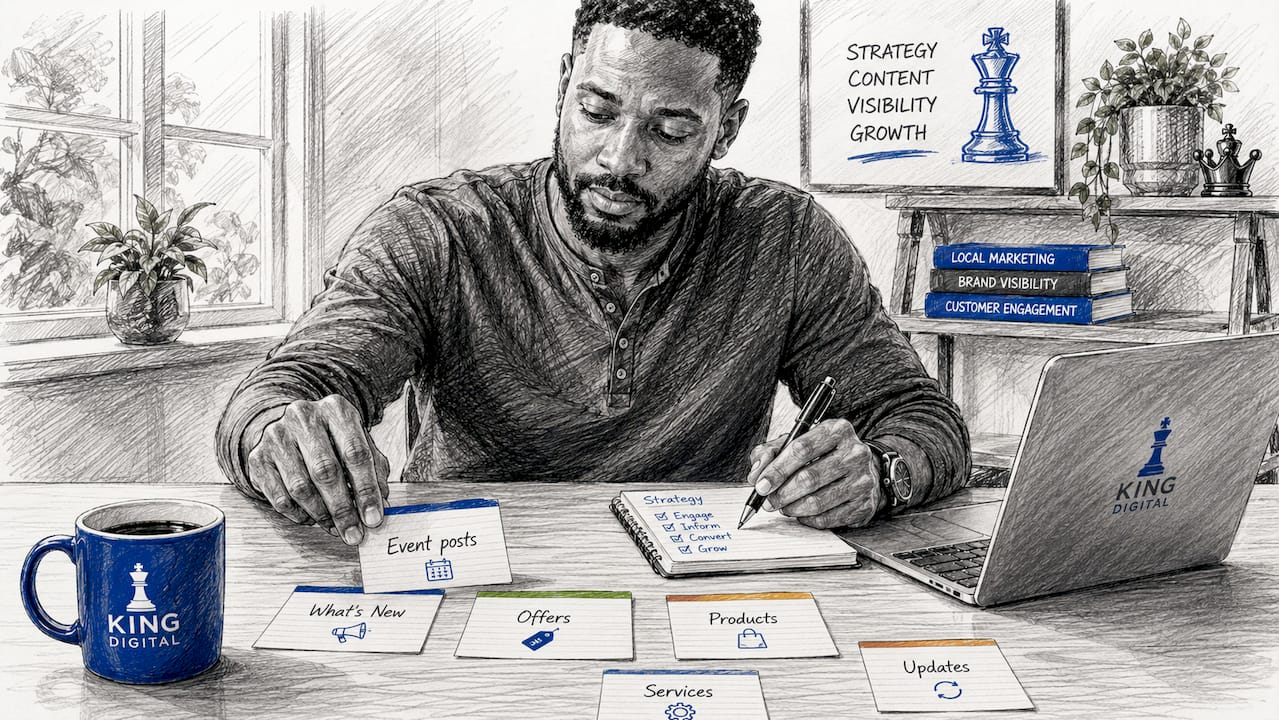
What are the types of Google Business posts?
Google Business Profile posts are the industry term for what many owners casually call “Google My Business posts.” Four primary post types exist: Update, Offer, Event, and Product. Each has its own format, lifespan, and best use case. Knowing the differences lets you match your content to your actual business goal instead of guessing.
The table below summarizes the key features of each post type at a glance.
| Post type | Best use | Lifespan | CTA options |
|---|---|---|---|
| Update | News, tips, announcements | ~6 months | Book, Call, Learn More, Order, Shop, Sign Up |
| Offer | Discounts, promotions | Custom start/end dates | View Offer |
| Event | Workshops, open houses | Until event end date | Book, Learn More, Sign Up |
| Product | Catalog items, services | Indefinite | Order, Learn More, Shop |
Pro Tip: Post at least one of each type within your first month on Google Business Profile. A mixed profile signals an active, credible business to both Google and potential customers.
1. Update posts: your all-purpose announcement tool
Update posts are the most flexible of all Google posts content types. They support nearly every CTA option available, including Book, Call, Learn More, Order, Shop, and Sign Up. Update posts stay visible for about six months, but newer posts rank higher in the feed. That means posting regularly keeps your profile looking current even though old posts do not disappear immediately.
Use Update posts for anything that does not fit a promotion or event. Share a new staff member, announce updated hours, post a customer tip, or highlight a recent five-star review. A local HVAC company in Albuquerque, for example, could post a seasonal maintenance checklist every spring and fall. That kind of content builds trust and gives searchers a reason to choose you over a competitor with a static profile.
2. Offer posts: the highest-visibility promotional tool
Offer posts carry a “View offer” badge that appears directly on your listing, making them the most visually distinct of all post types. Offer posts typically include start and end dates, coupon codes, and terms and conditions. That badge increases click-through because it signals a deal before the customer even reads the post.
Use Offer posts for time-sensitive promotions: a 20% discount on a first haircut, a buy-one-get-one deal at a restaurant, or a free consultation for a new legal client. The built-in urgency of a deadline motivates action in a way that a standard Update post cannot. Always include a clear coupon code or redemption instruction so customers know exactly what to do.
3. Event posts: drive attendance and build community
Event posts are built for time-bound activities. They remain visible until the event end date passes, which makes them ideal for workshops, open houses, pop-up sales, and webinars that run over multiple days. The post displays the event name, start and end datetime, and an optional CTA such as Book or Learn More.
A local yoga studio could use an Event post to promote a free community class every month. A retail shop could post an annual sidewalk sale. The key advantage is that the post auto-expires when the event ends, so your profile never shows outdated information. Pair your Event post with a link to an event registration page to capture leads directly from Google.
4. Product posts: your permanent digital catalog
Product posts are the only post type with an indefinite lifespan. They showcase product details such as pricing, images, and descriptions and persist on your profile until you remove them. That permanence makes them the right choice for core offerings you want customers to see every time they find you on Google.
A plumber could list their top three service packages with pricing. A boutique clothing store could feature a signature item with a direct Shop link. Product posts work like a mini-storefront inside your Google listing. They reduce the number of steps between a customer’s search and a purchase decision, which directly supports lead conversion.
5. How to use each post type for specific business goals
Matching your post type to your marketing goal is the core of any strong Google Business post strategy. Here is how each type maps to common local business objectives:
- Brand awareness: Use Update posts to share behind-the-scenes content, staff spotlights, or community involvement. These build familiarity without a hard sell.
- Sales and promotions: Use Offer posts for seasonal discounts, flash sales, or referral incentives. The “View offer” badge does the heavy lifting visually.
- Event attendance: Use Event posts for any activity with a date and time. Include a Book or Sign Up CTA to capture registrations directly from the post.
- Product discovery: Use Product posts to highlight your best sellers or newest services. Add pricing to reduce friction and answer the customer’s first question before they ask it.
- Customer education: Use Update posts with a Learn More CTA to link to blog articles, FAQs, or how-to videos on your website.
Mixing different post types regularly keeps your profile fresh and signals to Google that your business is active. A profile with only one post type looks thin. A profile with a rotating mix of updates, offers, events, and products looks like a business that is genuinely engaged with its customers.
Pro Tip: Schedule one post per week and rotate through all four types over the course of a month. This gives your profile variety and keeps every content category current.
6. Google Business post ideas for local businesses
Running out of ideas is the most common reason business owners stop posting. Here are concrete google business post ideas organized by type and business category:
- Update post for a restaurant: Share a photo of a new menu item with a short description and a Order CTA linked to your online ordering page.
- Offer post for a salon: Promote a 15% discount on color services every tuesday in january. Include a coupon code and a clear expiration date.
- Event post for a fitness studio: Announce a free trial class for new members. Set the event dates, add a Sign Up CTA, and link to your booking page.
- Product post for a home services company: Feature your most popular service package with a price range and a Call CTA so customers can book directly.
- Update post for a retail shop: Highlight a customer review with a photo of the product they loved. This builds social proof without spending a dollar.
- Offer post for a dental office: Run a new patient special with a discounted exam and cleaning. Include terms and an end date to create urgency.
- Event post for a law firm: Promote a free community seminar on estate planning. Use a Learn More CTA linked to your registration form.
- Product post for a spa: Showcase a signature facial treatment with a description, price, and a Book CTA. This is one of the most direct paths from search to appointment.
- Update post for any business: Share a tip related to your industry. A pest control company could post five signs you have a termite problem. This positions you as the local expert.
- Offer post for a gym: Offer a free first month for new annual memberships in january. The combination of a time limit and a high-value offer drives sign-ups fast.
Variety in your posts improves local search ranking because it signals consistent engagement. Google rewards active profiles with better placement in local results.
7. How CTAs and action types drive conversions from posts
The call-to-action button is where a post becomes a lead. Google’s API supports six official CTA action types: BOOK, ORDER, SHOP, LEARN_MORE, SIGN_UP, and CALL. Each one connects to a different conversion goal, and choosing the wrong one wastes the traffic your post generates.
Here is how to match each CTA to your business model:
- BOOK: Best for service businesses like salons, gyms, medical offices, and consultants. Links directly to a scheduling page.
- ORDER: Best for restaurants, bakeries, and any business with an online ordering system.
- SHOP: Best for retail stores with an e-commerce catalog.
- LEARN_MORE: Best for educational content, blog posts, or any post where you want to drive website traffic before asking for a commitment.
- SIGN_UP: Best for events, newsletters, free trials, and lead magnet offers.
- CALL: Best for service businesses where a phone call is the fastest path to a sale, such as plumbers, electricians, and locksmiths.
CTAs like BOOK and ORDER allow direct appointment or purchase actions, which shortens the sales cycle significantly. A customer who finds your Google listing and can book an appointment without visiting your website is far more likely to convert than one who has to navigate multiple steps. Different post types support different CTAs, so always check that your chosen CTA is available for the post type you are creating.
Pro Tip: Test two different CTAs on similar Update posts over 30 days. Compare click-through rates in your Google Business Profile Insights dashboard to find which action drives more conversions for your specific audience.
Key takeaways
Consistent use of all four Google Business post types is the most direct way to build an active, conversion-ready local profile.
| Point | Details |
|---|---|
| Four official post types | Update, Offer, Event, and Product posts each serve a distinct marketing goal. |
| Post lifespan varies | Update posts last about six months; Product posts are permanent; Event posts expire automatically. |
| CTAs drive conversions | Matching the right CTA (BOOK, ORDER, CALL, etc.) to your post type shortens the path to a sale. |
| Variety builds visibility | Mixing post types signals an active profile and supports stronger local search placement. |
| Post ideas are repeatable | Rotating through promotions, tips, events, and product features keeps your profile fresh year-round. |
Why I think most local businesses are leaving Google posts on the table
I have worked with dozens of local business owners across Albuquerque, and the pattern is almost always the same. They set up their Google Business Profile, fill in the basics, and then never touch it again. They treat it like a phone book listing instead of a live marketing channel.
The businesses that win in local search are the ones posting consistently. Not perfectly. Consistently. A restaurant that posts a new dish photo every week will outperform a competitor with a better website but a dormant profile. Google reads activity as relevance, and relevance is what gets you into the local map pack.
The other mistake I see constantly is using only Update posts. Owners get comfortable with one format and ignore the rest. But an Offer post with a “View offer” badge is a completely different visual experience for a searcher than a plain text update. Product posts let you build a permanent catalog inside Google at zero cost. Event posts auto-expire so you never have to worry about outdated content. Each type solves a different problem.
My honest recommendation: treat your Google Business Profile like a social media channel with a direct line to purchase. Post something every week. Rotate your types. Use a CTA on every single post. The businesses I have seen do this consistently are the ones showing up at the top of local results, and they are not spending a dollar on ads to get there.
— Bernadette
Ready to get more from your Google Business Profile?
Your Google Business Profile is one of the most powerful free tools available to a local business owner. But posting the right content, at the right frequency, with the right CTAs takes a clear strategy.
At King Digital Marketing Agency, we help local businesses across Albuquerque build and manage Google Business Profiles that actually drive leads. From post strategy and content creation to full digital marketing for local growth, our team handles the details so you can focus on running your business. If you are ready to turn your Google listing into a consistent source of new customers, we are ready to help you get there.
FAQ
What are the four types of Google Business posts?
The four official types are Update, Offer, Event, and Product posts. Each serves a different purpose, from general announcements to time-limited promotions and permanent product listings.
How long do Google Business posts stay visible?
Update posts remain visible for about six months, Event posts expire when the event ends, and Product posts stay on your profile indefinitely until you remove them.
How do I create Google Business posts?
Log into your Google Business Profile dashboard, select “Add update” or the relevant post type, add your image, text, and CTA, then publish. Posts appear on both Google Search and Maps listings.
Which CTA should I use on my Google Business posts?
Match the CTA to your conversion goal. Use BOOK for appointments, ORDER for food or products, CALL for service businesses, and SIGN_UP for events or free offers.
Do Google Business posts help with local SEO?
Yes. Regular posting contributes to local search relevance by signaling an active, engaged profile to Google, which supports better placement in local search and Maps results.
Recommended
- Google Local Service Ads: 7 Powerful Ways to Dominate 2025
- Google Business page management: The #1 Key to Dominate
- Google Maps local business: Maximize Visibility 2025
- Google business listing help: 7 Powerful Steps for Easy Success 2025
