What “Location Geo” Actually Means – and Why It Matters for Your Business
Location geo is the technology that connects a physical place in the real world to a digital signal – whether that’s a GPS coordinate, an IP address, or a Wi-Fi network. In plain terms, it’s how the internet figures out where you are.
Here’s a quick breakdown of the two most common ways location geo works:
| Method | What It Uses | Typical Accuracy |
|---|---|---|
| GPS Coordinates | Satellite signals + device hardware | Within a few meters |
| IP Geolocation | Your internet address + routing data | City-level, 50-75% accurate |
| Wi-Fi Positioning | Nearby network signals | Room-to-building level |
| Cell Tower Triangulation | Mobile network signals | Neighborhood level |
For local business owners, this matters more than you might think. When a potential customer searches for a service near them, Google uses location geo signals – including your map listing coordinates – to decide whether your business shows up at all.
Getting those signals right is the difference between being found and being invisible.
I’m Bernadette King, founder of King Digital Marketing Agency, and I’ve spent years helping local businesses cut through exactly this kind of digital complexity – from correcting misaligned map listings to using location geo data to improve local search visibility. In the sections ahead, I’ll walk you through everything you need to know, from how GPS coordinates and IP tracking work to how these technologies directly affect your bottom line.
Easy location geo word list:
What is Geolocation and How Does It Work?

At its heart, geolocation is the process of finding, defining, and recording the physical location of an electronic device. Whenever we look up directions while driving down Coors Boulevard in Albuquerque or search for a local coffee shop near the historic plaza in Santa Fe, we are relying on a complex web of background technologies working in harmony.
But how does a device actually translate invisible signals into a precise point on a map?
The magic happens through a combination of active and passive data collection. When a device is connected to the internet, it continuously broadcasts or receives signals. Geolocation systems capture these signals and run them through advanced databases or geometric calculations to pinpoint where the device is situated.
This process is not a one-size-fits-all solution. Depending on whether you are using a desktop computer connected to a wired router in Rio Rancho or a smartphone moving through the scenic roads of Taos, the underlying mechanics shift to utilize whichever signals are most accessible and accurate at that moment.
To explore this concept in deeper detail, you can read our comprehensive guide on everything you need to know about location tracking.
Understanding the Core Technologies Behind Location Geo
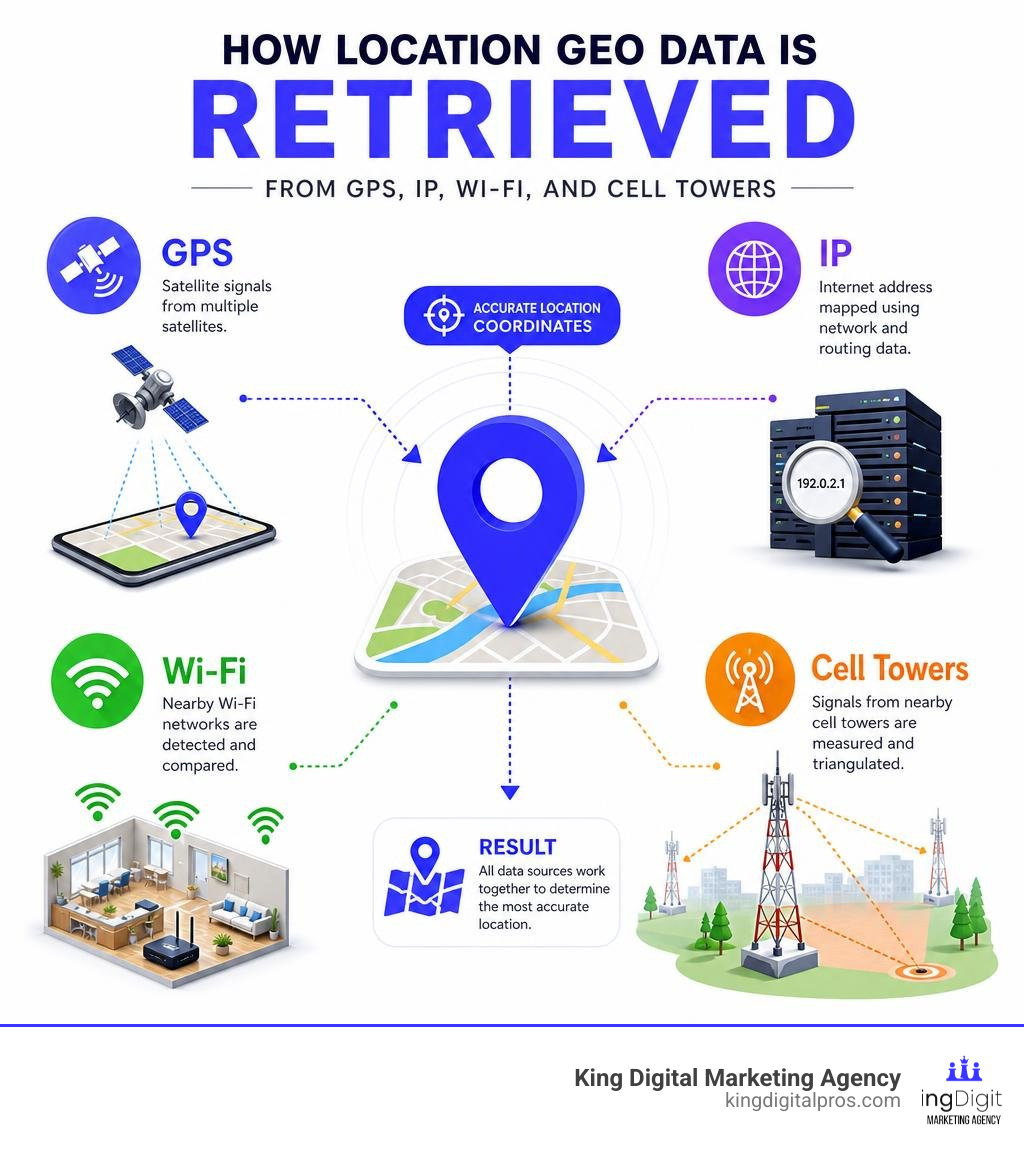
The modern ecosystem of location geo relies on four primary pillars of technology:
- Global Positioning System (GPS): This is the gold standard for outdoor precision. Your smartphone contains a tiny GPS receiver that listens to radio signals sent by a constellation of satellites orbiting the Earth. By calculating the exact microsecond those signals took to reach your device from at least four different satellites, your phone can compute its exact latitude, longitude, and altitude.
- Wi-Fi Positioning Systems (WPS): When GPS signals are blocked by thick walls or heavy forest cover, Wi-Fi positioning steps in. Your device scans for nearby Wi-Fi routers and notes their unique MAC addresses and signal strengths. By comparing this list against a massive global database of known router locations, the system can calculate your position with surprising accuracy, often within a single building.
- Cell Tower Triangulation: Mobile phones maintain a constant connection with nearby cell towers. By measuring the time delay and signal strength from multiple towers simultaneously, mobile network operators can estimate your location within a specific neighborhood or zone.
- IP Geolocation: Every device connected to the internet is assigned an IP (Internet Protocol) address. Unlike GPS, an IP address does not contain physical coordinate sensors. Instead, it is routed through various internet service provider (ISP) hubs. Databases map these IP ranges to physical locations, giving websites an approximate idea of where you are browsing from.
To ensure that different web browsers and mobile applications can access this data seamlessly, the World Wide Web Consortium (W3C) establishes official standards. The standardized W3C Geolocation API provides web developers with a uniform way to request geographic coordinates from a device, regardless of whether those coordinates were sourced from GPS, Wi-Fi, or cell towers.
For developers building native applications, mobile operating systems offer specialized tools. On Android, developers utilize the Android Location API to manage location updates, handle mock locations, and calculate distances. Similarly, cross-platform desktop and mobile developers using the Qt framework rely on the QGeoLocation Class to package coordinates, physical addresses, and bounding display shapes into a clean, reusable code structure.
GPS Coordinates vs. IP-Based Location Geo
To master location geo, we must understand the fundamental divide between GPS-derived coordinates and IP-based geolocation. While they both answer the question “Where is this device?”, they do so using completely different pathways, resulting in wildly different levels of precision and trust.
| Feature | GPS Coordinates | IP-Based Geolocation |
|---|---|---|
| Primary Data Source | Satellite signals (WGS 84 system) | ISP routing tables and WHOIS registries |
| Precision Level | High (typically 3 to 15 meters) | Low to Moderate (city or regional level) |
| User Consent Required | Yes, explicit browser or OS permission | No, IP address is broadcast automatically |
| Typical Use Cases | Turn-by-turn navigation, geofencing | Content localization, fraud detection, regional pricing |
| Vulnerability to Spoofing | Difficult (requires specialized hardware/apps) | Easy (can be masked using a VPN or proxy) |
GPS coordinates are highly precise mathematical measurements. When a device accesses GPS, it returns exact coordinates based on the World Geodetic System 1984 (WGS 84). This is the standard coordinate reference system used globally for mapping and navigation.
On the other hand, IP-based geolocation is essentially a game of digital deduction. When you visit a website from your home in Corrales or your office in Los Alamos, the hosting server reads your public IP address. It then queries a database – such as MaxMind or KeyCDN – to see which ISP owns that IP block and where that ISP’s routing equipment is physically located.
Because of this routing structure, IP geolocation can never pinpoint your exact street address. It might show that you are in Albuquerque when you are actually sitting in Rio Rancho, simply because your ISP routes your traffic through a central hub in the Albuquerque metro area.
For systems to share and understand these geographic points in a standardized, protocol-independent way, the Internet Engineering Task Force (IETF) published RFC 5870: A Uniform Resource Identifier for Geographic Locations (‘geo’ URI). This standard defines a compact format for geographic links, allowing devices to understand URIs like geo:35.2328,-106.6630 as a direct pointer to a physical location on Earth.
How Coordinate Systems Define a Physical Location Geo
To translate our physical world into digital data, coordinate systems use latitude and longitude. Latitude measures distance north or south of the equator, while longitude measures distance east or west of the prime meridian.
These coordinates are typically expressed in two formats:
- Decimal Degrees (DD): This format represents coordinates as decimal fractions (e.g., latitude
35.2328, longitude-106.6630for a location in Rio Rancho). This is the preferred format for databases, modern web mapping APIs, and programmatic calculations. - Degrees, Minutes, and Seconds (DMS): A traditional format that divides each degree into 60 minutes, and each minute into 60 seconds (e.g.,
35 degrees 13' 58" N, 106 degrees 39' 46" W). You will often see this format on historical maps or physical plaques.
To see how these formats look in action across our communities, we can examine a few specific coordinate points:
- To find the exact coordinates for Rio Rancho, we can look at the Rio Rancho Lat Long Map Coordinates, which places the city center at approximately
35.2328latitude and-106.6630longitude. - Further west, the Grants Lat Long Map Coordinates show the city positioned at
35.1473latitude and-107.8514longitude. - For those exploring the historic mountain communities, we can check Taos on Wikipedia or look up the beautiful village of Corrales on Wikipedia to see how local geography shapes community boundaries.
When dealing with complex terrain, coordinate systems also incorporate altitude (height above or below a reference ellipsoid) and an uncertainty parameter (usually denoted as u in URI structures). The uncertainty parameter is crucial because it tells the receiving application exactly how reliable the coordinate data is, expressed as a radius in meters.
Local governments rely heavily on these precise coordinate systems to manage infrastructure. For example, the City of Albuquerque GIS Maps and the City of Santa Fe GIS Services use highly detailed geographic information systems (GIS) to map utility lines, property boundaries, and zoning districts. Similarly, researchers studying the natural landscape of Tijeras, Cedar Crest, or Edgewood rely on the Geologic Map Compilation of the East Mountains Area to track soil compositions and geological formations.
Geolocation Accuracy, Privacy, and Permissions
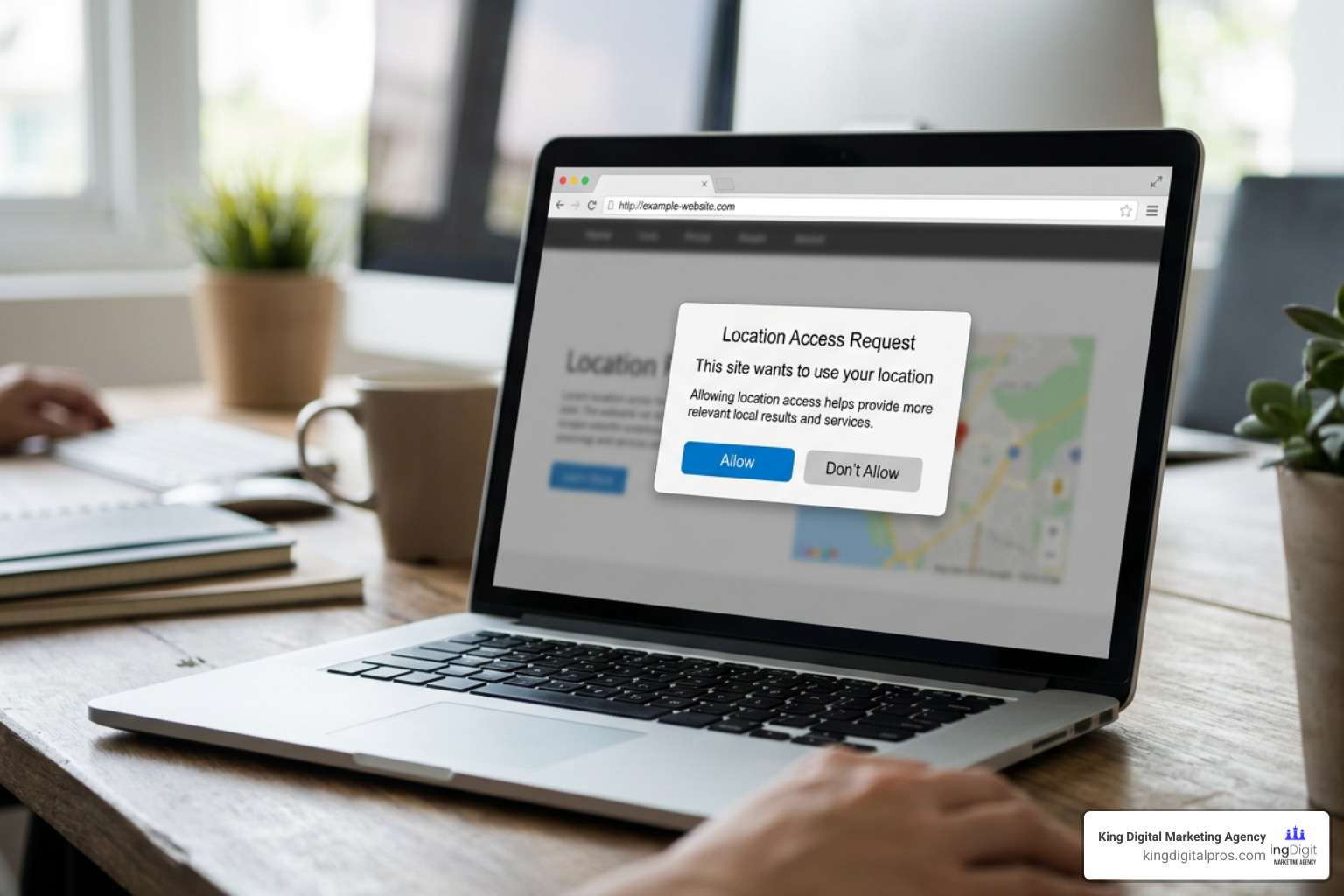
While location geo technology is incredibly powerful, it comes with a major responsibility: protecting user privacy. Because location data can reveal intimate details about a person’s daily routines, habits, and associations, modern operating systems and web browsers treat geolocation as a highly sensitive, restricted capability.
The accuracy of this data varies widely depending on the method used. While GPS can pinpoint your location to a specific storefront on the historic plaza in Taos, IP-based geolocation is much broader. In fact, industry data shows that city-level IP geolocation accuracy generally hovers around 50% to 75%. While most IP database vendors claim 98% or higher accuracy at a country level, mapping an IP address to a specific city or neighborhood is far from guaranteed.
Because of this variance, developers use an accuracy radius to represent the level of precision. When an app requests your location, it doesn’t just receive a point; it receives a circle of probability. If you are connected to a public Wi-Fi network in Los Alamos, that circle might be 20 meters wide. If you are relying purely on cell towers while driving through the East Mountains, that circle could stretch to several kilometers.
To protect users, the W3C standards mandate clear guidelines for handling location data:
- Explicit User Consent: Web browsers must display a clear permission prompt before sharing coordinate data with a website.
- Data Minimization: Applications should only request the level of accuracy necessary for the task. A weather app doesn’t need to know your exact street address; city-level IP data is more than enough.
- Encrypted Transmission: Location data should always be transmitted over secure connections (HTTPS) to prevent interception by malicious actors.
- Session-Based Permissions: Browsers are encouraged to limit permission lifetimes to a single browsing session by default, preventing websites from tracking users indefinitely.
Managing Permissions and API Access
When building applications that utilize location geo data, developers must carefully manage permissions. Modern web browsers expose the Geolocation API through the navigator.geolocation object. This interface provides two primary methods for retrieving location data:
getCurrentPosition(): This is a one-shot request. It asks the device for its current location, returns the coordinates, and then stops. This is ideal for features like finding a store location or checking in at a local business.watchPosition(): This method sets up a continuous tracker. It monitors the device’s location and fires a callback function every time the coordinates change. This is essential for turn-by-turn navigation apps.
To prevent battery drain and respect user privacy, developers can pass a PositionOptions dictionary to these methods. This allows them to set parameters like enableHighAccuracy (which tells the device to use GPS if available, though it consumes more power), timeout (the maximum time allowed to find a location), and maximumAge (which allows the app to accept a cached location to save processing power).
If something goes wrong, the API returns a GeolocationPositionError object containing one of three standard error codes:
PERMISSION_DENIED(Code 1): The user clicked “Block” on the location prompt.POSITION_UNAVAILABLE(Code 2): The device could not connect to satellites, Wi-Fi networks, or cell towers to calculate a location.TIMEOUT(Code 3): The device took too long to acquire a position.
Practical Use Cases and Tools for Developers and Businesses
In today’s digital landscape, location geo is not just a technical novelty; it is a vital business tool. From small shops in Corrales to growing service businesses in Tijeras and Edgewood, accurate location data drives customer acquisition, security, and user experience.
For developers and system administrators, several powerful tools make mapping IP addresses to physical locations easy. Databases like MaxMind’s GeoIP2 offer downloadable datasets that cover 99.9999% of active IP addresses. Because these databases reside directly on your local server, they eliminate network latency and allow for instant lookups.
For lightweight integrations, API services like KeyCDN’s IP Location Finder provide fast, REST-based lookups that return structured JSON data containing the user’s country, city, coordinates, time zone, and ISP details.
Let’s look at how businesses leverage these technologies in the real world:
- Content Localization: When a user visits your website, you can use IP geolocation to instantly tailor their experience. For example, a regional home service company can display local phone numbers and specific service areas based on whether the visitor is browsing from Santa Fe or Rio Rancho.
- Fraud Prevention: E-commerce platforms use IP lookup tools to flag suspicious transactions. If a customer’s credit card billing address is in Albuquerque, but the transaction is initiated from an IP address routed through another continent, the system can flag the order for manual review.
- Location-Based Advertising: By understanding where users are in real-time, businesses can deliver highly relevant marketing messages. To understand how this works behind the scenes, take a look at our deep dive on location-based advertising and the tech behind the pin.
- Geofencing Campaigns: Businesses can draw virtual boundaries around physical locations – like a competitor’s store or a local event space – to trigger targeted mobile ads when potential customers walk inside. To learn more about how this strategy can drive sales, check out our geofencing marketing meaning guide.
Frequently Asked Questions About Geolocation
How accurate is IP-based geolocation?
IP-based geolocation is highly accurate at the country level (often exceeding 98%), but its precision drops significantly when mapping to specific cities. City-level accuracy generally ranges between 50% and 75%. Because IP addresses are mapped to ISP routing hubs rather than physical street addresses, an IP lookup might show you are in a neighboring municipality rather than your exact town.
What is the WGS 84 coordinate system?
The World Geodetic System 1984 (WGS 84) is the standard geodetic reference system used globally for mapping, geodesy, and satellite navigation (including GPS). It defines a mathematical model of the Earth’s shape (an ellipsoid) to ensure that latitude and longitude coordinates represent the exact same physical spots across different devices, platforms, and mapping applications.
Can I hide or spoof my geolocation?
Yes. Users can mask their IP-based geolocation by using a Virtual Private Network (VPN) or a proxy server, which routes their internet traffic through a server in a different physical location. For GPS-based tracking, users can utilize developer options on mobile devices to enable “mock locations” or use specialized GPS spoofing applications to feed custom coordinates to their device’s operating system.
Conclusion
Understanding the mechanics of location geo – from the high-precision satellites of GPS to the broad, practical insights of IP tracking – is no longer just for developers and tech giants. For local businesses operating throughout Albuquerque, Rio Rancho, Santa Fe, and our surrounding mountain communities, location data is the foundation of local visibility.
When your Google Business Profile coordinates are perfectly aligned, and your website is optimized with clear location signals, search engines can easily connect your business to the customers searching in your immediate area.
At King Digital Marketing Agency, we specialize in managing this digital complexity for you. We help local businesses optimize their map listings, correct coordinate discrepancies, and build high-impact local search strategies that turn online searches into foot traffic.
Ready to put your business on the map? Explore our geofencing marketing services today, and let us help you dominate your local market.
