
What Is a Geolocation App – and Why Does It Matter for Your Business?
A geolocation app is software that identifies and tracks the real-world location of a device using signals like GPS, Wi-Fi, cellular towers, and IP addresses.
Quick answer:
| Question | Answer |
|---|---|
| What does it do? | Pinpoints where a device (and its user) is located in the real world |
| How does it work? | Combines GPS, Wi-Fi, cellular, and IP data to calculate location |
| Who uses it? | Families, businesses, developers, compliance teams, and everyday users |
| Why does it matter? | Enables navigation, fraud prevention, local marketing, and safety tools |
| Common examples | Google Maps, Life360, GeoComply, Find Hub |
Location data is quietly powering more of your daily life than you might realize. When a customer searches “near me” and finds your business, that’s geolocation at work. When a bank flags a suspicious login from another country, that’s geolocation too. When a parent checks that their teenager got home safe – same technology.
The global demand for location-aware tools has exploded. Apps like Life360 have surpassed 100 million downloads, and enterprise platforms like GeoComply now process over 2 billion location transactions every month – serving more than 200 million users across iGaming, financial services, and media.
For local business owners, understanding how these tools work is no longer optional. Your competitors are already using location technology to reach customers, prevent fraud, and show up in the right place at the right time.
I’m Bernadette King, founder of King Digital Marketing Agency, and I’ve spent years helping local businesses use digital tools – including geolocation app technology – to show up where customers are actually looking. In the sections below, I’ll break down exactly how this technology works and how you can put it to use for your business.
Must-know geolocation app terms:
Understanding the Power of a Geolocation App
At its core, a geolocation app is all about turning digital signals into physical coordinates. Every device connected to the internet has a story to tell about where it is. By analyzing these signals, software can determine a user’s location with astonishing accuracy.
This process relies heavily on location data. Location data is not just a single set of GPS coordinates; it is a rich tapestry of IP addresses, network connections, and device identifiers. When a device requests a piece of information from a server, it carries an IP address. While an IP address alone cannot tell us exactly which room of a house a person is standing in, it provides crucial clues about their country, city, and zip code.
For a deeper dive into how we map these digital footprints, check out our guide on Location Geo Demystified: Tracking IPs and Finding Coordinates.
By combining coordinate tracking (latitude and longitude) with network identifiers, geolocation software builds a bridge between the physical world and the digital space. For businesses, this means you can stop guessing where your customers are and start delivering experiences tailored precisely to their immediate surroundings.
How a Geolocation App Determines Location
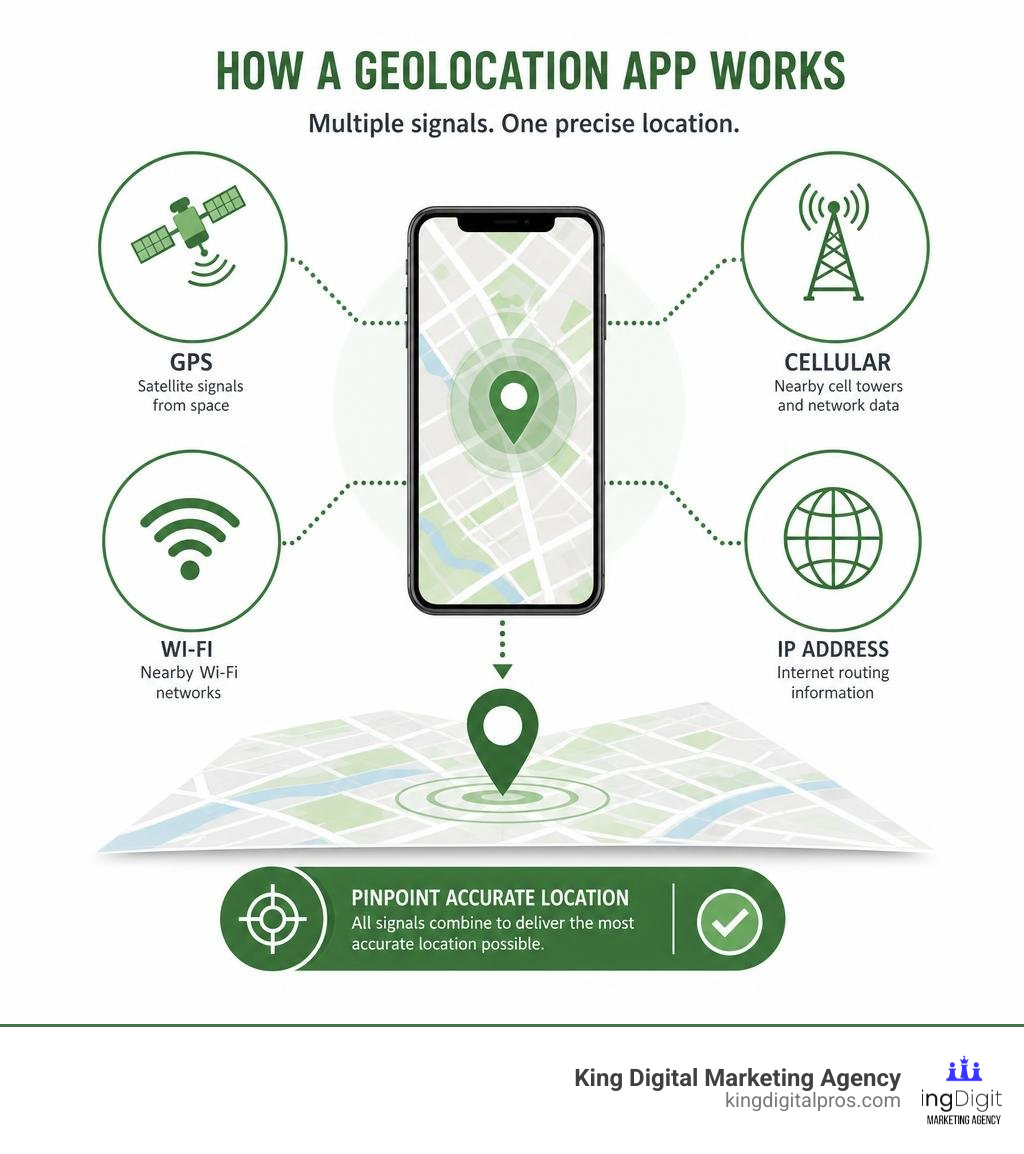
How does a geolocation app actually know where you are standing? It does not rely on just one magic sensor. Instead, it acts like a digital detective, gathering clues from multiple sources to calculate your position:
- GPS Signals: Global Positioning System (GPS) technology is the gold standard for outdoor tracking. Your device listens to signals sent by a network of satellites orbiting the Earth. By calculating how long it takes for a signal to travel from multiple satellites to your phone, the app can pinpoint your exact latitude and longitude.
- Cellular Towers: When GPS signals are blocked by heavy tree cover or tall buildings, your phone talks to nearby cell towers. Through a process called triangulation, the app estimates your location based on your distance from the closest cellular towers.
- Wi-Fi Networks: This is the secret weapon for indoor tracking. Even if you are not connected to a specific Wi-Fi network, your device can detect nearby routers. Since the physical locations of millions of Wi-Fi routers are mapped in global databases, a geolocation app can instantly figure out your location just by seeing which routers are nearby.
- Satellite Data and Sensors: Modern mobile devices also use internal sensors like gyroscopes, altimeters, and accelerometers to assist in tracking, allowing the app to determine if you are walking, driving, or climbing stairs.
Key Technologies Behind Location Tracking
Under the hood of any high-performing location tool are standardized frameworks and protocols that developers use to access location data securely.
One of the most important standards is the W3C Geolocation API. This is a browser-based protocol that allows websites and web applications to request your geographic position. When a website asks, “Would you like to share your location?” it is using this API to pull data from your device’s GPS, Wi-Fi, or IP address.
Another critical concept is geocoding. Geocoding is the process of taking a physical address (like “123 Main Street”) and converting it into geographic coordinates (latitude 35.0844, longitude -106.6511). Reverse geocoding does the exact opposite – taking raw GPS coordinates and translating them into a human-readable address. This is what allows a navigation app to tell you that you have arrived at your destination rather than just flashing numbers on a screen.
Finally, IP lookup databases act as digital directories. They match a device’s IP address to a specific geographic region, helping businesses identify where web traffic is coming from before a user even enables their device’s GPS. To learn more about how these different tracking methods compare, read Everything You Ever Wanted to Know About Location Tracking.
Main Types of Geolocation Software and Tools
Not all geolocation apps are built for the same purpose. Depending on whether you are trying to find a lost set of keys, verify a financial transaction, or navigate a new city, you will interact with different types of software.
| App Type | Primary Purpose | Key Features | Examples |
|---|---|---|---|
| Navigation & Mapping | Finding routes and exploring physical spaces | Real-time traffic, offline maps, business reviews | Google Maps, Google Earth |
| Family & Asset Trackers | Keeping tabs on loved ones, pets, and physical items | Real-time sharing, safety alerts, history logs | Life360, Google’s Find Hub |
| Location Validators | Verifying physical presence for compliance and security | VPN detection, tamper-proof checks, geofencing | GeoGuard Location Validator, GeoComply |
| Social & Journaling | Logging personal travels and sharing spots with friends | One-tap check-ins, custom lists, travel history | Swarm |
Each category serves a unique audience:
- Location Validators: These are highly secure utilities used by banking, compliance, and gaming platforms to ensure users are physically located within authorized borders.
- Family Trackers: Consumer-focused tools like Life360 (which maintains a 4.4 out of 5 rating on Google Play) use continuous background GPS tracking to keep families connected and safe.
- Device Finders: Network-based applications like Google’s Find Hub help users track down misplaced phones, tablets, and smart tags even when they are offline, using encrypted peer-to-peer location networks.
Key Features to Look For in Geolocation Software
If you are looking to integrate location tracking into your business operations or select a tool for your team, you need to know which features actually move the needle. Excellent geolocation software must be accurate, reliable, and respectful of user resources.
First and foremost, look for real-time updates. If a delivery driver’s location only updates once every ten minutes, the data is practically useless. High-quality apps offer seamless, low-latency tracking that updates in seconds.
Second, look for robust geofencing capabilities. Geofencing allows you to draw virtual boundaries around physical locations. When a device enters or exits that boundary, it triggers an action – like sending a notification or logging a timecard. To understand how to choose the right platform for this, explore our Geofencing Marketing Software Ultimate Guide.
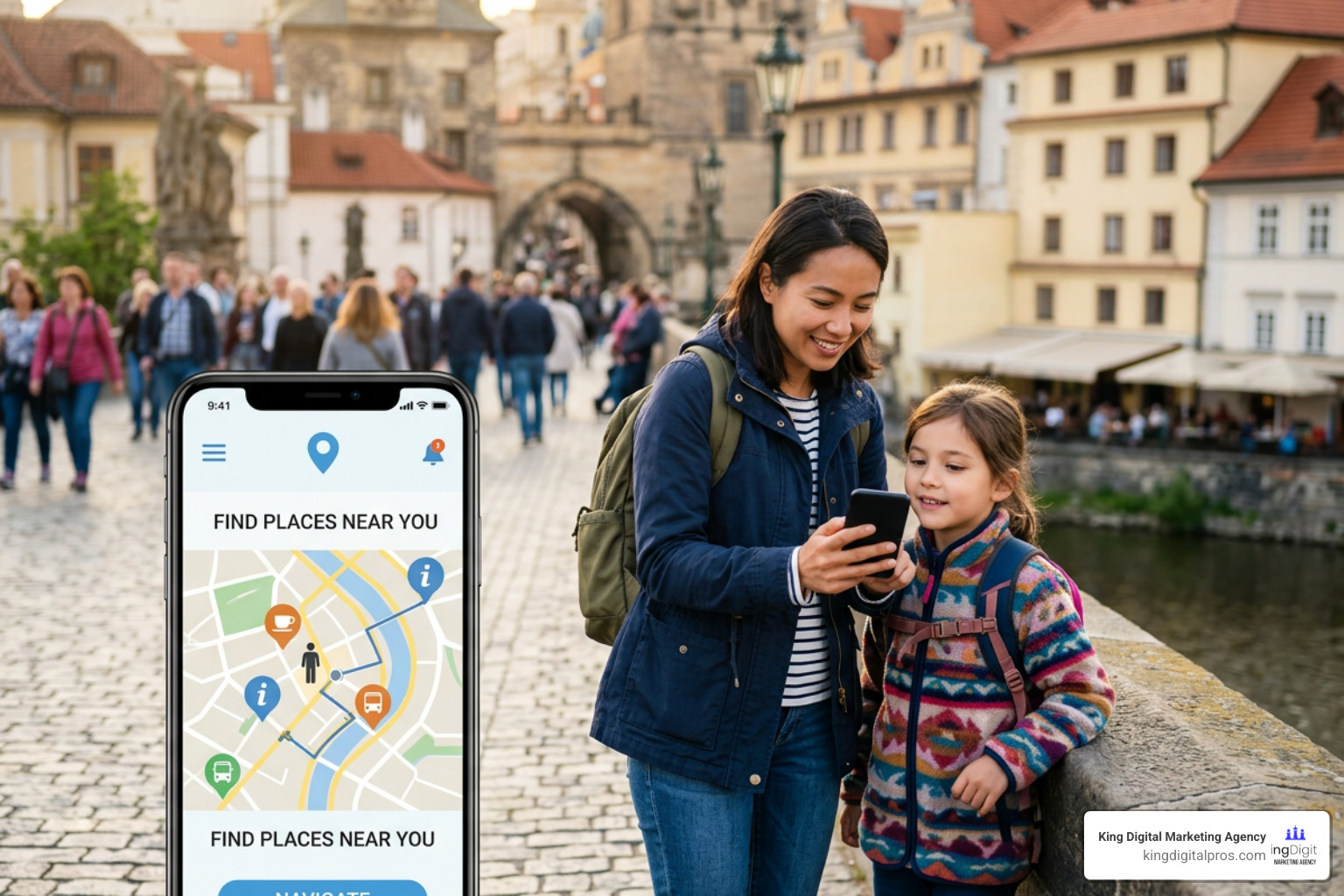
Finally, do not overlook offline maps. In areas with poor cellular service, an app that relies entirely on an active internet connection will fail. The ability to download and store map data locally is a lifesaver for field service workers, delivery drivers, and outdoor adventurers alike.
Essential Features of a Business Geolocation App
For enterprise and local commercial use, a basic map interface is not enough. Businesses require specialized features designed to protect their bottom line and keep operations running smoothly:
- Compliance Checks: In highly regulated industries, you must prove that your users are exactly where they claim to be. Geolocation software can perform automated checks to ensure transactions only occur within legal jurisdictions.
- Fraud Prevention: Security-focused geolocation tools analyze network signals to detect if a transaction is coming from a suspicious IP address or if a user is trying to hide their true location.
- Custom Boundaries: Instead of simple circular radiuses, businesses need the ability to draw complex, multi-point polygons on a map to match real-world sales territories, delivery zones, or local advertising targets.
- Smart User Notifications: The app should be able to send highly targeted, location-triggered push notifications that respect user settings and do not cause notification fatigue.
Accuracy, Permissions, and Technical Challenges
While geolocation technology is incredibly advanced, it is not without its hurdles. To get the most out of a geolocation app, you have to understand the physical and technical limitations that can impact its performance.
The first major challenge is signal blockage. GPS signals require a clear line of sight to satellites. Heavy cloud cover, dense forest canopies, and “urban canyons” (areas with tightly packed skyscrapers) can bounce or block these signals, causing “GPS drift” – where your location marker jumps around erratically on the map.
The second challenge is battery drain. Continuous use of GPS chips, cellular modems, and Wi-Fi scanning requires a lot of power. Apps that run background tracking without optimizing their code can quickly drain a device’s battery, leading to frustrated users who will ultimately uninstall the app.
Then there is the issue of device permissions. To function correctly, geolocation apps require explicit user permission. On modern operating systems like iOS and Android, users must grant access to “Location Services” and often “Notifications.” If a user selects “Never Allow,” the app’s core utility is lost.
Finally, developers and businesses must contend with location spoofing. Users can use specialized developer tools or software like davesc63/GeoPort to simulate their iOS or Android device being anywhere in the world. For gaming, streaming, and financial apps, detecting this simulated location data is critical to maintaining security and licensing agreements.
Why Your Business Needs Geolocation Technology
If you run a local business in New Mexico – whether you are serving clients in Albuquerque, managing a retail shop in Santa Fe, or running a service business in Rio Rancho – location is everything. Utilizing a geolocation app or optimizing your business for location-based searches is the single fastest way to grow your local footprint.
Consider how local residents interact with their devices. When someone in Los Alamos wants to grab lunch, they open their phone and search for nearby spots. If you run a municipal utility service or local repair shop, apps like the Los Alamos NOW app or the ABQ311 App connect citizens directly to local services based on their current coordinates.
By using location-based marketing, you can reach customers when they are physically close to your store. Imagine drawing a virtual boundary around a local event in Santa Fe using TOURISM Santa Fe Apps and sending a special offer to attendees’ mobile devices. This is not science fiction – it is geofencing, and it is highly effective. Learn how to leverage this for your brand in our guide on the 7 Game-Changing Benefits of Geofence Marketing for Your Business.

Whether you are mapping property lines in Grants using tools like Regrid, studying local geography in the East Mountains using the Geologic Map Compilation of the East Mountains Area, or navigating the beautiful historic streets of Corrales, geolocation connects your business to the physical community around you.
Frequently Asked Questions about Geolocation Technology
As location-aware tools become more common, both business owners and consumers have important questions about how this technology handles accuracy, security, and privacy.
How accurate is location tracking software?
The accuracy of a geolocation app depends entirely on the signals it is using:
- GPS: Accurate to within 10 to 30 feet (3 to 9 meters) under an open sky.
- Wi-Fi Triangulation: Highly accurate indoors, often pinpointing a device within 15 to 50 feet.
- Cell Tower Triangulation: Less precise, usually accurate within a few hundred yards to a couple of miles depending on tower density.
- IP Geolocation: Best for regional detection, accurate down to the city or postal code level, but not for exact street addresses.
How do location tracking tools handle VPNs and spoofing?
Basic apps can easily be fooled by a Virtual Private Network (VPN) or a GPS spoofing app. However, enterprise-grade geolocation tools use advanced fraud prevention techniques. They combine GPS, Wi-Fi, cell signals, and IP data to see if they all point to the same physical spot. If a device’s IP address says it is in Germany but its Wi-Fi chips detect routers in Taos, NM (verified by Taos County GIS), the system flags the transaction as spoofed.
Do location tracking tools compromise user privacy?
They do not have to. Reputable geolocation apps prioritize data security by encrypting location data in transit and at rest. Under privacy frameworks like GDPR and CCPA, apps must obtain explicit, opt-in consent before collecting location data. Furthermore, many modern operating systems allow users to share their “approximate” location instead of their precise coordinates, giving consumers complete control over their digital privacy.
Conclusion: Put Geolocation to Work for Your Business
Whether you are looking to secure your transactions, streamline your delivery routes, or run hyper-local marketing campaigns that reach customers in Albuquerque, Rio Rancho, or Santa Fe, geolocation technology is the key to unlocking local growth.
At King Digital Marketing Agency, we specialize in helping local businesses optimize their Google Business Profiles and map listings. We make sure that when local customers search for your services on a geolocation app like Google Maps, your business is the first one they see.
Don’t let your business get lost on the digital map. Let us help you turn location data into real-world foot traffic and sales.
Ready to dominate your local market? Get Expert Geofencing Marketing Services from King Digital Marketing Agency today!
