TL;DR:
- Proper image optimization enhances website speed and search rankings by reducing file sizes and improving load times. Implementing modern formats, resizing images before upload, and using schema markup significantly boost visibility and performance. Focusing on performance first yields better SEO results than emphasizing metadata alone.
Image optimization in SEO is the practice of tailoring images to improve page speed, accessibility, and search rankings through efficient formats, meaningful alt text, and proper sizing. The role of image optimization in SEO extends far beyond aesthetics. Unoptimized images are one of the most common reasons websites fail Core Web Vitals benchmarks, lose rankings, and bleed conversion rates. Google’s 2026 ranking signals treat images as structural page elements, not decorations. For digital marketers and small business owners, getting this right is no longer optional.
How does image optimization directly impact SEO performance?
Image optimization is the single most controllable factor in your site’s Largest Contentful Paint (LCP) score. LCP measures how fast the largest visible element loads on screen, and images are almost always that element. Google’s Core Web Vitals standard sets a passing LCP threshold at 2.5 seconds. Miss that mark, and your rankings suffer.
Conversion rates increase approximately 1% for every 100ms improvement in LCP. That means a one-second improvement in load time can translate directly into measurable revenue gains for your business.
Images also affect Cumulative Layout Shift (CLS), the metric that measures how much your page jumps around while loading. Images without explicit width and height attributes cause layout shifts that harm both user experience and CLS scores. The fix is simple: always declare image dimensions in your HTML.
Here is what proper image optimization delivers for your site’s performance:
- Faster LCP scores: Smaller, correctly formatted images load in under 2.5 seconds, meeting Google’s Core Web Vitals threshold.
- Stable page layouts: Explicit width and height attributes prevent layout shifts and protect your CLS score.
- Lower bounce rates: Pages that load quickly hold attention. Slow pages lose visitors before content even renders.
- Higher conversion rates: Speed improvements compound. Every 100ms saved adds measurable conversion lift.
Pro Tip: Use Google’s PageSpeed Insights to identify your LCP image before doing anything else. That one image is your highest-priority optimization target.
Treating images as a structural page element rather than an afterthought is what separates sites that rank from sites that stall. Metadata alone without performance optimization produces weaker SEO results every time.
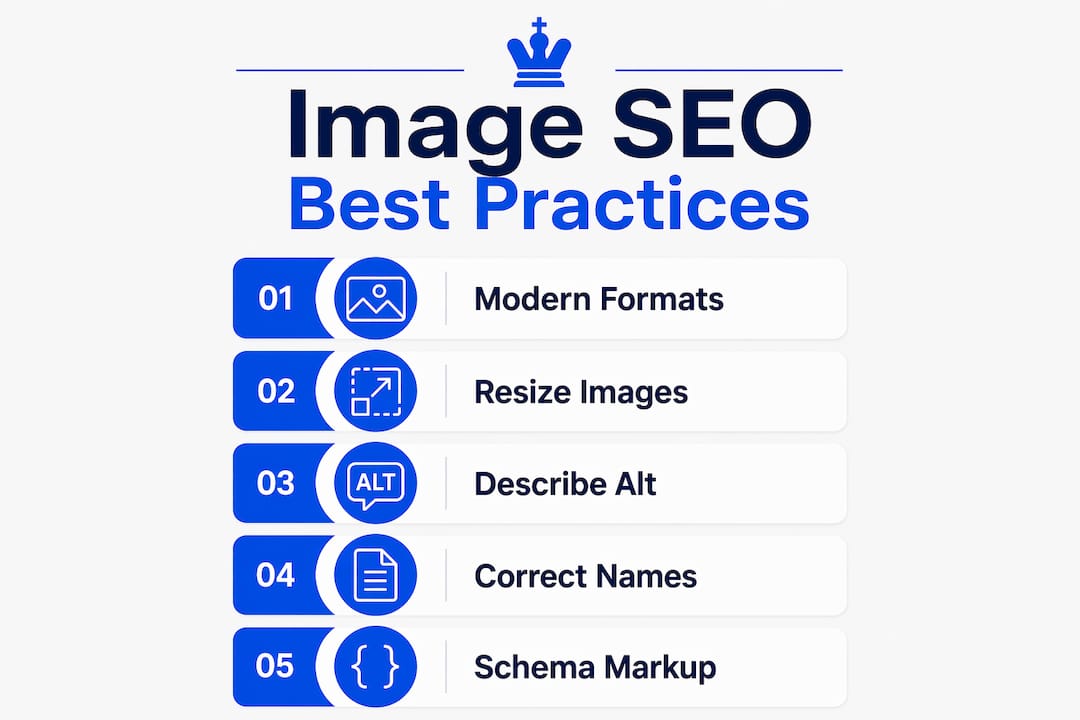
What are the best practices for image SEO in 2026?
The most effective image SEO approach combines modern formats, correct sizing, descriptive metadata, and structured data. Each element reinforces the others. Skipping one weakens the whole system.
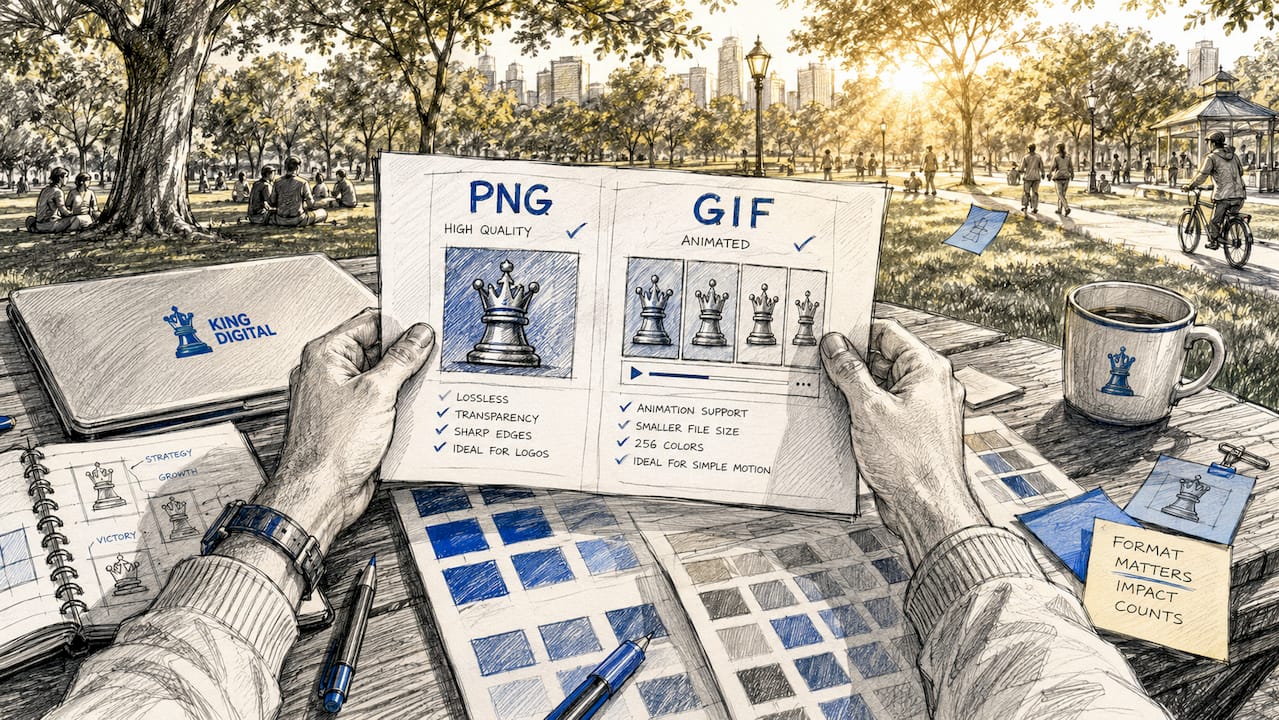
1. Use modern image formats
WebP and AVIF are the standard formats for web images in 2026. Using WebP or AVIF reduces file sizes by 25–50% compared to JPEG, with no visible quality loss. Smaller files load faster, which directly improves LCP scores and rankings.
2. Resize before you upload
Serving a 3,200px image in a 800px container wastes bandwidth and slows your page. Resizing images to actual display dimensions before uploading can reduce file size by 85–95% without any visual impact. This is the highest-leverage, lowest-effort optimization most small business owners overlook.
3. Write descriptive alt text
Alt text is how Google understands what an image shows. Write naturally, as if describing the image to someone who cannot see it. The recommended length is 5–15 words. Keyword stuffing alt attributes may be flagged and harm SEO. Natural, descriptive language is what Google’s AI-driven search rewards.
4. Name your files correctly
File names signal image content to search engines before the page even loads. Use lowercase letters, separate words with hyphens, and describe the image accurately. “red-running-shoes-womens.webp” outperforms “IMG_4821.jpg” every time.
5. Add ImageObject schema markup
Structured data tells search engines exactly what your image contains and how it relates to your content. ImageObject schema markup increases the chances of your images appearing in Google AI Overviews by more than 70%. For businesses competing in local markets, that kind of visibility is a real advantage. You can explore how structured data boosts rich results across more than 30 search feature types.
Pro Tip: Pair your ImageObject schema with your page’s primary keyword topic. Google uses surrounding text and structured data together to evaluate image relevance.
| Format | Best use case | File size vs. JPEG |
|---|---|---|
| WebP | Photos, product images, hero images | 25–50% smaller |
| AVIF | High-detail photos, complex graphics | Up to 50% smaller |
| SVG | Logos, icons, simple graphics | Vector, scales infinitely |
| PNG | Images requiring transparency | Larger; use sparingly |
Common image optimization mistakes that hurt your rankings
Most image SEO errors fall into a predictable set of categories. Knowing them saves you from losing rankings you have already earned.
-
Lazy loading your LCP image: Applying
loading="lazy"to the largest above-the-fold image is one of the most damaging mistakes you can make. Incorrect lazy loading of LCP images delays the most critical render event on your page, tanking your LCP score. Reserve lazy loading for images that appear below the fold only. -
Serving oversized images: The most common oversight is serving images 4x larger than needed. Resizing before upload can cut file size by up to 95% with no visual loss. Most content management systems do not resize automatically, so this step requires manual attention.
-
Keyword stuffing alt text: Packing alt text with keywords reads as spam to Google’s 2026 AI-driven evaluation system. Write for the person who cannot see the image, not for a search engine crawler.
-
Ignoring decorative images: Icons, dividers, and layout graphics should carry empty alt attributes using
alt="". Leaving these blank prevents Google from flagging irrelevant or stuffed descriptions on non-content images. -
Skipping structured data: Businesses that optimize alt text and file names but ignore ImageObject schema miss a growing share of AI-driven search visibility. Structured data is no longer optional for competitive image SEO.
Pro Tip: Audit your site’s images with a free tool like Google’s Rich Results Test to check which images have schema markup and which do not.
For a complete visual content checklist, the visual content SEO checklist from BabyLoveGrowth covers the full scope of image SEO requirements for digital marketers.
How image optimization supports your broader SEO and marketing goals
Image SEO does more than speed up your pages. It builds topical authority, drives organic traffic from visual search, and positions your content for AI-driven search features.
-
Google Images and visual search traffic: Google Lens processes over 12 billion visual searches monthly. Optimized images with accurate alt text and schema markup appear in those results, driving qualified traffic that text-only SEO cannot capture.
-
AI Overview inclusion: Image SEO is now essential for appearing in Google’s AI-powered search features. ImageObject schema markup is the primary technical signal that gets your images selected for AI Overviews.
-
Topical authority: Images that match your content topic, carry descriptive metadata, and load quickly signal content completeness to Google. Image SEO drives topical authority and increases chances of AI Overview citations, a growing source of organic visibility.
-
Brand credibility: High-quality, fast-loading images tell visitors your site is professional and trustworthy. That perception directly affects time on page, return visits, and conversion rates.
“Organic traffic gains from image optimization typically become observable 60–90 days after implementation, with Core Web Vitals improvements like LCP visible within 1–2 weeks, and Google re-indexing image signals requiring about 30 days.”
Source: ImageSEO
Set realistic expectations with your team. You will see technical improvements quickly, but organic traffic lifts take time to compound. The connection between website speed and SMB growth explains why consistent performance improvements pay off over the long run.
Key Takeaways
Image optimization is the most direct technical lever small business owners and digital marketers have for improving Core Web Vitals, search rankings, and conversion rates simultaneously.
| Point | Details |
|---|---|
| LCP is your priority target | Optimize the largest above-the-fold image first to meet Google’s 2.5-second threshold. |
| Format and size matter most | Use WebP or AVIF and resize to display dimensions before uploading to cut file size by up to 95%. |
| Alt text must be natural | Write 5–15 word descriptions for content images; use empty alt attributes on decorative images. |
| Structured data drives AI visibility | ImageObject schema markup increases chances of appearing in Google AI Overviews by more than 70%. |
| Results take time | Expect Core Web Vitals improvements in 1–2 weeks and organic traffic gains in 60–90 days. |
Why I think most businesses are optimizing images in the wrong order
After working with small business owners on SEO for years, I see the same pattern repeatedly. Business owners spend hours crafting perfect alt text and renaming every image file, then upload a 4MB JPEG and wonder why their rankings do not move. The metadata work was real, but the performance problem erased it.
My honest view is this: performance optimization comes first. Fix your LCP image, convert to WebP, and resize before upload. Do that before you write a single line of alt text. The reason is simple. Google cannot reward your content if it cannot load your page fast enough to evaluate it.
The other thing I have learned is that image SEO is not a one-time task. Google re-crawls image signals roughly every 30 days. That means a new product photo uploaded without proper sizing or schema can quietly drag down a page that was previously performing well. Build image optimization into your publishing workflow, not just your initial site audit.
For small businesses with limited resources, start with your homepage and top three landing pages. Those pages drive the most traffic and carry the most ranking weight. Get those images right first, then work through the rest of your site systematically.
— Bernadette
How King Digital Marketing Agency helps you get image SEO right
Image optimization touches every layer of your website, from file formats and dimensions to schema markup and Core Web Vitals. Getting it right requires both technical knowledge and a clear content strategy. King Digital Marketing Agency works with small and medium-sized businesses to build SEO-friendly website structures that treat images as ranking assets from the ground up.
Whether you are starting a new site or auditing an existing one, the King Digital Marketing Agency team identifies performance gaps, implements modern image formats, and applies structured data that positions your content for AI-driven search features. You get a site that loads fast, ranks well, and converts visitors into customers. Explore how web design and SEO work together to build lasting visibility for your business.
FAQ
What is the role of image optimization in SEO?
Image optimization in SEO improves page speed, Core Web Vitals scores, and search rankings by reducing file size, using modern formats, and adding descriptive metadata. It also drives traffic from Google Images and visual search results.
What image format is best for SEO in 2026?
WebP and AVIF are the best formats for SEO in 2026. Both reduce file sizes by 25–50% compared to JPEG while maintaining visual quality, which directly improves LCP scores and page load times.
How do I write alt text for SEO?
Write alt text as a natural 5–15 word description of the image content, as if explaining it to someone who cannot see it. Avoid keyword stuffing, and use an empty alt="" attribute on decorative images.
How long does image optimization take to improve rankings?
Core Web Vitals improvements from image optimization are typically visible within 1–2 weeks. Organic traffic gains from improved image SEO generally become observable within 60–90 days.
Does lazy loading hurt SEO?
Lazy loading hurts SEO only when applied incorrectly to above-the-fold images, especially the LCP image. Apply loading="lazy" exclusively to images that appear below the visible screen area on page load.
Recommended
- SEO ranking factors: Local Albuquerque guide for SMBs
- Website content optimization steps for Albuquerque SMBs
- Optimize local search: Ultimate Guide 2025
