

What a Lead Management Program Actually Does (And Why It Matters)
A lead management program is a system that helps businesses capture, track, organize, and follow up with potential customers — so fewer opportunities fall through the cracks.
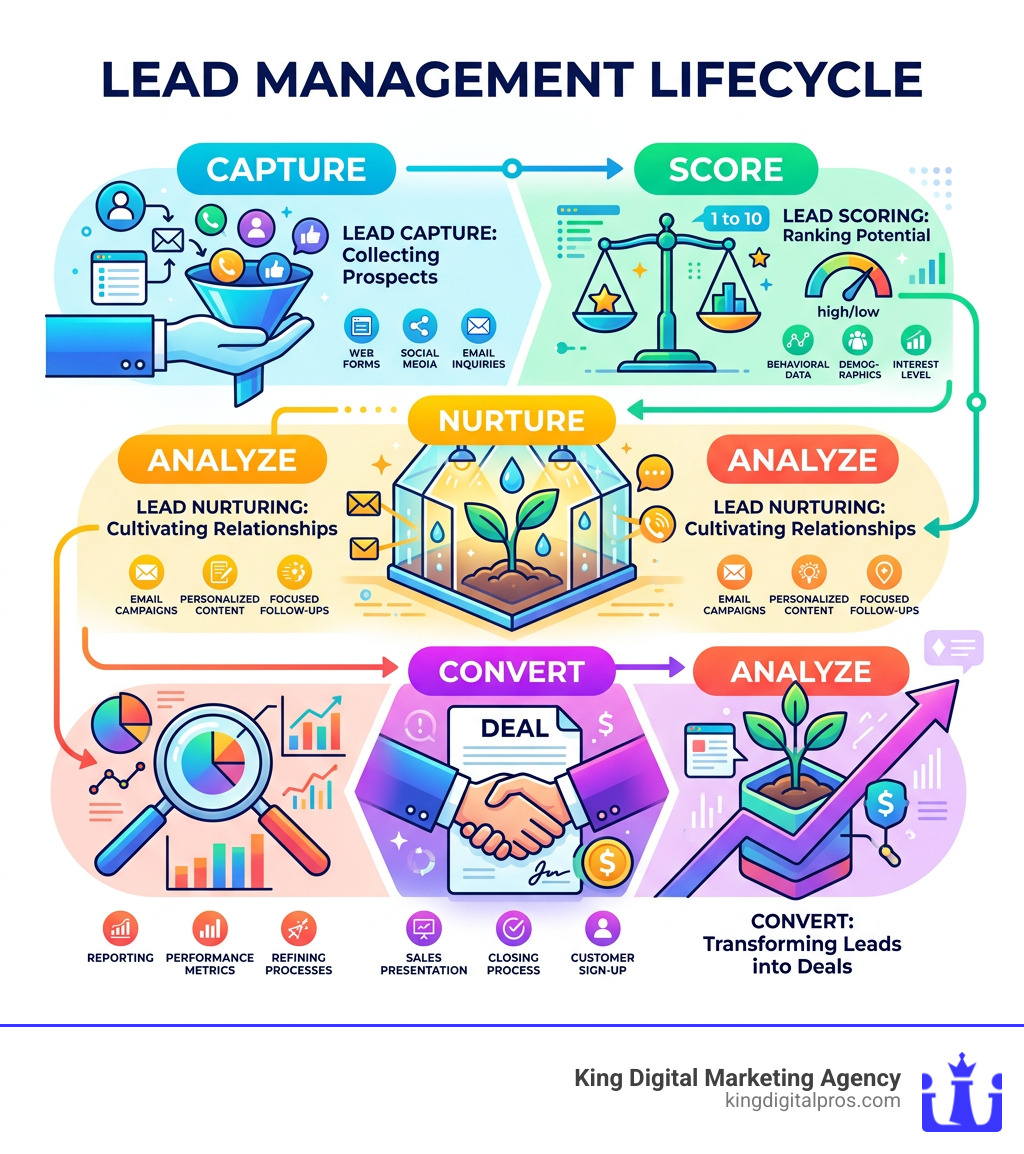
Here’s a quick snapshot of what it covers:
- Lead capture — collecting contact info from web forms, emails, social media, or events
- Lead tracking — following each prospect’s journey through your sales process
- Lead scoring — ranking leads by how likely they are to buy
- Lead nurturing — sending the right message at the right time to move leads forward
- Reporting — measuring what’s working and where leads are getting lost
Even a small sales team of three people reported earning $1 million more per year after putting a proper lead management system in place. That’s not a fluke — it’s what happens when you stop losing leads to messy spreadsheets and missed follow-ups.
Without a structured program, most businesses are essentially guessing. Leads come in, get buried in an inbox, and go cold. A good lead management program fixes that by creating an ordered, repeatable process from first contact to closed deal.
I’m Bernadette King, founder of King Digital Marketing Agency, and I’ve spent years helping franchise owners and small businesses build smarter lead management programs that turn online visibility into real revenue. In the sections ahead, I’ll break down everything you need to know to get the right system working for your business.
Basic lead management program glossary:
Defining the Lead Management Program: CRM vs. Pipeline Management
When you start looking into how to handle your sales, the terminology can get a bit “word soupy.” You’ll hear people toss around “CRM,” “Pipeline Management,” and “Lead Management” as if they’re the same thing. While they are related, they aren’t identical twins.
Think of it like a restaurant. Lead management is the host at the front door, greeting people, taking names, and deciding who gets seated first. Pipeline management is the kitchen, tracking the order from the moment the ticket is printed until the plate leaves the window. A CRM (Customer Relationship Management) system is the entire building—the walls, the tables, and the database of every guest who has ever eaten there.
A lead management program specifically focuses on the “top of the funnel.” It’s about taking a raw inquiry—someone who clicked an ad or filled out a form—and making sure they are handled correctly before they become a formal “deal” in your pipeline. According to HubSpot’s breakdown of lead management, it involves capturing, scoring, and following up to ensure that by the time a salesperson spends an hour on the phone with them, the lead is actually worth the time.
The Role of a Lead Management Program in B2B Sales
In the B2B world, sales aren’t usually impulsive. You aren’t selling a pack of gum; you’re selling a solution that might cost thousands of dollars and require approval from three different managers. This means the sales cycle is long.
Without a sales-lead-management strategy, it is incredibly easy to lose track of a prospect who said, “Call me back in three months when our budget opens up.” A lead management program automates that “call me back” reminder. It tracks every touchpoint—every email opened, every link clicked—so your team knows exactly how warm the lead is without having to rely on memory or sticky notes.
Distinguishing Between Leads and Qualified Contacts
Not all leads are created equal. Some are “tire kickers” who just wanted a free download, while others are “hot prospects” ready to sign a contract yesterday.
An effective program uses data verification and lead filtering to separate the wheat from the chaff. For example, a system might automatically check if a phone number is valid or if the email belongs to a real company. By effectively managing your leads, you ensure your sales team isn’t wasting their breath on leads that will never convert. This process of “cleaning” the data is what turns a raw lead into a “Qualified Contact.”
Core Features of a High-Performing Lead Management Program
If you’re moving away from an Excel sheet (and let’s be honest, we’ve all been there), you need to know what features actually move the needle. You don’t want a “lite” version of a tool that just acts as a digital address book.
A high-performing lead management program should include:
- Automatic Lead Capture: No more manual typing. Leads should flow directly from your website, LinkedIn, or email into the system.
- Lead Enrichment: The software should automatically pull in public data about the lead—like their job title, company size, and social media profiles—so you don’t have to Google them.
- Real-Time Notifications: Your team needs to know the second a lead shows interest.
- Data Appending: This involves adding third-party data like credit preferences or purchase history to build a complete profile.
According to research on lead management architecture, the most critical disconnect in many businesses is the speed and relevance of the response. If your system doesn’t facilitate a fast, relevant reply, you’re essentially burning your marketing budget. This is where lead-scoring-services become invaluable, as they help you identify which leads need that immediate response.
Automation: Email Sequences and Follow-up Reminders
Automation is the “secret sauce.” Most sales reps give up after two or three follow-ups, but research shows it often takes five to eight touches to get a response.
A good lead management program uses email sequences to do the heavy lifting. You can set up a “drip” campaign that sends a helpful article on day one, a case study on day four, and a meeting request on day seven. If the lead replies, the sequence stops automatically. This ensures that no lead is ever truly “forgotten.”
Lead Scoring and Prioritization Methodologies
Imagine having 500 leads in your database. Who do you call first? Without scoring, you’re just picking names at random.
Lead scoring assigns points based on intent signals. Did they visit your pricing page? +10 points. Did they download a whitepaper? +5 points. Have they ignored your last three emails? -5 points. By using inbound-lead-scoring, your team can focus their energy on the leads with the highest “conversion probability.” This isn’t just a guess; it’s a data-driven way to prioritize your workday.
The Economic Impact: Why B2B Teams Need Automated Tracking
The numbers don’t lie: manual lead tracking is expensive because it’s inefficient. When you’re manually entering data into a spreadsheet, you aren’t selling.
| Feature | Manual Tracking (Spreadsheets) | Automated Lead Management |
|---|---|---|
| Data Entry | 2-4 hours per week | Automated (0 hours) |
| Follow-up Speed | Hours or days | Instant / Seconds |
| Lead Visibility | Hidden in personal inboxes | Shared across the team |
| Reporting | Manual calculations (prone to error) | Real-time dashboards |
| Revenue Impact | High “leakage” | $1M+ increase for small teams |
Using a lead-value-calculator, you can see that even a slight increase in your conversion rate—thanks to better follow-ups—can result in massive revenue gains. If you know how to calculate lead value, you’ll quickly realize that losing even five qualified leads a month to “poor organization” could be costing you six figures a year.
Reducing Lead Leakage and Response Time
“Lead leakage” is the silent killer of B2B companies. It happens when a lead comes in but isn’t assigned to anyone, or the rep is too busy to follow up, and the prospect eventually goes to a competitor who answered faster.
“Speed to lead” is a competitive advantage. Some systems use queue-based routing, which automatically pushes the next best lead to an available rep. This eliminates “cherry-picking” (where reps only take the easy-looking leads) and ensures that every inquiry gets a fair shake. Effective lead-conversion-tracking allows managers to see exactly where leads are stalling so they can fix the bottleneck.
Scaling Sales Operations with Data-Driven Insights
As your business grows from Albuquerque to Santa Fe and beyond, you can’t manage by “gut feeling” anymore. You need analytics.
A lead management program provides a lead-generation-calculator of sorts, showing you which marketing channels (like PPC, SEO, or social media) are actually producing paying customers. If you see that your leads from Los Alamos convert at 20% while leads from elsewhere convert at 5%, you know exactly where to double down on your ad spend.
Selecting a Lead Management Program Your Team Will Actually Use
The “best” software in the world is useless if your sales team hates it. If an interface is cluttered with buttons and requires 20 clicks just to log a phone call, your reps will go back to using Post-it notes.
When evaluating a lead-manager-software, look for:
- Intuitive UI: It should look like a modern app, not a flight simulator from 1995.
- Minimal Data Entry: The system should do the work for the human, not the other way around.
- High G2 Scores: Look at what real users say about usability and support.
- Mobile Accessibility: Your reps should be able to update a lead’s status while they’re out in the field in Rio Rancho or Corrales.
Evaluating Pricing Models and Free Trials
Pricing for a lead management program can vary wildly. Some platforms charge per “seat” (user), while others have flat monthly fees.
- Subscription Tiers: Often start around $25–$50 per user for basic features but can jump to $100+ for automation.
- Onboarding Fees: Some “enterprise” tools require a mandatory setup fee that can cost thousands.
- Free Trials: Never buy without trying. A 14-day or 30-day trial is standard.
Before committing, check our complete guide to internet lead management to see how different pricing models impact your bottom line.
The Importance of Email Client and Calendar Integration
Your sales team lives in their inbox. If they have to copy and paste emails from Gmail or Outlook into a CRM, they won’t do it.
Effective crm-leads management requires a “side-bar” or “plugin” that sits inside the email client. This allows reps to see a lead’s history, add notes, and move them through the pipeline without ever leaving their inbox. Similarly, calendar integration ensures that when a meeting is booked, the lead’s profile is updated automatically. This level of workflow efficiency is what separates the pros from the amateurs.
Frequently Asked Questions about Lead Tracking
What is the best way to track leads?
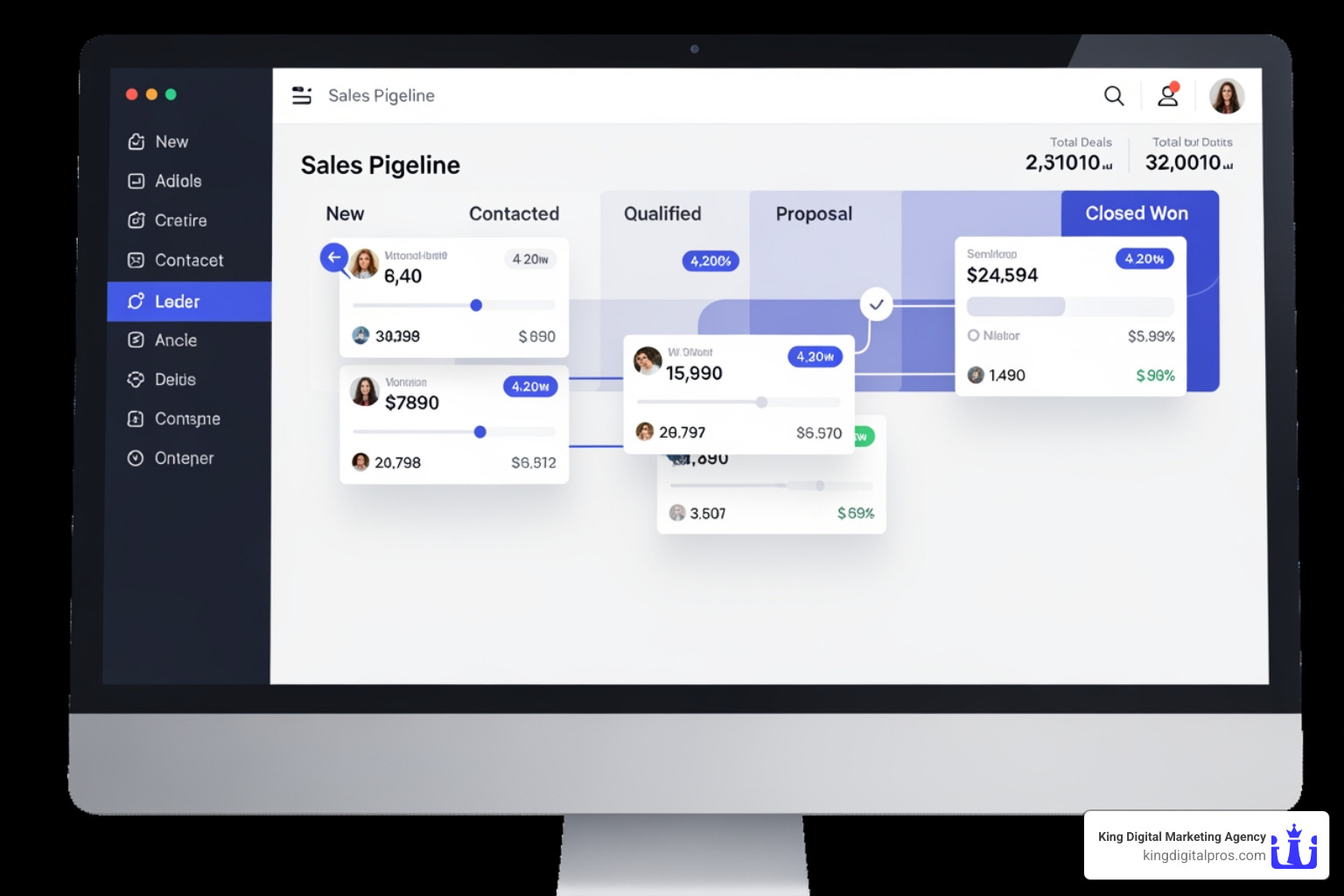
The best way is to use a centralized, automated system. Don’t rely on individual email folders or paper lists. A visual pipeline (like a Kanban board) is excellent for B2B because it allows you to see exactly how many leads are in the “Qualified,” “Proposal Sent,” or “Negotiation” stages at a glance. For those looking for professional help, best-lead-tracking-services can set these systems up for you.
Is a lead management system the same as a CRM?
Technically, lead management is a subset of CRM. A CRM handles the entire customer lifecycle, including support and upsells for existing clients. A lead management system is laser-focused on the acquisition phase. However, most modern CRMs include robust lead management features. You can learn more in our lead-scoring-services-ultimate-guide.
How can teams ensure high software adoption?
Keep it simple. Don’t buy a system that has 500 features you don’t need. Focus on tools that offer automated data entry and a clean mobile app. If the software makes the salesperson’s life easier (by saving them time on admin work), they will use it. If it feels like “extra work” for the sake of management’s reports, they will resist it.
Conclusion
Building a successful lead management program isn’t just about picking the right software—it’s about creating a culture of consistency and follow-up. Whether you are a small business in Albuquerque or a growing enterprise in Santa Fe, the goal remains the same: stop letting potential revenue slip through the cracks.
At King Digital Marketing Agency, we specialize in more than just the technical side of sales. We help local businesses in Rio Rancho, Taos, Los Alamos, and throughout New Mexico optimize their entire digital presence. From expert management of your Google Business Profile to enhancing your local visibility on map listings, we ensure that when people search for your services, they find you first.
Once those leads start rolling in, you need a solid system to catch them. If you’re ready to stop guessing and start growing, explore our lead-tracking-services today. Let’s turn those cold shoulders into hot deals together.