Take Control of Google My Business Review Management
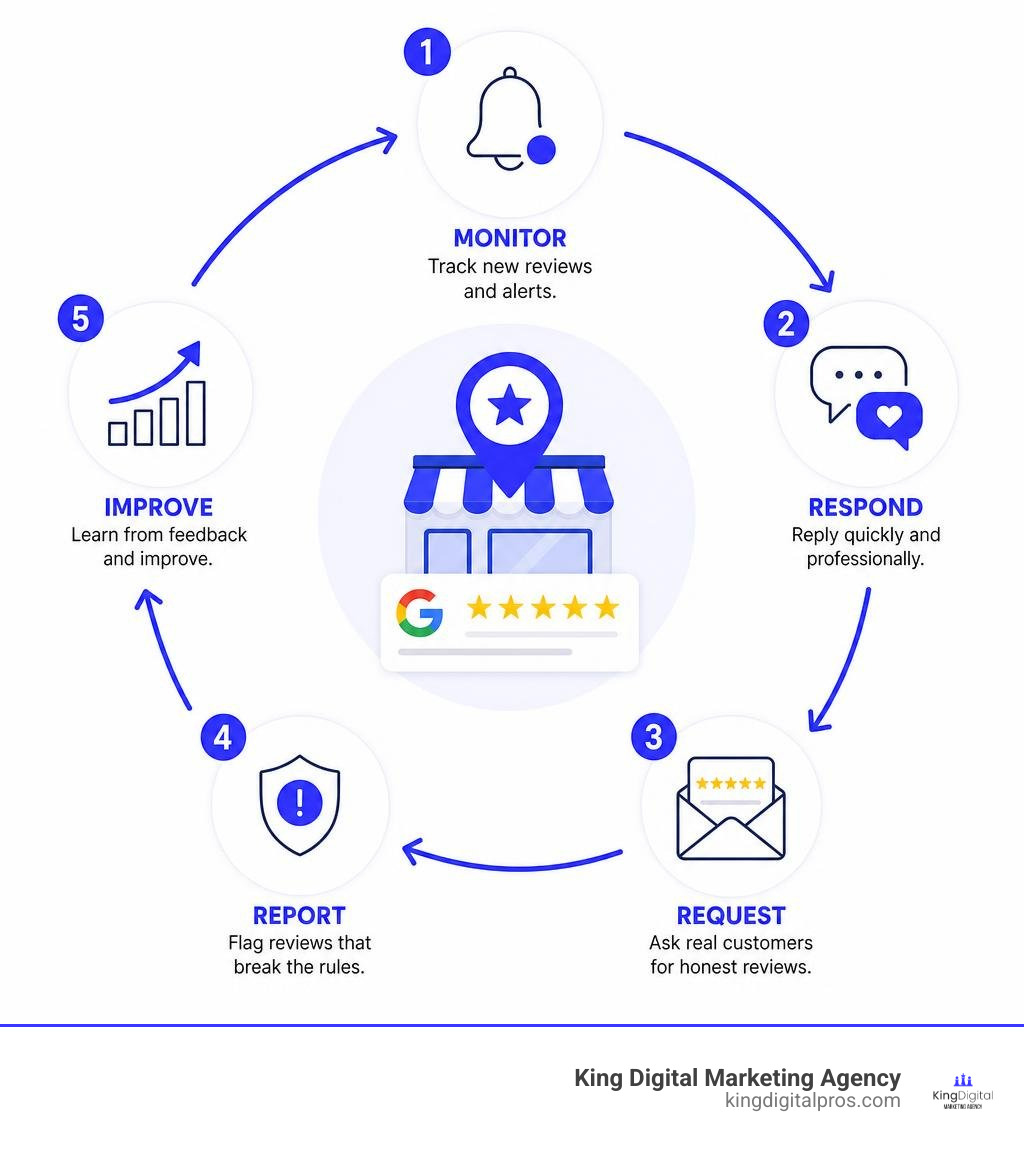
Google My Business review management means monitoring new feedback, replying quickly and professionally, requesting honest reviews from real customers, and reporting only reviews that break Google’s rules. Start by verifying your Google Business Profile, turning on review alerts, and setting a simple response routine:
- Read new reviews every day or week.
- Thank positive reviewers with a specific, human reply.
- Address negative feedback calmly, protect customer privacy, and move detailed resolution offline.
- Share your direct review link or QR code after real customer interactions – never offer rewards for reviews.
- Flag spam, harassment, conflicts of interest, or other policy-breaking content through Google’s reporting tools.
This work matters because reviews appear in Google Search and Maps when people compare local options. Research cited in this guide finds that 81% of consumers read Google reviews when assessing a business, while 69% feel more confident using a business with positive feedback. A strong process helps you earn trust, catch service issues early, and keep your public presence accurate.
I’m Bernadette King, a digital marketing strategist and founder of King Digital Marketing Agency, where I help local businesses and franchise owners turn search visibility into measurable growth. My work in SEO, paid advertising, and conversion-focused content informs a practical approach to Google My Business review management that busy owners can actually maintain.
Google my business review management word list:
Why Active Review Management Drives Local Business Growth
Managing your online reputation isn’t merely an administrative chore – it is a core growth engine for any local enterprise. As of August 2026, consumer reliance on online feedback is at an all-time high: 92% of consumers read online reviews and testimonials before making a purchase. When potential clients evaluate your listing against nearby competitors, an active, well-maintained profile provides immediate social proof and builds trust before the first phone call or storefront visit.
Beyond consumer perception, ongoing review activity provides essential signals to search engines. Consistent, genuine feedback demonstrates that your business is operational, relevant, and engaging with its community. In fact, 94% of businesses that leverage dedicated review management tools report measurable returns on their investment. Investing the time to boost local SEO with effective review management directly improves how search algorithms interpret your prominence, relevance, and authority.
Impact of Star Ratings and Velocity on Map Pack Rankings
Google’s local ranking algorithm relies heavily on review signals to determine which companies appear in the coveted local 3-Pack. These algorithmic signals include:
- Review Volume and Velocity: The total count of reviews and how steadily you acquire new ones over time. A sudden burst of fifty reviews followed by months of silence looks unnatural to spam filters, whereas steady, incremental feedback signals a healthy operation.
- Star Rating Quality: Maintaining a strong aggregate rating (ideally between 4.2 and 4.9 stars) signals reliability. Interestingly, a profile with a 4.7-star rating often converts better than a perfect 5.0, as real-world consumers appreciate the authenticity of minor, well-handled critiques.
- Keyword Sentiment in Feedback: When customers naturally mention specific services, product names, or regional contexts in their comments, search algorithms parse that unstructured data to match search queries more accurately.
Understanding these mechanics is essential for any business aiming to dominate local pack rankings. For a deeper breakdown of how feedback metrics influence local visibility, explore our guide to Google My Business reviews.
Showcasing Reviews on Web Properties for Maximum Trust
Your Google reviews should not remain siloed solely within search engine pages. Embedding real-time customer testimonials across your primary landing pages, service sections, and checkout screens turns static web pages into dynamic conversion assets.
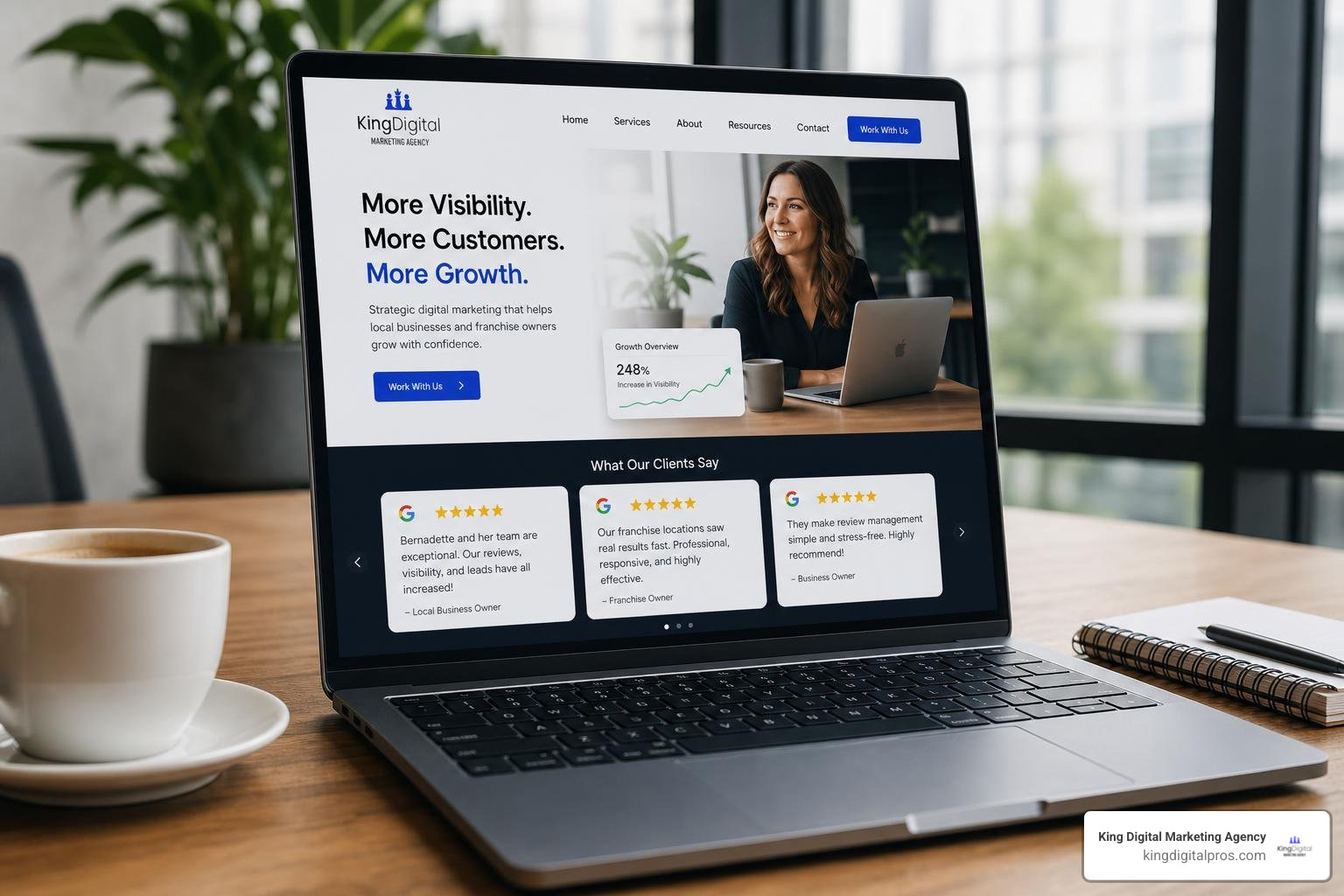
Industry studies show that displaying customer reviews directly on websites drives significant engagement: 46% of surveyed website owners generate between 1,001 and 15,000 monthly visits from review-focused content, while 23% drive 50,001 to 250,000 visits. Utilizing live review widgets rather than static image snapshots ensures search engines can crawl the structured review data, strengthening consumer confidence and boosting on-page conversion rates simultaneously.
How to Read, Reply to, and Moderate Google Reviews
To manage incoming feedback, your Google Business Profile must be fully verified. Unverified listings cannot post owner replies or access native management features. Once verified, you can read and respond to reviews directly on Google Maps or via the Google Business Profile dashboard on desktop and mobile devices.
When you submit an owner response, your reply appears publicly under your official business profile name rather than an individual staff member’s personal account. For full platform specifications on interacting with customer commentary, consult the official guidance on how to Manage customer reviews – Google Business Profile Help.
Crafting Professional Responses to Positive and Negative Feedback
The public responses you leave on your profile are read by prospective customers just as closely as the original reviews. Every reply is a showcase of your customer service standards.
Managing Positive Feedback
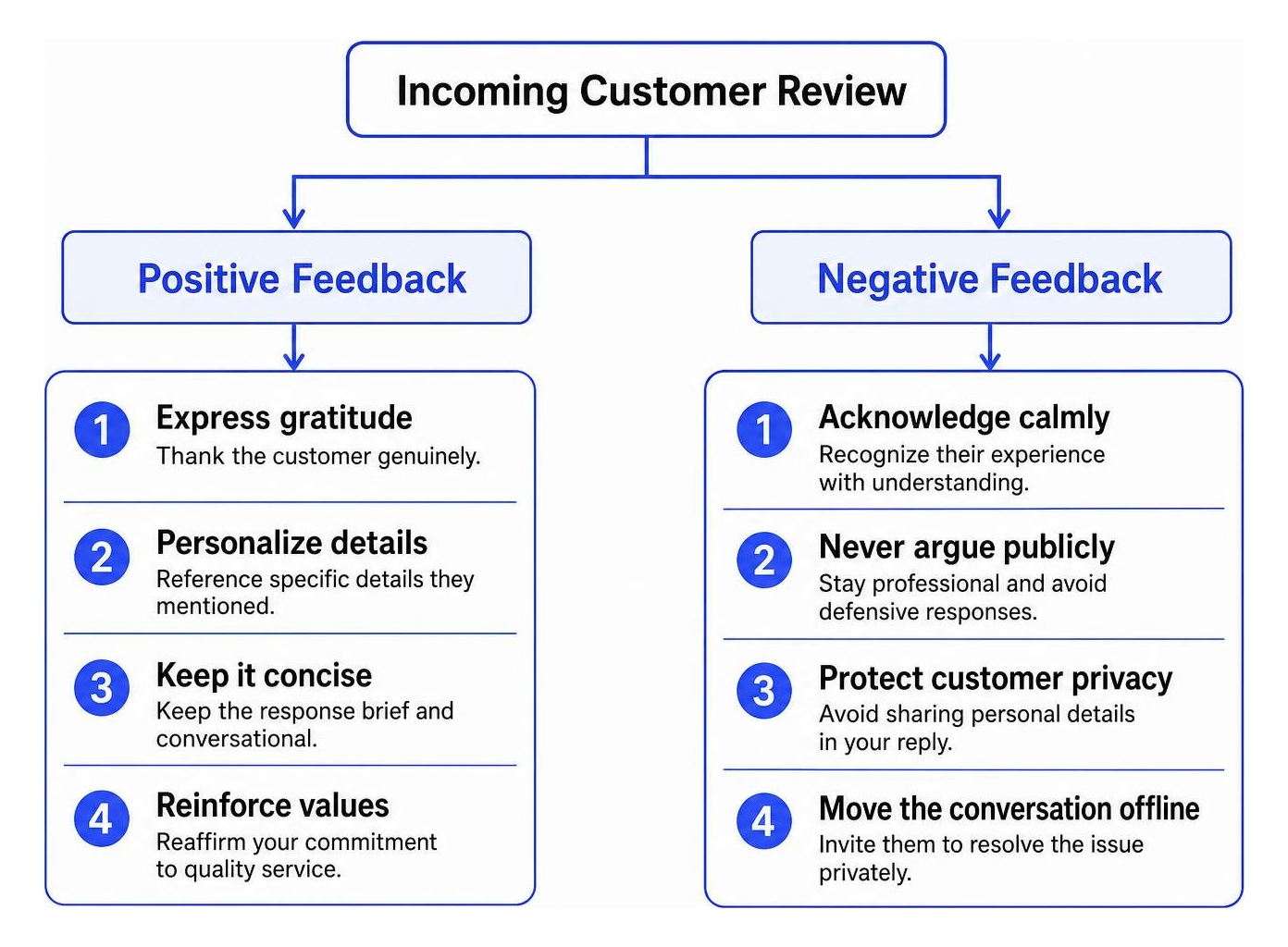
- Express genuine appreciation: Thank the customer warmly for choosing your company and taking the time to share their thoughts.
- Reference specific details: Mention the technician, dish, service, or feature they highlighted to show that a real human read their comment.
- Keep it brief and conversational: Avoid using responses as sales pitches or promotional billboards.
De-escalating Negative Feedback
- Respond promptly and stay calm: Step back before replying to avoid defensive language or emotional arguments.
- Acknowledge and validate: Apologize for their frustration and acknowledge genuine operational shortfalls honestly.
- Protect customer privacy: Never disclose private booking records, payment histories, or personal identifiable information in a public forum.
- Move the conversation offline: Provide a direct email address or phone number for management so the individual can resolve their issue privately.
- Encourage revisions naturally: When negative experiences are resolved offline quickly and constructively, customers often edit their original review or upgrade their star rating.
Technical Moderation Timelines and Character Limitations
Responding to reviews involves specific platform mechanics and backend constraints established by Google:
- Character and Byte Limitations: Review replies are restricted to a maximum length of 4096 bytes within the backend architecture.
- Moderation States: Every published reply passes through a compliance lifecycle:
PENDING: The response is queued and undergoing automated algorithmic policy checks.APPROVED: The response has passed checks and is visible publicly next to the customer review.REJECTED: The reply triggered automated content filters (such as advertising, offensive phrasing, or privacy violations) and was blocked from publication.
- Display Timelines: Most replies are reviewed and visible within 10 minutes, although edge cases requiring manual compliance review can take up to 30 days.
- Date Updates: If a customer modifies their original review after reading your reply, Google’s system updates the displayed publication timestamp to the date of the latest edit.
Core Strategies for Google My Business Review Management
Systematic reputation growth requires structured, repeatable processes rather than sporadic efforts. By pairing customer-centric communication with modern software automations, businesses can maintain an active review pipeline without overwhelming operational staff.
For a comprehensive operational playbook, check out our insights on mastering Google Maps review management.
Ethical Tactics for Generating Authentic Customer Feedback
Google maintains strict guidelines governing how feedback is collected. Implementing ethical review generation ensures long-term reputation growth without risking listing suspensions.
- Shorten the Path to Review: Generate your profile’s direct short URL and place it inside post-service emails, SMS notifications, and physical receipts.
- Utilize QR Codes at Points of Sale: Display branded counter cards or invoice QR codes so clients can scan and leave feedback instantly on their mobile devices.
- Time Your Requests Intelligently: Deliver automated review prompts shortly after service completion when the positive experience is fresh.
- Follow Up Once: A gentle follow-up reminder sent 48 hours after the initial prompt captures customers who meant to leave a note but got distracted.
- Never Incentivize or Gate: Never offer discounts, gift cards, cash, or free merchandise in exchange for reviews. Review gating – the practice of filtering unhappy customers to private forms while sending only happy clients to Google – strictly violates Google guidelines.
To review Google’s official compliance policies on acquiring feedback, see the support resource on Tips to get more reviews – Google Business Profile Help.
Streamlining Google My Business Review Management with Direct APIs
For organizations overseeing multiple locations or handling large review volumes, managing reviews directly through standard web dashboards becomes inefficient. Google provides programmatic access via its developer ecosystem, allowing engineering teams and platforms to automate workflows securely.
Developers can use standard OAuth 2.0 credentials to query endpoints like accounts.locations.reviews.list to pull incoming ratings in real time, or utilize batchGetReviews to audit feedback across dozens of locations in a single API call. Programmatic replies can be pushed using PUT requests to the accounts.locations.reviews.reply endpoint, ensuring immediate engagement.
To dive deeper into API implementations, review the technical documentation on how to Work with review data | Google Business Profile APIs | Google for Developers, or explore our guide to automated review management.
Essential Software Features for Google My Business Review Management
When evaluating third-party platforms to simplify review operations, consider how different management approaches compare:
| Operational Feature | Native Google Dashboard | Custom API / Dedicated Software |
|---|---|---|
| Multi-Location Overview | Manual switching per location | Single unified dashboard |
| Real-Time SMS & Email Alerts | Basic email notifications | Instant multi-channel alerts |
| Automated Review Invites | None (manual sharing only) | Automated triggers via CRM/POS |
| Customer Sentiment Analysis | None | Keyword and trend clustering |
| Website Display Widgets | None | Live dynamic embedding |
| Response Templates & AI | Manual entry only | Dynamic smart response workflows |
Selecting the right balance depends on your total location footprint and incoming review volume. For a comprehensive comparison of platform capabilities, read our Google review management tool guide.
Policy Compliance, Review Reporting, and Disputing Inappropriate Content
Not every critical comment left on a profile represents a legitimate customer interaction. Business owners regularly face spam, competitive sabotage, or mistaken-identity complaints. While you cannot delete an authentic review simply because it contains negative feedback, Google provides formal dispute mechanisms to remove content that violates its terms of service.
Maintaining compliance while defending your digital storefront is vital. If your business requires strategic guidance during reputational crises, our team provides full-scale reputation management services.
Identifying Prohibited Content and Policy Violations
Before flagging a review, verify that the content directly breaches Google’s Prohibited and Restricted Content policies:
- Fake Engagement & Spam: Content submitted from suspicious accounts, bot networks, or paid review schemes.
- Conflicts of Interest: Reviews posted by current employees, disgruntled former staff, or direct competitors seeking to manipulate rankings.
- Harassment & Personal Information: Reviews containing personal insults, hate speech, vulgarity, or doxxing details (such as staff home addresses or personal phone numbers).
- Off-Topic Commentary: Political rants, social commentary, or complaints about unrelated businesses that do not reflect a genuine commercial interaction.
- Advertising and Solicitations: Reviews containing promotional links, coupon codes, or affiliate sales pitches.
For complete programmatic definitions of content violations, consult the developer specification for REST Resource: accounts.locations.reviews | Google Business Profile APIs | Google for Developers.
Step-by-Step Process to Flag and Appeal Fake Reviews
When an illegitimate review appears, follow Google’s structured dispute process:
- Locate the Offending Review: Open Google Maps or your Business Profile manager and find the specific comment.
- Flag as Inappropriate: Click the three-dot action menu adjacent to the review, select “Flag as inappropriate,” and choose the exact policy violation category that applies.
- Access the Dispute Portal: Navigate to the dedicated workflow tool to Manage your Google Business reviews to track the status of your reported removal requests.
- Submit an Appeal with Evidence: If Google’s automated systems initially decline removal, submit a formal appeal through the dispute portal. Provide clear, objective documentation – such as point-of-sale logs, employee statements, or proof of conflict of interest – demonstrating why the review violates explicit platform rules.
Frequently Asked Questions About Google Review Management
Can a business delete a negative Google review directly?
No. Business owners cannot directly delete reviews left on their Google Business Profile. This safeguard ensures public trust in the platform’s objectivity. However, if a review violates Google’s explicit content guidelines (such as containing harassment, spam, or conflicts of interest), you can flag it for moderation and removal through official dispute channels.
How long does Google take to process and display review replies?
Owner replies are usually processed by automated moderation systems and published publicly within 10 minutes. In cases where a response triggers automated sensitivity filters or requires manual review, the approval process can take up to 30 days. Ensure your replies remain professional and free of promotional links to prevent unnecessary delays.
Is it against Google policy to offer incentives for customer reviews?
Yes. Google explicitly prohibits offering discounts, coupons, free gifts, money, or loyalty points in exchange for leaving, modifying, or removing reviews. Violating this policy can result in the automated removal of all acquired reviews, public penalty badges on your listing, or permanent suspension of your Google Business Profile.
Conclusion
Systematic review management is essential for maintaining local search dominance, building consumer trust, and driving predictable revenue growth. By pairing consistent review request workflows with prompt, professional replies and vigilant policy enforcement, local businesses can protect their digital brand and outpace local competition.
Whether you run a single storefront or oversee multi-location listings, taking command of your online reputation transforms casual searchers into loyal customers. If you are ready to elevate your search presence, optimize your local listings, and implement automated reputation workflows, explore our professional review management services today.
