Why Learning How to Improve YouTube SEO Could Be Your Best Business Decision in 2026
If you want to know how to improve youtube seo, here is the short answer:
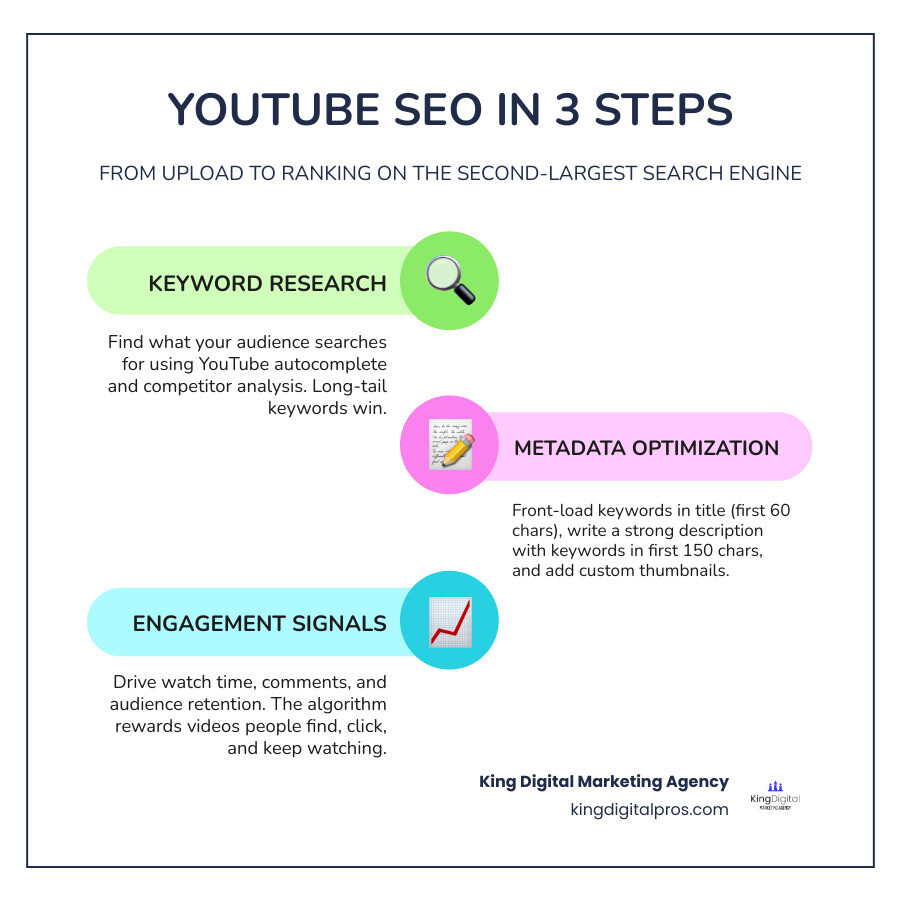
- Do keyword research – find what your audience actually searches for on YouTube
- Optimize your title – front-load your primary keyword within the first 40-60 characters
- Write a strong description – put your most important info and keywords in the first 150 characters
- Add accurate captions – upload a manual SRT file instead of relying on auto-captions
- Use custom thumbnails – high-contrast, mobile-readable images that earn clicks
- Add chapters and timestamps – help viewers navigate and give YouTube more indexable text
- Rename your video file – include your target keyword before you upload
- Drive engagement – watch time, comments, and audience retention are the algorithm’s real currency
- Build channel authority – group related videos into playlists and publish consistently
- Promote off-platform – embed videos in blog posts, share on social, and build backlinks
YouTube is the second-largest search engine in the world, with over 2.7 billion users and more than 500 hours of video uploaded every single minute. That is a staggering amount of competition.
Most small business owners hit publish and wait. The views never come.
It is not a content quality problem. It is a visibility problem.
YouTube’s algorithm does not just reward good videos. It rewards videos that people find, click, and keep watching. Without a clear SEO strategy, even great content gets buried.
The good news? YouTube SEO is learnable. And once you get it right, a single well-optimized video can drive traffic and leads for years.
I’m Bernadette King, founder of King Digital Marketing Agency, and helping local business owners crack the code on how to improve youtube seo is one of the core strategies I use to build sustainable online visibility for my clients. Let’s walk through exactly what works in 2026.
Handy how to improve youtube seo terms:
1. What is YouTube SEO and Why Does It Matter in 2026?
At its core, YouTube Search Engine Optimization (SEO) is the process of optimizing your channel, playlists, metadata, and video files to rank highly in search results – both within YouTube and on Google. Since Google owns YouTube, the integration between the two platforms is tighter than ever. In fact, eight out of ten video search results on Google are YouTube videos.
For businesses operating in New Mexico – whether you are a local service provider in Albuquerque, a boutique hotel in Santa Fe, or a contractor in Rio Rancho – understanding YouTube SEO Explained: A Step-by-Step Guide to Google Rankings is the key to unlocking massive, free organic growth.
But how does the platform decide what to show? It is helpful to understand that YouTube’s traffic is divided into different surfaces:
- Search: Driven by user queries, accounting for roughly 35% of platform traffic.
- Suggested Videos & Browse Feeds: Driven by user behavior and recommendations, accounting for 65% to 70% of views.

While the recommendation engine dominates overall watch time, Search is the ultimate equalizer for new channels. It is where you build initial topical authority. By optimizing for search visibility, you give the algorithm the baseline data it needs to eventually push your video into the highly lucrative “Suggested” and “Home” feeds.
2. How to Conduct YouTube Keyword Research for Maximum Reach
You cannot optimize your videos if you do not know what your target audience is typing into the search bar. Chasing high search volume alone is a classic mistake. If you target broad terms like “marketing,” your video will be crushed by massive, established channels. Instead, you need to find the sweet spot: high-intent, low-competition keywords.
Here is our agency’s battle-tested workflow to uncover these hidden gems:
- YouTube Autocomplete: Start typing your core topic into the YouTube search bar. The suggestions that drop down are not random; they are real, popular search queries people have recently used.
- Analyze Competitor Videos: Find channels in your niche that are slightly larger than yours. Look at their most popular videos. What keywords are they targeting? Pay close attention to their view-to-subscriber ratio. If a channel with 1,000 subscribers has a video with 50,000 views, they have hit an incredibly high-demand keyword.
- Use Dedicated SEO Tools: Tools like TubeBuddy, vidIQ, and Ahrefs can help you determine the search volume and competition score for specific phrases. Learning How to Find YouTube Keyword Competition Score and SEO will save you hours of wasted production time.
Focus on long-tail keywords – phrases that are three to five words long (e.g., “how to fix a swamp cooler in Rio Rancho” instead of just “swamp cooler”). These phrases have lower search volume but incredibly high conversion intent.
Step-by-Step: How to Improve YouTube SEO with Search Intent
To truly win the search game, you must match user intent. In search marketing, we categorize searchers into different stages of awareness. For B2B and local service businesses, targeting “problem-aware” keywords is where the real revenue is made.
If you run a plumbing business in Santa Fe, do not make a video titled “Our Plumbing Services.” Nobody searches for that. Instead, target active problems:
- Search Query: “Why is my hot water heater making a knocking sound?”
- Your Video Title: “How to Fix a Knocking Water Heater (Step-by-Step DIY Guide)”
By answering their immediate question, you build instant trust. In the video, you can mention that if they live in Santa Fe, Los Alamos, or Taos, your team can handle the flush for them.
To ensure your videos are structured perfectly for search engines, always keep Google Search Central: Video Best Practices in mind. Your content must deliver on the exact promise of the search query, or viewers will bounce instantly, signaling to the algorithm that your video is not a good match.
How to Improve YouTube SEO Through On-Page Metadata
Search engine crawlers are smart, but they still cannot “watch” a video the way a human does. They rely heavily on text-based signals to categorize and index your content. This is where metadata optimization comes into play.
Every piece of metadata – from your title to your description – must work together to send a unified relevance signal to the algorithm. We call this “Signal Stacking.” Our YouTube SEO Complete Guide outlines how to execute this perfectly.
First, let’s look at the cornerstone of visual metadata: the thumbnail. 90% of the best-performing videos on YouTube have custom thumbnails. An average click-through rate (CTR) between 2% and 10% is considered ideal, but in competitive niches, you want to push past 6%.
To design a high-CTR thumbnail:
- Use high-contrast backgrounds (yellow, orange, cyan, or red) to pop against YouTube’s dark or white interface.
- Limit text overlay to 3-5 words in a bold, clean font (minimum 60pt).
- Feature close-ups of human faces displaying clear emotions (surprise, concern, excitement), which can boost CTR by 22% to 35%.
- Keep the bottom-right corner clear of text or crucial visual elements, as the video timestamp will cover it.
To see how much of a difference proper metadata makes, look at this comparison:
| Metadata Element | Unoptimized Video | Optimized Video (High SEO) |
|---|---|---|
| File Name | final_version_v2_edit.mp4 |
how-to-improve-youtube-seo.mp4 |
| Video Title | My Awesome Marketing Video! | How to Improve YouTube SEO in 2026 (The Step-by-Step Guide) |
| Description | Check out my new video where I talk about marketing strategies. Subscribe for more! | Learn how to improve youtube seo and rank your business videos on page 1 of Google and YouTube. In this tutorial, we break down… |
| Chapters | None | 0:00 – Introduction 1:15 – Keyword Research 3:45 – Metadata Formulas |
| Captions | Auto-generated | Manually uploaded SRT file |
Title and Description Formulas: How to Improve YouTube SEO Instantly
Writing a great title is an art form. It needs to satisfy the algorithm’s need for keywords while triggering the human psychology that drives clicks.
For your titles, adhere to the 60-character rule. While YouTube allows up to 100 characters, titles longer than 60-70 characters get truncated on desktop and mobile screens. Keep your primary keyword within the first 30 to 40 characters.
Use this proven title formula:
[Primary Keyword] + [Power Word / Specific Outcome] + [Curiosity Gap or Year]
Example: “YouTube SEO: How to Rank Videos Fast in 2026”
For your descriptions, you have a 5,000-character limit, but only the first 120 to 150 characters appear “above the fold” in search results before the viewer has to click “Show More.” This snippet functions like a meta description on Google. Make sure your primary keyword is front-loaded here.
Write a keyword paragraph of 150-250 words that naturally incorporates semantic variations of your target topic. Keep your keyword density between 0.5% and 1.5% to avoid spam filters. For official guidance on metadata formatting, refer to YouTube Help: Add Captions and Metadata.
4. The Technical Layer: Captions, Chapters, and File Names
Many creators ignore the backend technical optimization, leaving a massive opportunity for you to outrank them.
First, let’s talk about raw file naming. Before you upload your video to YouTube, rename the raw file on your computer (e.g., change project_01.mp4 to how-to-improve-youtube-seo.mp4). This acts as an initial metadata signal that is baked into the source code of your upload.
Next, prioritize closed captions and transcripts. YouTube automatically generates captions for your videos, but these auto-captions are only about 70% accurate. To search engine bots, inaccurate auto-captions look like “automatically generated gibberish,” which can be flagged as spam.
By uploading a manual SRT file, you ensure 100% accuracy. Because search engines crawl your caption text, this provides a massive SEO boost. In fact, captioned videos see a 12% increase in watch time and a 13.48% increase in views within the first two weeks.
Finally, use video chapters and timestamps. By listing timestamps in your description starting at 00:00, you enable chapters.
Chapters are an under-the-radar SEO booster because Google indexes individual chapters as searchable “key moments” in search results. This means a single 15-minute video can rank for multiple different sub-queries simultaneously. To learn more about implementing these technical assets, read our YouTube SEO: A Practical Guide to Ranking Higher.
5. Behavioral Signals: Engineering Watch Time and Engagement
While metadata gets you indexed, human behavior is what keeps you ranked. YouTube’s algorithm is ultimately a satisfaction engine. If viewers click your video but leave within 10 seconds (known as a “Click-Not-Watch” penalty), your rankings will plummet.
The two most critical behavioral metrics are:
- Average View Duration (AVD): The average amount of time a viewer spends watching your video.
- Audience Retention: The percentage of your video that people watch. (Aim to keep your retention curve above 40% at the 30-second mark).
To keep viewers hooked, the first 15 to 30 seconds of your video are critical. Deliver on the promise of your thumbnail and title immediately. Avoid long, self-indulgent intros. Use pattern interrupts – such as B-roll, text overlays, zoom-ins, and sound effects – every 15 to 30 seconds to keep the viewer’s brain engaged. Our guide on how to Rank Your Videos on YouTube breaks down these retention editing techniques in detail.
Additionally, pay attention to comment velocity. YouTube loves to see active community engagement immediately after a video goes live. You can trigger this by pinning a comment of your own that asks an engaging, open-ended question to kickstart the discussion.
6. Channel-Level Authority and Off-Page Promotion
Just like Google SEO relies on domain authority, YouTube SEO relies on channel authority. The more focused your channel is on a specific topic, the easier it is for YouTube to understand your entity graph and recommend your content.
You can build topical authority on YouTube using a hub-and-spoke model, similar to topic clustering in traditional SEO.
Create a “hub” playlist around a broad topic (e.g., “Local Business Marketing”) and populate it with “spoke” videos that dive deep into sub-topics (e.g., “Google Map Pack Tips,” “Local Video SEO”). Grouping these videos into curated playlists increases session watch time – a metric YouTube highly rewards because it keeps users on the platform longer.
Off-page promotion is equally critical, especially for new channels. Building external signals tells search engines that your video is highly regarded across the web. You can Create YouTube Backlinks Like a Pro Without Spending a Dime by embedding your videos in relevant blog posts on your website, sharing them in your email newsletters, and syndicating them to social platforms like LinkedIn and X.
Generating high-quality Backlinks for YouTube Channel authority will help your videos rank higher on Google search results pages, driving consistent, high-intent traffic to your channel.
Frequently Asked Questions About YouTube SEO
To help you gain a complete understanding of how the platform operates, let’s explore what SEO in YouTube Means by answering some of the most common questions we receive from local business owners.
How long does it take for YouTube SEO to show results?
For a brand-new channel, establishing consistent search traffic typically takes 90 to 180 days. YouTube needs to build indexing trust with your channel. However, as you publish more consistently – ideally 2 to 4 high-quality videos per month – your indexing timeline will shorten, and new videos will begin to rank much faster.
Are video tags still important for ranking in 2026?
YouTube has publicly stated that tags play a very minimal role in video discovery. However, they are still useful for disambiguation (e.g., clarifying if your video is about “Apple” the company or “apple” the fruit) and providing category context.
We recommend using a 5-layer tag system (limited to 8-12 highly specific tags):
- Layer 1: Exact-match primary keyword.
- Layer 2: Keyword variants and synonyms.
- Layer 3: Long-tail variations.
- Layer 4: Broad industry categories.
- Layer 5: Your brand name.
Can I optimize older videos to get more views?
Absolutely! Re-optimizing your older, underperforming back catalog is often the highest-ROI SEO activity you can perform. By swapping in a fresh, high-contrast thumbnail, rewriting the title to front-load a better keyword, and adding accurate chapters, you can breathe new life into old content and trigger a wave of suggested traffic.
Conclusion
Mastering how to improve youtube seo is not about trying to trick an algorithm. It is about aligning your content with what your audience is searching for, presenting it clearly to search crawlers, and keeping your viewers engaged and satisfied.
At King Digital Marketing Agency, we specialize in helping local businesses across New Mexico – from Albuquerque and Rio Rancho to Santa Fe, Taos, and Tijeras – build dominant online visibility. While we are known for our expert management of Google Business Profiles and map listings, we know that video is the ultimate tool to build trust and capture market share.
If you want to turn YouTube into a consistent lead-generation machine for your business, check out our Digital Marketing Services: YouTube SEO or schedule a consultation with our team today. Let’s get your business out of the zero-view dungeon and onto page one!
