Why Learning How to Set Up Geofencing Marketing Can Transform Your Local Business
How to set up geofencing marketing is simpler than most business owners think — and the payoff can be significant.
Here’s a quick overview of the core steps:
- Choose your platform — Google Ads, Facebook Ads, or a specialized geofencing tool
- Define your geofence boundaries — use a 300-500 meter radius (the “4-5 minute walking rule”) or polygon mapping for precision
- Select your target locations — your store, competitor locations, nearby events, or complementary businesses
- Create location-specific ads — personalized messages with a clear call-to-action
- Set targeting parameters — time of day, demographics, frequency caps
- Launch and track performance — monitor store visits, click-through rates, and conversions
- Optimize continuously — adjust radius, timing, and creative based on real data
If you run a local business, the numbers are hard to ignore. “Open now near me” searches have increased by 400% in recent years, and 45% of retailers report increased foot traffic after running geofencing campaigns. This technology lets you reach potential customers at the exact moment they’re close enough to walk through your door — turning digital proximity into real-world sales.
But like any marketing tool, geofencing only works when it’s set up correctly. Most businesses that struggle with it make the same handful of avoidable mistakes — like setting boundaries too wide or sending generic ads that don’t connect.
I’m Bernadette King, founder of King Digital Marketing Agency, and I’ve spent years helping local businesses and franchise owners use location-based strategies — including geofencing — to drive measurable foot traffic and revenue growth. In this guide, I’ll walk you through exactly how to set up geofencing marketing the right way, so you can start seeing results fast.
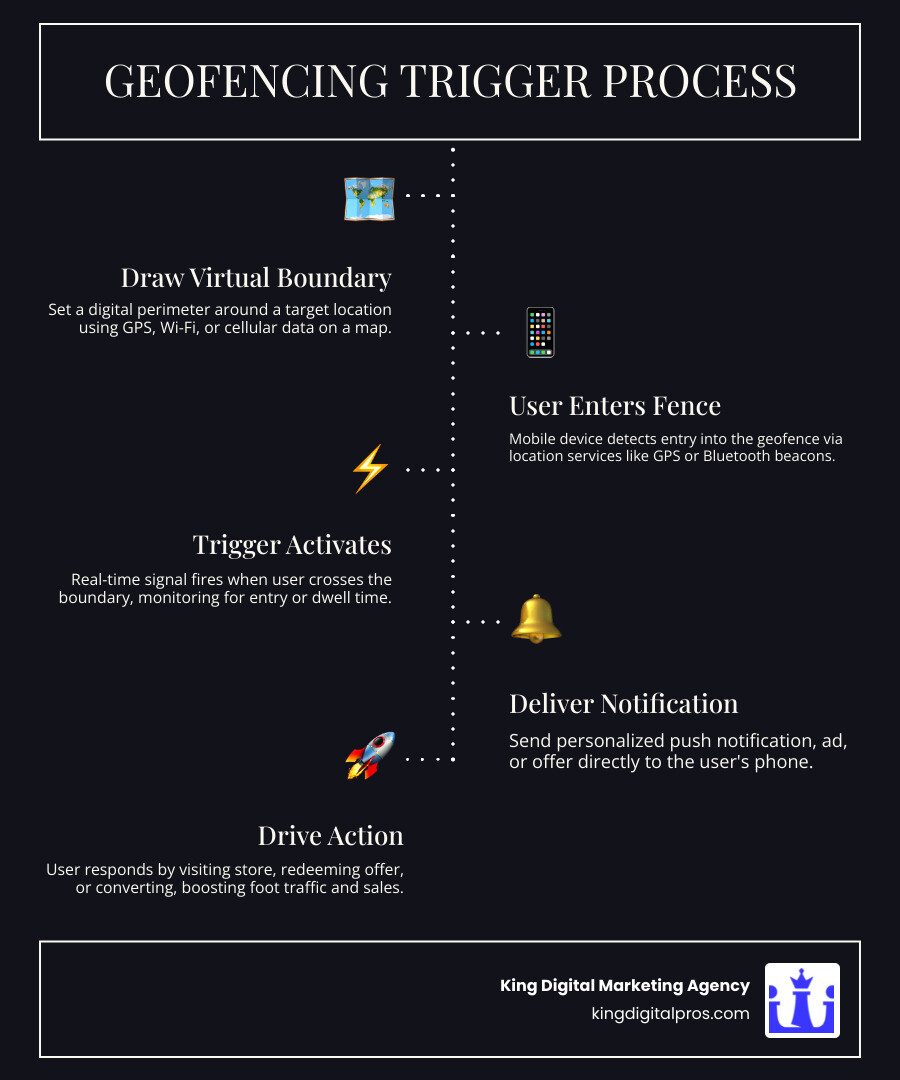
Basic how to set up geofencing marketing terms:
What is Geofencing and How Does It Work?
Imagine you could draw a magic circle around your storefront in Santa Fe or your competitor’s shop in Albuquerque. Every time someone with a smartphone walks into that circle, your business pops up on their screen with an irresistible offer. That, in a nutshell, is geofencing.
At its core, geofencing is a location-based service that uses a combination of GPS, Wi-Fi, and cellular data to create a virtual perimeter—a “geofence”—around a specific geographic area. When a location-enabled mobile device enters or exits this boundary, it triggers a pre-programmed action. This could be a push notification, a text message, or a targeted display ad appearing in their social media feed or mobile browser.
To understand the full scope of this strategy, check out our Geofencing Marketing Meaning Guide. It’s not just about “stalking” customers; it’s about being helpful at the exact moment they need you.
The Tech Behind the Curtain
Geofencing doesn’t rely on just one technology. It uses a “triple threat” approach to ensure accuracy:
- GPS: Great for outdoor, wide-range boundaries.
- Wi-Fi and Cellular Data: Excellent for urban areas like Rio Rancho or Corrales where GPS signals might bounce off buildings.
- RFID and Bluetooth Beacons: These are used for hyper-precise indoor targeting. For example, a beacon could tell when a customer is standing right in front of the salsa aisle in your grocery store.
The benefits are clear. Businesses that implement these strategies see 7 Game-Changing Benefits of Geofence Marketing for Your Business, ranging from hyper-local relevance to significantly higher conversion rates. In fact, geofencing campaigns average a 20% higher conversion rate than non-targeted digital campaigns. By meeting the customer where they are—literally—you remove the friction between “I want that” and “I’m buying that.”
How to Set Up Geofencing Marketing: A Step-by-Step Guide
Ready to get your hands dirty? Setting up your first campaign doesn’t require a degree in rocket science, but it does require a bit of strategic planning. Whether you are targeting tourists in Taos or locals in Los Alamos, the process remains the same.
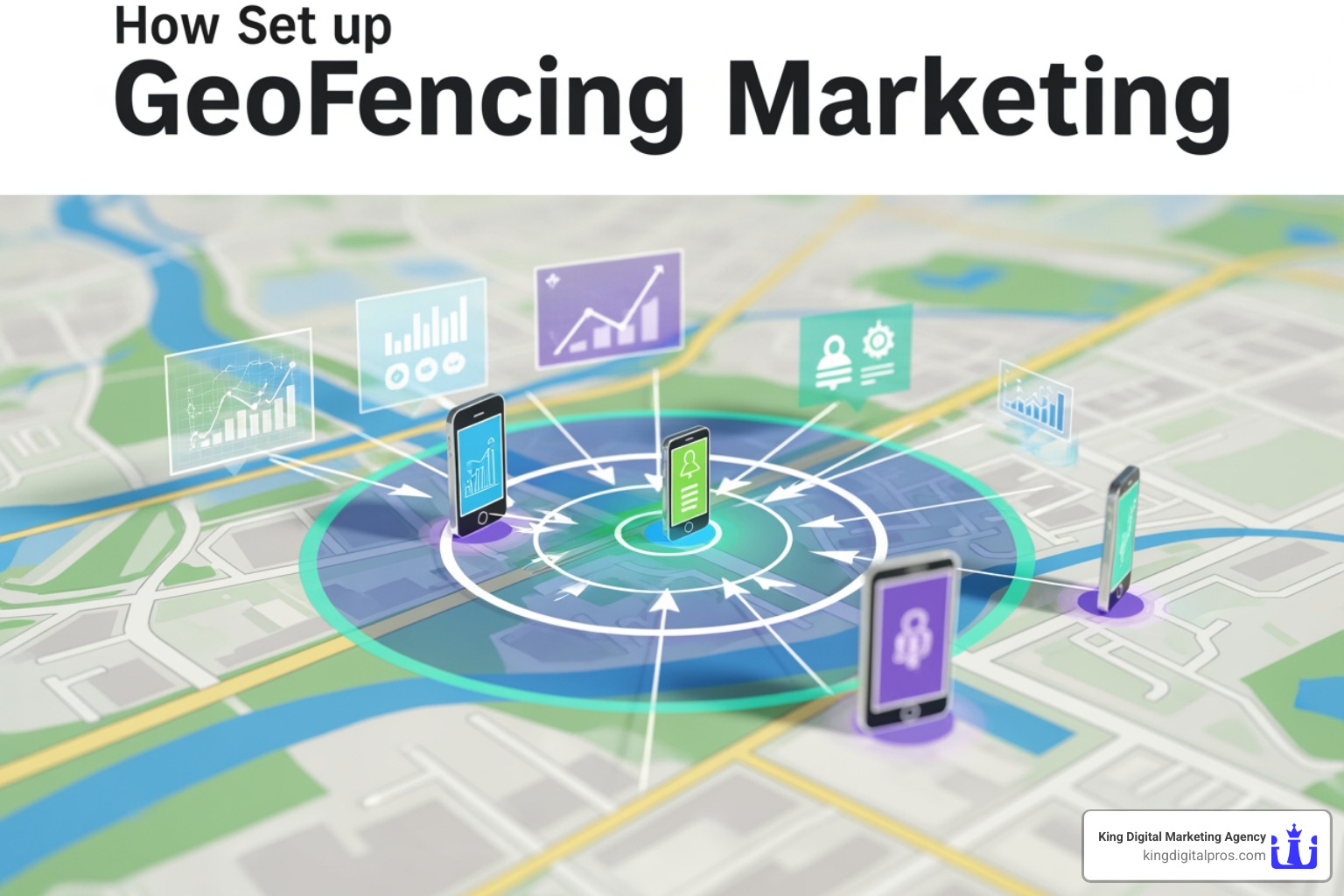
Step 1: Define Your Objective
Before you open any software, ask yourself: What do I want to happen?
- Are you trying to increase foot traffic to your physical store?
- Are you trying to steal customers from a competitor (geo-conquesting)?
- Are you promoting a specific event, like a weekend sale in Tijeras?
Having a clear goal will dictate how you set up your fences and what your ads say. For a deep dive into the planning phase, our Geofencing Marketing Complete Guide is an excellent resource.
Step 2: Choose Your Platform
You need a place to build and manage these fences. You can use major ad networks like Google Ads or Facebook, or specialized Geofencing Software that offers more granular control.
Step 3: Map Your Strategic Locations
This is where the “drawing” happens. You aren’t limited to just your own front door. Think about where your customers hang out. If you own a pet store, maybe you fence the local dog parks in Sandia Park.
Step 4: Radius vs. Polygon Mapping
This is a technical choice that matters more than you think.
| Feature | Radius Mapping | Polygon Mapping |
|---|---|---|
| Shape | Perfect Circle | Custom Shapes (Traced) |
| Accuracy | Lower (includes streets/parking) | High (fits building footprint) |
| Ease of Use | Very Easy | Requires more effort |
| Best For | General area awareness | Specific stores or event venues |
Most beginners start with radius mapping, but if you want to ensure you aren’t wasting money on people driving by on the highway without stopping, polygon mapping is the way to go.
Step 1: Choosing the Right Platform for How to Set Up Geofencing Marketing
When deciding how to set up geofencing marketing, your choice of platform will depend heavily on your budget and technical comfort level.
- Google Ads: This is the most common entry point. Within Google Ads, geofencing is often referred to as “Location Targeting.” It allows you to set a radius around your business and adjust bids so your ads appear more frequently to people nearby. This is a huge win for improving your “Quality Score” because your ads are inherently more relevant to the user.
- Facebook and Instagram: These platforms are fantastic for visual businesses like restaurants in Santa Fe or boutiques in Corrales. You can drop a pin and target users within a one-mile radius.
- Specialized Software: If you want to get serious, check out our Best Geofencing Marketing Software Guide. These tools allow for advanced features like “dwell time” triggers (only send an ad if someone stays in the area for more than 5 minutes) and better attribution tracking.
Budgeting and Costs
How much should you spend? Most geofencing campaigns run on a CPM (cost per 1,000 impressions) basis, typically ranging from $4 to $15. For a small business in Grants or Cedar Crest, a starting budget of $1,000 per month is usually enough to gather meaningful data and see an ROI within 30-60 days. You can find more details in our guide on Geofencing Advertising Cost.
Step 2: Defining Your Boundaries and Radius
This is where most businesses mess up. They think “bigger is better” and draw a 10-mile circle around their shop. Unless you’re the only plumber in the East Mountains, that’s a waste of money.
The 4-5 Minute Walking Rule Data shows that businesses that keep their geofencing radius to a 4-5 minute walking distance see 67% higher conversion rates than those using large perimeters. In a city like Albuquerque, this usually translates to a radius of about 300-500 meters. You want to reach people who can act on your offer immediately.
Strategic Fencing Locations
- Primary Fences: Around your own business to reward loyal customers or remind “window shoppers” to come inside.
- Competitor Conquesting: Drawing fences around your competitors. If someone is at a rival coffee shop in Los Alamos, send them a coupon for a free pastry at yours.
- Complementary Businesses: If you own a bridal shop, fence the local florist and jewelry stores.
- Event-Based Fences: Target trade shows, festivals, or farmers’ markets where your target audience is likely to gather.
Best Practices for High-Converting Campaigns
Drawing the fence is only half the battle. You also have to give people a reason to click.
Audience Segmentation
Don’t send the same ad to everyone. Segment your audience based on:
- Demographics: Age, gender, and interests.
- Behavior: Have they visited your store before?
- Timing: A breakfast special ad is useless at 4:00 PM. Match your notifications to the user’s schedule.
The Power of Dwell Time
One of the most effective triggers is “dwell time.” Instead of firing an ad the second someone enters a zone, wait until they’ve been there for 5 or 10 minutes. This indicates they aren’t just driving through; they are actually spending time in the area and are more likely to be receptive to an offer.
Value-Driven Content
Your message must provide immediate value. A generic “We are open!” doesn’t work. Try:
- “While you’re at the mall, stop by for a free sample!”
- “Just 2 minutes away—get 15% off your lunch if you order in the next hour.”
According to Retail Dive, campaigns that use these hyper-local, value-driven tactics can achieve up to a 36% secondary action rate. That is massive compared to traditional display ads. To learn more about how to refine these ads, see our section on Targeted Mobile Advertising.
Crafting Content for How to Set Up Geofencing Marketing Success
When you are figuring out how to set up geofencing marketing content, think mobile-first. These people are on the go. They are likely walking or sitting in a car (hopefully not driving!).
- Keep it Short: You have about two seconds to grab their attention. Use punchy headlines.
- Use Local Landmarks: “We’re right across from the historic plaza!” adds a level of trust and helpfulness.
- Strong CTA: Tell them exactly what to do. “Get Directions,” “Call Now,” or “Show this Screen.”
- Mobile-Optimized Landing Pages: If they click your ad and it leads to a slow, clunky website that isn’t mobile-friendly, you’ve lost the sale. Your landing page should confirm their location and provide the offer front and center.
For more tips specifically for smaller operations, our Small Business Geofencing Guide is a must-read.
Ensuring Data Privacy and Compliance
We can’t talk about how to set up geofencing marketing without talking about the “creep factor.” Privacy is a huge concern for consumers today. In fact, 62% of Americans are concerned about how much data is collected about them online.
To stay on the right side of the law (and your customers’ trust), follow these rules:
- Transparency: Always be clear about what data you are collecting and why.
- Explicit Consent: Users must opt-in to location services. Never try to bypass this.
- GDPR and CCPA Compliance: Even if you’re only operating in New Mexico, these regulations set the gold standard for data handling. Ensure your software partners are compliant.
- Data Minimization: Only collect the data you actually need to run the campaign. You don’t need their social security number to send them a coupon for a taco.
- Opt-Out Options: Make it incredibly easy for users to stop receiving notifications.
By prioritizing privacy, you build a brand that people feel safe interacting with, which leads to better long-term customer relationships.
Frequently Asked Questions about Geofencing
How much does geofencing marketing cost?
As mentioned earlier, you are usually looking at a CPM model of $4 to $15. For most local businesses in Albuquerque or Santa Fe, a budget of $1,000 to $1,500 a month is a solid starting point. The good news? 80% of marketers report that geo-targeted ads outperform traditional advertising in ROI, meaning your money works harder for you.
Do I need a mobile app to use geofencing?
Nope! While having your own app (like Starbucks or Sephora) allows for more advanced “push” notifications, you can run geofencing ads through mobile browsers, social media platforms (Facebook/Instagram), and vast ad networks that display your ads on other popular apps (like weather apps or news sites).
What is the ideal size for a geofence?
Stick to the “walking rule” for retail and restaurants: 300-500 meters. If you are in a more rural area like Edgewood or Grants, you might expand this to a 5-10 minute drive time, but the goal is always to keep it hyper-local. If the fence is too broad, the message loses its “act now” urgency.
Conclusion
Learning how to set up geofencing marketing is like giving your business a digital megaphone that only speaks to people standing right outside your door. It’s precise, it’s cost-effective, and it’s arguably the best way for local businesses in New Mexico to compete with national chains.
The future of this technology is even more exciting. With the integration of AI, we expect to see campaign efficiency boost by another 40%. Imagine AI predicting where your customers will be before they get there, based on their past habits.
At King Digital Marketing Agency, we specialize in helping businesses like yours navigate these high-tech waters. Whether it’s optimizing your Google Business Profile to dominate local search or setting up a sophisticated geofencing campaign to drive foot traffic, we’ve got the tools and the expertise to help you grow.
Ready to draw your way to more sales? Check out our Digital Marketing Services Near Me Services Geofencing Marketing and let’s start building your virtual perimeter today!
