
What Is Website Uptime Monitoring (And Why It Matters)
Website uptime monitoring is the practice of automatically and continuously checking whether your website is online, accessible, and working as expected.
Here’s what it does in plain terms:
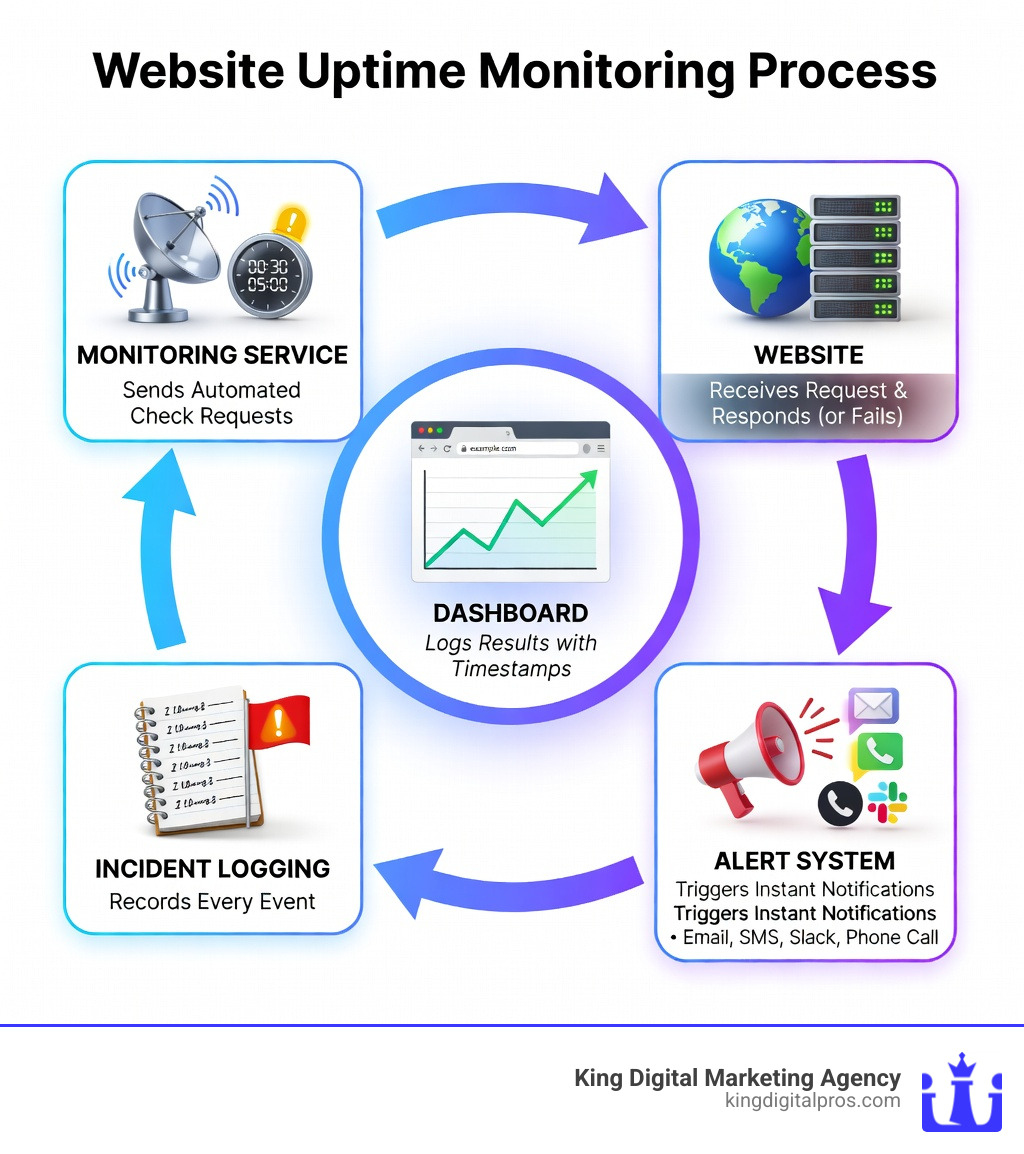
- Checks your site at regular intervals (as often as every 30 seconds)
- Detects problems like downtime, slow load times, expired SSL certificates, or broken pages
- Sends instant alerts via email, SMS, Slack, phone call, or other channels
- Logs every incident with timestamps so you can track your site’s reliability over time
Think of it as a 24/7 watchdog for your website — one that never sleeps, never takes a lunch break, and alerts you the moment something goes wrong.
For a busy business owner, that matters more than you might think. Every minute your site is down is a minute a potential customer sees an error page instead of your offer. And you often won’t know it happened until a frustrated customer tells you — or worse, you never find out at all.
I’m Bernadette King, founder of King Digital Marketing Agency, and helping businesses stay visible and competitive online is what I do every day — which means website uptime monitoring is a topic I care deeply about as part of any solid digital strategy. In the sections below, I’ll break down everything you need to know to keep your site online and your customers happy.
Important Website uptime monitoring terms:
Why Continuous Monitoring is Critical for Business Success
In our digital-first world, your website is often the first point of contact for customers in Albuquerque, Santa Fe, or Taos. When that site goes dark, the consequences ripple through your entire business. We often see business owners focus solely on design, but without reliability, even the most beautiful site fails its primary purpose.
Revenue Loss and Abandonment
The most immediate impact of downtime is financial. If you run an e-commerce platform or a lead-generation site, a “Site Down” error is a direct hit to your wallet. Research suggests that downtime is inevitable for most systems at some point, but the goal is to minimize it. When a visitor encounters a broken page, they don’t usually wait; they bounce back to the search results and click on a competitor.
SEO Impact and Search Rankings
Google and other search engines prioritize user experience. If their crawlers repeatedly find your site inaccessible, it sends a signal that your website is unreliable. Over time, frequent outages can lead to a drop in your search rankings. Maintaining high uptime is a core component of Website Hosting and Maintenance because it protects the hard-earned SEO progress you’ve made.
Brand Reputation and Customer Trust
Trust is hard to build and easy to break. Imagine a client in Rio Rancho trying to book a service only to find your site offline. It looks unprofessional. Consistent availability tells your customers that you are a stable, modern business. Conversely, a site that is frequently “under maintenance” during peak hours suggests a lack of technical oversight.
Key Features to Look for in a Monitoring Service
Not all monitoring tools are created equal. While some offer basic “is it up?” checks, professional-grade services provide a suite of tools that give you a full picture of your site’s health. According to Uptime Monitoring Documentation, modern tools can even link downtime events to specific application errors or traces, helping developers fix issues faster.
Here are the features we recommend looking for:
- SSL Certificate Tracking: There is nothing more embarrassing than a “Your connection is not private” warning because you forgot to renew a security certificate. Good monitors alert you 7 to 30 days before expiration.
- Response Time Monitoring: Your site might be “up,” but if it takes 15 seconds to load, it might as well be down. Tracking latency helps you spot server congestion before it causes a crash.
- Page Speed Insights: Some services monitor how long it takes for a real browser to render your page, providing daily performance benchmarks.
- API Monitoring: If your site relies on third-party tools (like a booking widget or a payment gateway), you need to know if those specific connections are failing.
Essential Checks for Website Uptime Monitoring
To get a comprehensive view, your website uptime monitoring strategy should include several types of checks:
- HTTP/HTTPS: The standard check to see if your web server returns a “200 OK” status. It covers DNS resolution, timeouts, and basic connectivity.
- Ping: A basic network check to see if your server is reachable at the IP level.
- Port Monitoring: Checks specific services like email (SMTP) or databases (MySQL) to ensure the underlying infrastructure is functioning.
- Keyword Monitoring: This is a clever one. The monitor looks for a specific word on your page (like “Welcome” or your brand name). If the server returns a blank page or an error message instead of that word, the monitor triggers an alert.
- Cron & Heartbeat: These are “passive” monitors. Your server sends a signal to the monitor. If the signal doesn’t arrive on schedule, you know a background task or a scheduled backup has failed.
Optimizing Check Intervals and Global Locations
How often should you check your site? This is a common debate in website uptime monitoring. While many free plans default to 5-minute intervals, high-stakes businesses often require 1-minute or even 30-second checks.
| Feature | 1-Minute Interval | 5-Minute Interval |
|---|---|---|
| Detection Speed | Near-instant; catches micro-outages | Can miss outages up to 4 minutes long |
| False Positives | Higher risk without multi-location verification | Lower risk, but slower to respond |
| Data Granularity | Excellent for detailed performance logs | Basic overview of daily uptime |
| Best For | E-commerce, SaaS, High-traffic sites | Personal blogs, Informational small biz sites |
Choosing the right interval is part of A Comprehensive Guide to Comparing Website Hosting Maintenance. While 5 minutes might seem fast, an outage that happens right after a check could last nearly five minutes before you even get a notification.
Regional Outages and Global Website Uptime Monitoring
If your server is in a data center in the Southwest, but your customers are global, you need to know if your site is accessible from everywhere. Sometimes, a fiber optic cable cut or a regional ISP issue can make your site invisible in New York while it looks fine in Albuquerque.
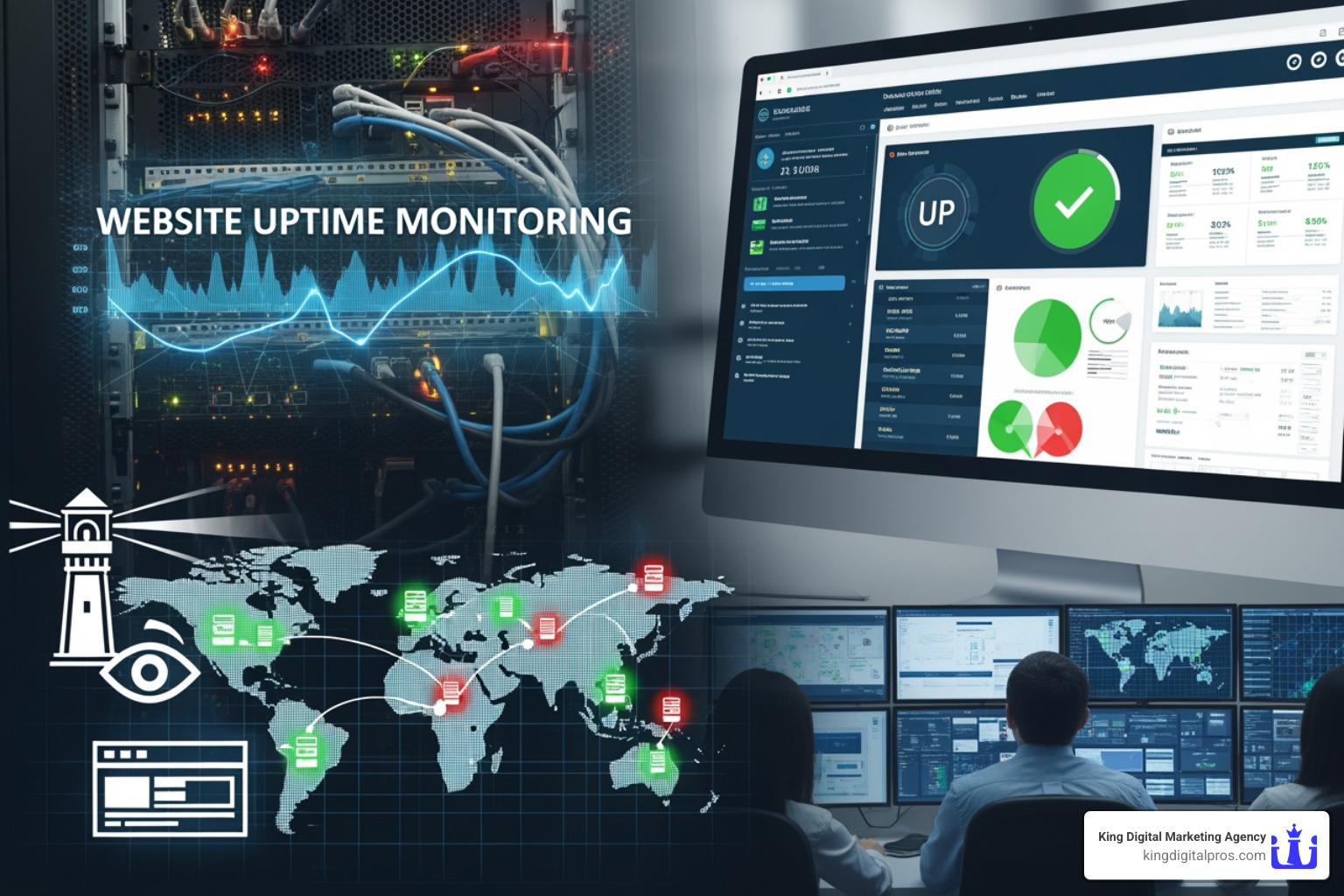
Professional services use a “Global Points of Presence” (PoP) network. This means they check your site from 15 to 80+ locations worldwide. This also helps eliminate “false positives.” If one monitoring station in London says your site is down, but stations in Los Angeles, Tokyo, and Paris say it’s up, the system knows it’s a local network glitch in London, not a total site failure.
Incident Management: Alerting and Status Pages
The best monitoring in the world is useless if the alert goes to an unmonitored email inbox at 3:00 AM. Effective incident management requires a multi-channel approach.
When an uptime monitor detects a problem, it should instantly send alerts via the channels your team actually uses. Common options include:
- Email: Good for record-keeping and non-critical updates.
- SMS & Phone Calls: Essential for critical outages that need immediate attention outside of business hours.
- Slack/Microsoft Teams: Perfect for keeping the whole dev or marketing team in the loop.
- Push Notifications: Mobile-first incident management allows you to respond on the go.
Using Status Pages for Communication
Transparency builds trust. Many website uptime monitoring tools allow you to create public status pages. Instead of customers flooding your support line asking “Is the site down?”, they can visit a dedicated URL (like status.yourbusiness.com) to see real-time updates and historical uptime data. You can even use “Status Badges” on your footer to show off your 99.9% uptime record.
Choosing Between Hosted and Self-Hosted Solutions
When setting up your monitoring, you’ll face a choice: use a Software-as-a-Service (SaaS) provider or host your own monitoring software.
SaaS Benefits (Cloud-hosted): These are the most popular options for small businesses in places like Los Alamos and Santa Fe. They are easy to set up (often taking less than a minute) and don’t require you to maintain any software. Services like Pulsetic or Uptime.com offer global networks that would be impossible for a small business to build on its own. They often boast high Net Promoter Scores (80+ NPS) and strong reliability ratings on G2.
Self-Hosted Solutions: Tools like Uptime Kuma or PHP Server Monitor are free, open-source scripts you install on your own server.
- Pros: Complete control over data, no monthly fees, and no limits on the number of monitors.
- Cons: If the server hosting your monitor goes down, your monitoring goes down too. It’s like a security guard who locks himself inside the building he’s supposed to be watching.
For most, we recommend a SaaS approach as part of your Small Business Website Maintenance plan to ensure the monitoring is independent of your primary hosting environment.
How to Get Started with Website Uptime Monitoring
Getting started doesn’t have to be a technical headache. Follow these best practices to set up a robust system:
- Start with the Basics: Set up an HTTPS check for your homepage and any critical landing pages.
- Configure Escalation Rules: If the first alert isn’t acknowledged within 10 minutes, have the system “escalate” the alert to a phone call or a second team member.
- Set Maintenance Windows: If you know you’ll be updating your site on Tuesday at midnight, schedule a maintenance window in your monitor so you don’t get “false alarm” alerts while you’re working. This is a key part of any Website Update Service.
- Monitor Your Domain & SSL: Don’t just monitor the site; monitor the infrastructure. Ensure your domain registration and security certificates are tracked.
- Review Historical Logs: Once a month, look at your uptime percentage. If you are consistently below 99.9%, it might be time to evaluate your hosting provider.
Frequently Asked Questions about Uptime
What is the difference between uptime and availability?
While often used interchangeably, uptime usually refers to whether the server is running. Availability is broader—it means the user can actually complete a task. A site could be “up” (the server is on) but have 0% availability because a database error prevents the page from loading.
Is a 5-minute check interval sufficient for a small business?
For a local service business in Cedar Crest or Sandia Park, 5 minutes is often perfectly fine. It balances cost and awareness. However, if you spend money on Google Ads, you want 1-minute checks. If your site goes down and you’re still paying for clicks that lead to an error page, you’re wasting money every second.
Can uptime monitoring detect if my SSL certificate is about to expire?
Yes! Most professional website uptime monitoring services include SSL tracking. They will notify you well in advance (usually 30, 14, and 7 days out) so you can renew the certificate before your visitors see a security warning.
Conclusion
Your website is your digital storefront, and in a competitive market, you can’t afford to leave the lights off. Website uptime monitoring is the simplest, most cost-effective way to ensure your business stays open for customers 24/7. Whether you are a small shop in Edgewood or a large enterprise in Albuquerque, being the first to know about a problem allows you to fix it before it impacts your bottom line.
At King Digital Marketing Agency, we specialize in making sure local businesses aren’t just seen, but are always accessible. From optimizing your Google Business Profile to ensuring your site’s technical health, we are here to help. Ensure your site stays online with professional Website Hosting and Maintenance and give yourself the peace of mind that comes with 24/7 vigilance.