Why Every Small Business Needs a Lead Tracker in 2025
A lead tracker is a tool that helps businesses organize, monitor, and manage potential customers from initial contact through final purchase. Here’s what you need to know:
Essential Lead Tracker Features:
- Lead capture from websites, forms, and calls
- Pipeline visualization showing deal stages
- Follow-up reminders to prevent missed opportunities
- Lead scoring to prioritize hot prospects
- Reporting to measure conversion rates and ROI
Quick Stats That Matter:
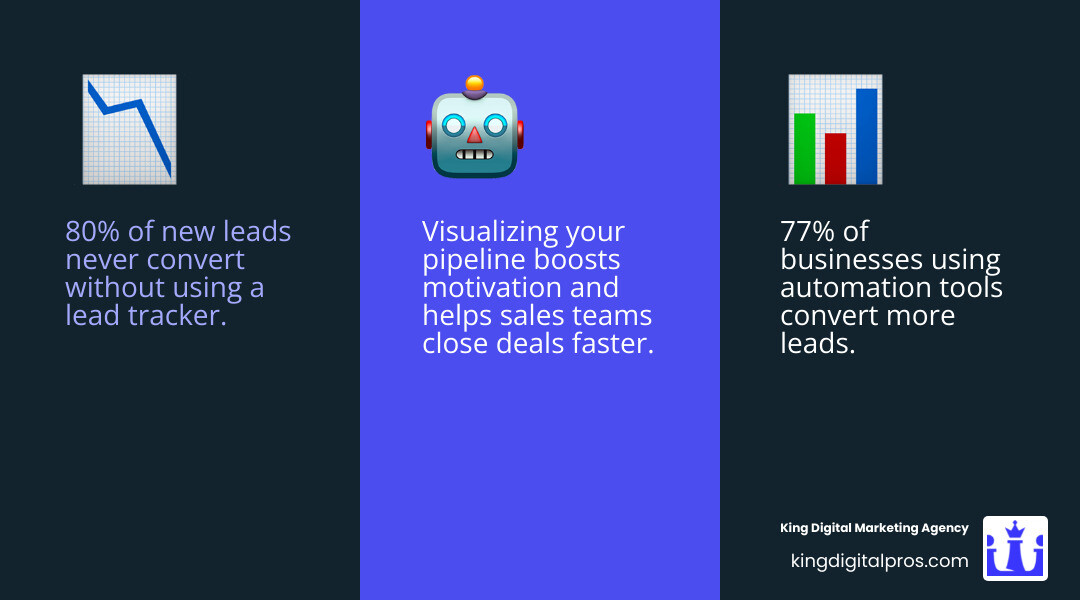
- 80% of new leads never convert to sales without proper tracking
- Businesses using lead trackers see 77% better conversion rates
- 80% of customers prefer personalized service experiences
The harsh reality? Most small businesses lose money every day because they can’t keep track of their leads. One day you’re talking to a promising prospect, the next week you’ve completely forgotten to follow up. Sound familiar?
Lead tracking isn’t just about organization – it’s about revenue. When you can see exactly where each potential customer stands in your sales process, you make smarter decisions about where to spend your time.
I’m Bernadette King, and after years of helping franchise owners and small businesses scale their digital presence, I’ve seen how the right lead tracker can transform a struggling sales process into a revenue-generating machine. Today, I’ll walk you through the best lead tracking tools that actually work for busy business owners who need results, not complexity.
What You’ll Learn
Ready to transform your chaotic lead management into a revenue-generating machine? You’re in the right place.
In this guide, I’ll walk you through everything you need to know about finding and using the perfect lead tracker for your business. We’ll start with the why – understanding how proper lead tracking becomes your secret weapon for growth.
You’ll find the best lead tracker apps and templates that actually work for real businesses, whether you’re a solo entrepreneur tracking a handful of leads or managing a growing team with hundreds of prospects.
The 10-point buyer’s checklist I’ve developed will help you choose the right tool without getting overwhelmed by fancy features you’ll never use. Think of it as your filter for lead tracking software.
I’ll share automation hacks that save you hours each week. No more manually updating spreadsheets or forgetting to follow up with hot prospects.
Finally, we’ll tackle the most common lead tracker questions I hear from business owners every day. Things like what information you actually need to collect and why your trusty spreadsheet might be costing you sales.
By the end of this guide, you’ll have everything you need to choose, set up, and optimize a lead tracker that fits your business like a glove.
Why Lead Tracking Is a Game-Changer
Picture this: You’re juggling twenty potential customers in your head, hoping you remember to call back that “hot lead” from Tuesday. Meanwhile, your competitor with a solid lead tracker just closed three deals while you’re still searching through sticky notes.
Here’s the truth—lead tracking transforms chaos into clarity, and scattered efforts into systematic revenue growth.
ROI measurement becomes crystal clear when you can trace every dollar back to its source. Instead of wondering if your Facebook ads are working, your lead tracker shows you exactly which marketing efforts are filling your bank account.
The magic really happens with sales-marketing alignment. No more pointing fingers when deals fall through. Everyone on your team can see exactly where each prospect came from and what stage they’re at.
But here’s where it gets really powerful: personalized outreach. Independent research shows that 80% of customers are more likely to buy from businesses that deliver personalized experiences. Your lead tracker stores conversation notes and preferences that help you connect authentically with each prospect.
Forecasting accuracy becomes your business’s crystal ball. When you can see exactly how many leads typically convert at each stage, you can predict next month’s revenue with surprising accuracy.
Data That Proves the Point
The numbers don’t lie. 80% of new leads never convert without a proper tracking system in place. Think about that—for every five business cards you collect, four of those potential customers disappear into thin air.
It’s like having a bucket with massive holes in the bottom. You keep pouring water in (spending money on marketing), but most of it leaks out because you can’t keep track of what’s flowing through.
The flip side is equally compelling. 77% of businesses using automation see better conversion rates, according to a 2024 report from research firm Statista.
When sales teams can actually see their total pipeline value visualized in an app, motivation kicks into high gear. It’s the difference between “I should probably call that guy back” and “I’m looking at $50,000 worth of potential deals that need my attention today.”
Tangible data from your lead tracker becomes the foundation for every smart business decision. You’ll know exactly how much each lead is worth and which marketing channels deserve more budget.
Choosing the Right Lead Tracker: 10-Point Buying Checklist
Shopping for a lead tracker can feel overwhelming with so many options out there. I’ve helped dozens of business owners steer this decision, and it always comes down to the same core questions.
Think of this as your GPS for finding the perfect lead tracker that’ll actually work for your business.
Lead capture flexibility is your starting point. Can the tool grab leads from everywhere your customers find you? Your website contact forms, phone calls, social media messages, and networking events should all flow into one place.
Pipeline visualization is about seeing your deals at a glance. Instead of wondering “Where did I leave things with Sarah?” you open your tracker and instantly see she’s at the proposal stage, waiting for your follow-up call.
Automation handles the boring stuff—sending follow-up reminders, assigning leads to team members, and nudging you when someone’s been sitting too long without contact.
Mobile access isn’t optional anymore. Whether you’re at a trade show or grabbing coffee with a prospect, your lead tracker should work wherever you do.
Real-time alerts keep hot leads from going cold. When a prospect fills out your pricing form at 2 PM, you want to know immediately.
Integration capabilities determine how well your lead tracker plays with your existing tools. Does it sync with your Google Calendar? Can it connect to your email marketing platform?
Privacy and compliance keeps customer data secure and complies with regulations like GDPR and CCPA.
Reporting and analytics turn your lead data into actionable insights. Which marketing campaigns bring in the best leads? What’s your average time from first contact to sale?
Scalability means thinking ahead. Choose a tool that grows with you instead of forcing an expensive switch later.
Pricing transparency should be straightforward. Hidden fees and confusing tier structures are red flags.
Want to dive deeper into professional lead tracking strategies? Check out our comprehensive lead tracking services to see how we help businesses capture and convert more leads.
Lead Tracker vs. Spreadsheet: Which Wins?
Let’s have an honest conversation about spreadsheets. I get it—they’re familiar, they’re free, and you already know how to use them. But here’s what I’ve learned from watching business owners struggle with Excel-based lead tracking.
| Feature | Spreadsheet | Simple Lead Tracker | Full CRM System |
|---|---|---|---|
| Lead Capture | Manual | Forms, semi-automated | Automated, multi-channel |
| Visualization | Basic, flat | Pipeline view, color | Advanced, custom stages |
| Automation | None or minimal | Reminders, basic flows | Full automation, triggers |
| Reporting | Manual, clunky | Built-in dashboards | Advanced analytics |
| Mobile Access | Limited | App or mobile web | Full-featured app |
| Integrations | Rare | Some (email/calendar) | Extensive (API, Zapier) |
| Team Collaboration | Hard (conflicts) | Sometimes | Full (permissions, logs) |
| Scalability | Poor | OK for small teams | Excellent |
| Cost | Free/Low | Low–Moderate | Moderate–High |
Spreadsheets work fine when you’re just starting out. But the moment you have more than 20 active leads, or when you hire someone to help with sales, those spreadsheets become a liability.
I’ve seen too many business owners lose deals because someone forgot to save the latest version. A dedicated lead tracker eliminates these headaches while giving you the automation and insights spreadsheets simply can’t match.
How Does a Lead Tracker Work From Capture to Conversion?
Lead capture is where everything begins. Modern lead trackers automatically pull information from your website forms and integrate with your phone system to log calls.
Qualification separates serious prospects from tire-kickers using frameworks like BANT—Budget, Authority, Need, and Timeline. Your lead tracker can automatically score leads based on their answers or behavior.
Lead scoring assigns point values to different actions. Someone who visits your pricing page gets more points than someone who just reads your blog.
Assignment and routing ensures the right person handles each lead. Good lead trackers make this automatic.
Follow-up automation reminds you when it’s time to call and suggests the next best action.
Closed-loop reporting tracks which leads become customers and traces them back to their original source.
The beauty of a good lead tracker is that it handles all this complexity behind the scenes, giving you a simple, clear view of what needs your attention right now.
The Best Lead Tracker Apps of 2025
Ready for the good stuff? Here are our top picks for lead tracker apps and tools that make tracking easy, visual, and—dare we say—fun.
After testing dozens of tools, I’ve narrowed it down to seven standout options that actually work for real businesses. Whether you’re a solo entrepreneur or managing a growing team, there’s something here that’ll transform how you handle leads.
The 7 standout tools that made our list:
- Visual Pipeline Tracker
- Automation-First Tracker
- Spreadsheet Super-Template
- Mobile-Native Lead Tracker
- Visitor Identification Tool
- All-in-One CRM Lite
- Pixel-Based Funnel Tracker
App 1: Visual Pipeline Tracker
Picture this: your entire sales pipeline laid out like a digital bulletin board, with each lead as a colorful card you can drag and drop between stages. That’s exactly what visual pipeline trackers deliver.
The magic happens when you see all your deals at once. Pipeline stages are clearly marked—maybe “New Lead,” “Qualified,” “Proposal Sent,” and “Closed Won.” Color-coding lets you spot urgent deals instantly (red for overdue, green for hot prospects). And those follow-up reminders? They pop up right when you need them, so nothing falls through the cracks.
This approach works beautifully for small business owners who want instant clarity and motivation. There’s something incredibly satisfying about moving a card from “Prospect” to “Closed Deal”—and seeing your total pipeline value grow in real time.
App 2: Automation-First Tracker
If you’re tired of living in your inbox and manually following up with every lead, automation-first trackers are your new best friend. These tools use workflow triggers to handle the boring stuff automatically.
Here’s how it works: a new lead fills out your contact form, and boom—the system assigns them a score based on their responses, sends a welcome email, and schedules a follow-up reminder for you. AI scoring gets smarter over time, learning which leads are most likely to convert. Email sync means every conversation is logged without you lifting a finger.
Teams ready to scale love these tools because they eliminate the “did you follow up with that lead?” conversations. Everything happens automatically, and real-time notifications keep everyone in the loop.
App 3: Spreadsheet Super-Template
Don’t laugh—sometimes the best lead tracker is a really, really good spreadsheet. But we’re not talking about your basic Excel file with three columns. These super-templates come loaded with Google Sheets formulas that calculate conversion rates, conditional formatting that highlights overdue follow-ups, and dashboard views that make your data actually useful.
The beauty is in the simplicity. You get built-in calculations, visual charts, and the ability to customize everything. Plus, you can add Google add-on alerts to ping you when it’s time to follow up, bridging the gap between manual tracking and full automation.
Solo entrepreneurs and budget-conscious teams often start here—and many never need to leave.
App 4: Mobile-Native Lead Tracker
For anyone who’s constantly on the road, mobile-native trackers are a game-changer. These apps give you full pipeline access from your phone, with push notifications that actually matter (goodbye, spam alerts).
The offline mode is clutch when you’re in a dead zone but need to update a lead’s status. Geo-tagging automatically logs where you met with prospects, which is surprisingly helpful for remembering context later. And those push notifications? They’re smart enough to remind you to follow up with the hot lead from yesterday’s networking event.
Field sales teams and service businesses swear by these tools because they work wherever business happens—not just at your desk.
App 5: Visitor Identification Tool
Here’s where things get a little sci-fi. Visitor identification tools can tell you which companies are browsing your website—even if they never fill out a form. Using IP-to-company matching, these tools reveal the anonymous traffic that most businesses never know about.
The website analytics integration shows you exactly which pages prospects viewed and how long they stayed. Campaign attribution connects the dots between your marketing efforts and actual website visits. According to research from leading visitor identification platforms, this approach can uncover 10x more leads than traditional form-based capture alone.
This is pure gold for B2B companies who want to know who’s kicking the tires before they’re ready to talk.
App 6: All-in-One CRM Lite
Sometimes you need more than a simple tracker but aren’t ready for a full enterprise CRM. That’s where CRM Lite options shine. They offer drag-and-drop stages for easy pipeline management, custom reports that actually make sense, and an integration hub that connects your favorite tools.
The sweet spot is the centralized approach—everything lives in one place without overwhelming complexity. You get activity logging, team collaboration features, and reporting that helps you make smarter decisions. It’s perfect for small businesses or teams outgrowing spreadsheets but not ready for the complexity (or cost) of enterprise solutions.
App 7: Pixel-Based Funnel Tracker
For the data nerds and digital marketers out there, pixel-based funnel trackers are where precision meets profit. These tools use tracking pixels and UTM mapping to follow every step a lead takes from first click to final sale.
Launch analytics show you which campaigns are generating the most qualified leads. Revenue source tracing connects closed deals back to specific ads, emails, or social media posts. This level of detail transforms guesswork into science—you’ll know exactly which marketing channels deserve more budget and which ones to ditch.
Multi-channel marketers love these tools because they finally answer the age-old question: “Which half of my marketing budget is working?”
Supercharging Your Lead Tracker With Automation & Integrations
Here’s where your lead tracker transforms from a simple organizing tool into a revenue-generating powerhouse. The secret isn’t just tracking leads—it’s making everything work together seamlessly.
Think of your lead tracker as the conductor of your sales orchestra. API connections automatically pull leads from your website forms, chatbots, and landing pages without you lifting a finger.
Your email marketing becomes smarter too. When someone enters your pipeline, trigger sequences start automatically—welcome emails, nurture campaigns, and follow-up reminders all happen on autopilot.
Calendar sync eliminates the back-and-forth dance of scheduling. Prospects can book demos directly from your lead tracker, and everything automatically appears on your calendar.
Call tracking attributes phone calls to the right marketing campaign. Suddenly, you know which ads are driving real conversations, not just clicks.
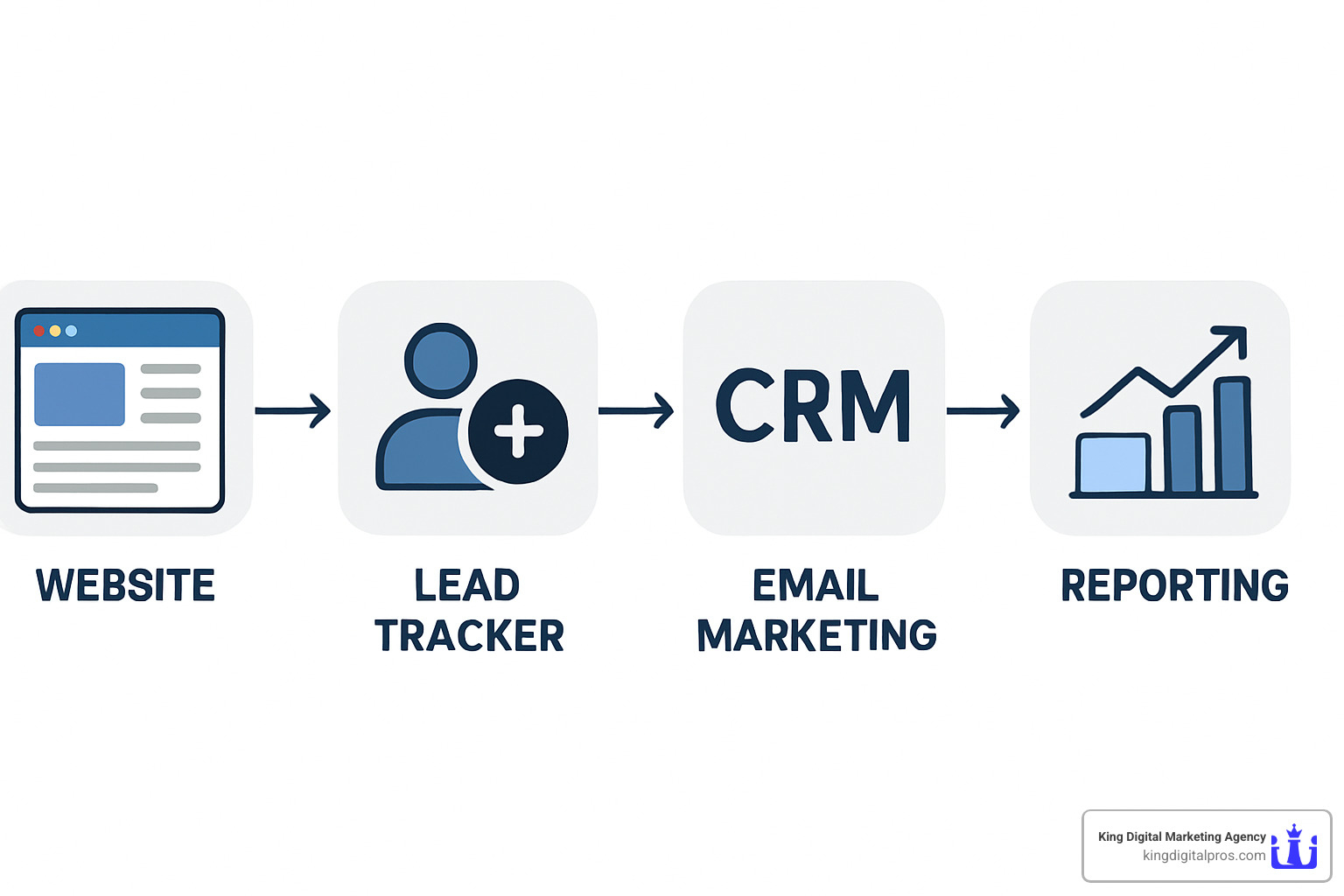
Zapier workflows create custom automations that fit your exact business needs. New lead in your tracker? Automatically create a Slack notification, add them to your Google Sheets backup, and send a personalized email—all without touching your computer.
Want to squeeze every ounce of value from your leads? Learn more about conversion optimization strategies that work.
Lead Tracker vs. Full CRM: What’s the Difference?
This is the million-dollar question every growing business faces.
A lead tracker is like a really smart notebook. It focuses on one job: capturing, organizing, and helping you follow up with potential customers. It’s perfect for simple pipelines and small teams who need clarity without complexity.
A full CRM is more like a command center. It tracks everything from the first “hello” through years of customer relationships. We’re talking advanced reporting, sophisticated automation, and collaboration tools for teams that span time zones.
The honest truth? If you’re currently managing leads with sticky notes or a basic spreadsheet, start with a dedicated lead tracker. You’ll see immediate results without the overwhelm. But if you’re managing a growing team or handling complex sales cycles, a full CRM might be worth the investment.
The beauty is you don’t have to choose forever. Many businesses graduate from lead trackers to CRMs as they grow—and that’s perfectly normal.
Frequently Asked Questions About Lead Trackers
You’ve got questions about lead trackers, and I’ve got answers. Here are the most common concerns I hear from business owners who are ready to get serious about managing their leads.
What information should I collect for each lead?
Think of each lead as a story you’re building, chapter by chapter. Start with the basics: name, email, and phone number. For B2B businesses, add their company name and title.
But here’s where it gets interesting—the source is pure gold. Did they find you through Google search, a Facebook ad, or your map listing? This tells you which marketing efforts are actually paying off.
Next, track their pipeline stage. Are they brand new, have you contacted them, or are they ready for a proposal? A simple lead score (hot, warm, cold) helps you prioritize your time wisely.
Don’t forget the human element: notes about their needs, pain points, or objections. These details make follow-ups feel personal instead of pushy. Always include the next action and follow-up date—your future self will thank you.
Finally, if possible, estimate the deal value and keep an interaction history. When you call them in three months, you’ll remember exactly where you left off.
How does lead tracking improve sales & marketing alignment?
Ever felt like your marketing and sales efforts were speaking different languages? A lead tracker becomes your universal translator.
When both teams can see the same data, magic happens. Marketing finally understands which campaigns generate real customers, not just website clicks. Sales can focus on the hottest, most engaged leads instead of chasing every inquiry that comes through.
The real breakthrough comes with closed-loop reporting—tracking leads all the way from first click to final sale. Suddenly, everyone agrees on what a qualified lead looks like, and budget decisions become data-driven instead of guesswork.
According to research from HubSpot, companies with strong sales and marketing alignment achieve 20% annual growth rates, compared to a 4% decline for misaligned organizations.
What are the limitations of using spreadsheets as a lead tracker?
Look, I get it. Spreadsheets feel familiar and safe. But they’re like using a bicycle when you need a car—they’ll get you there, but not efficiently.
The biggest problem? Everything is manual. No automatic reminders, no follow-up alerts, no lead scoring. You’re basically running a memory contest with yourself, and let’s be honest—you’ve got better things to remember.
Collaboration becomes a nightmare with multiple people editing the same file. Someone accidentally deletes a row, another person overwrites your notes, and suddenly you’re playing detective to figure out what happened to that hot lead from last week.
Spreadsheets also can’t grow with your business. What works for 50 leads becomes chaos at 500. There’s no real-time alerts, limited reporting, and zero integration with your other business tools.
The bottom line? Spreadsheets are fine for testing the waters, but if you’re serious about converting leads into customers, it’s time to upgrade to a proper lead tracker.
Conclusion
Here’s the truth: every day you don’t have a proper lead tracker, you’re basically playing business roulette with your revenue. At King Digital Marketing Agency, we’ve watched countless business owners transform their sales processes from “organized chaos” to “revenue-generating machines” simply by choosing the right tracking tool.
Think about it—80% of leads slip through the cracks without a tracking system. That’s not just a statistic, that’s real money walking out your door because someone forgot to call back or couldn’t find that sticky note with the hot prospect’s info.
The bottom line is simple: whether you’re running a solo operation or managing a growing team, there’s a lead tracker solution that fits your world. The visual pipeline apps give you that satisfying drag-and-drop clarity. The automation-first tools handle the follow-ups you’d otherwise forget. Even the souped-up spreadsheet templates beat the chaos of random notes scattered everywhere.
What really gets me excited is seeing business owners finally have those “aha!” moments. You know—when they realize which marketing efforts actually bring in paying customers, or when they stop losing sleep wondering if they forgot to follow up with someone important.
The best part? You don’t need to be a tech wizard to make this work. Pick one tool, start simple, and watch your conversion rates climb as you actually nurture those leads instead of letting them gather digital dust.
Ready to stop playing lead roulette? Calculate the value of your leads and see exactly how much revenue better tracking could open up for your business.
Remember: the only truly bad lead is the one you forgot existed. Let’s make sure that never happens to you again.