98% of Consumers Read Reviews Before Buying – Is Your Business Ready?
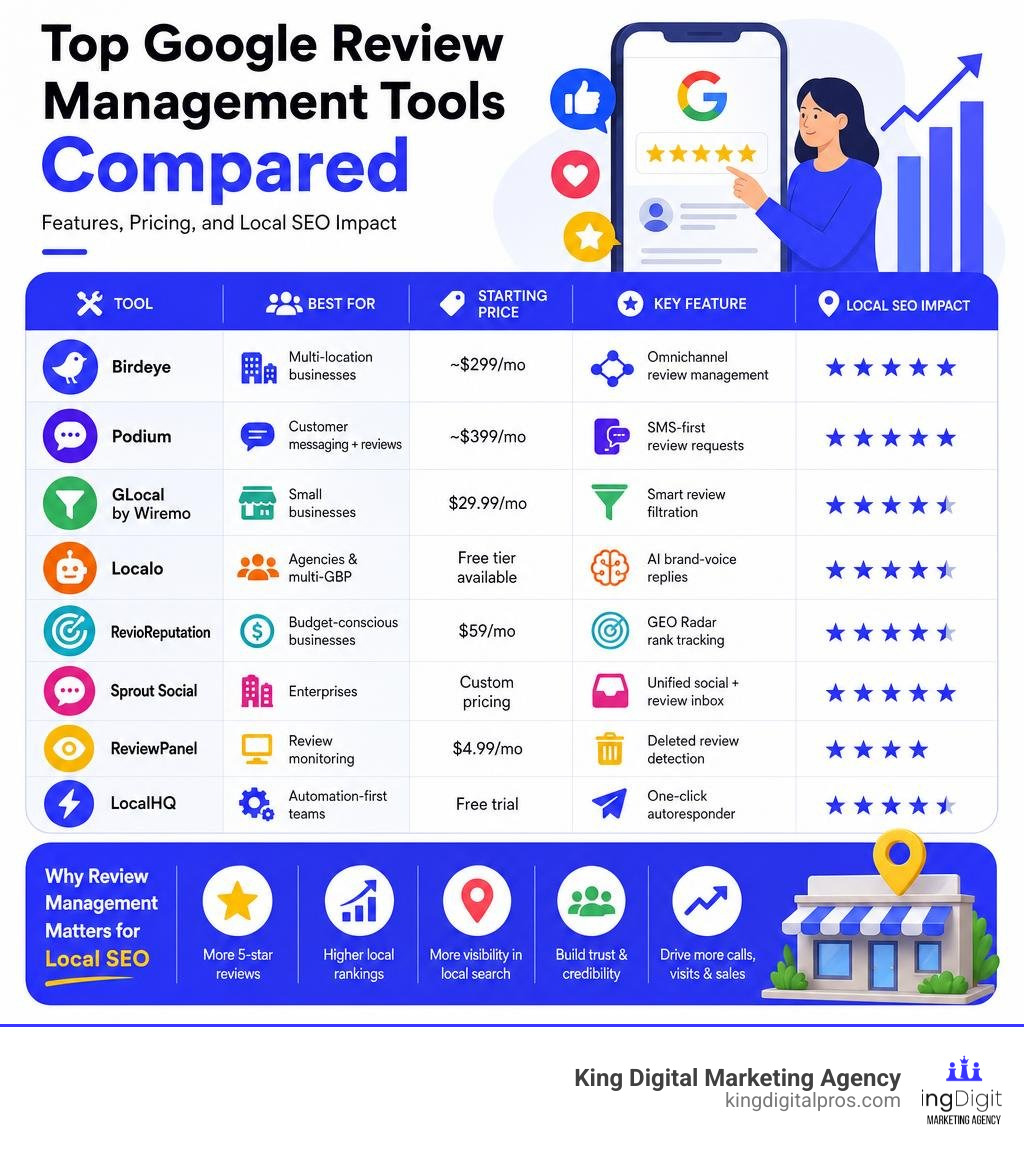
Choosing the right google review management tool can be the difference between a thriving local business and one that loses customers to competitors every single day. Here’s a quick look at the top options:
| Tool | Best For | Starting Price | Key Feature |
|---|---|---|---|
| Birdeye | Multi-location businesses | ~$299/mo | Omnichannel review management |
| Podium | Customer messaging + reviews | ~$399/mo | SMS-first review requests |
| GLocal by Wiremo | Small businesses | $29.99/mo | Smart review filtration |
| Localo | Agencies & multi-GBP | Free tier available | AI brand-voice replies |
| RevioReputation | Budget-conscious businesses | $59/mo | GEO Radar rank tracking |
| Sprout Social | Enterprises | Custom pricing | Unified social + review inbox |
| ReviewPanel | Review monitoring | $4.99/mo | Deleted review detection |
| LocalHQ | Automation-first teams | Free trial | One-click autoresponder |
Think about this for a moment: 93% of customers choose a business based on its Google reviews. Yet most local business owners are still managing reviews manually – logging into Google Business Profile, responding one by one, and hoping customers remember to leave feedback on their own.
That approach doesn’t scale. And in 2026, it’s costing businesses real money.
According to Google’s own Business Profile Help documentation, responding to reviews shows customers you value their feedback – but doing it consistently, across every location, without a system in place is nearly impossible.
The businesses winning local search right now aren’t just collecting more reviews. They’re managing them – monitoring, responding, analyzing, and using that data to grow.
That’s exactly what this guide is about.
I’m Bernadette King, founder of King Digital Marketing Agency, where I’ve spent years helping local business owners and franchise operators build stronger reputations through smart digital strategy – including hands-on work with every major google review management tool on the market. If you’re a busy business owner who wants to know which tool is worth your time and money, you’re in the right place.
Google review management tool vocab to learn:
Why Google Review Management is Critical for Local Businesses in 2026
If you run a business in Albuquerque, Rio Rancho, or Santa Fe, your online reputation isn’t just a vanity metric. It is the direct engine behind your local search visibility and your revenue.
When local customers search for services nearby, Google’s Map Pack displays the top three local businesses. The ranking algorithm heavily weighs review quantity, quality, response rates, and recency. This means a business with fifty active, high-rated reviews and consistent owner responses will consistently outrank a business with five outdated reviews. For a deeper look at how this works, read our guide on how to Boost Local Seo Effective Review Management.
Let’s look at the numbers that define customer behavior in 2026:
- Trust Factor: 88% of consumers trust a business more when it responds to all reviews, compared to only 47% when owners remain silent.
- Click-Through Rates: Businesses with a 4+ star rating receive 3x more clicks than those with lower scores.
- Volume and Revenue: Businesses with 50+ reviews see an average of 35% more revenue than those with fewer.
- The Star Value: Raising your average rating by just one star can boost your bottom-line revenue by 5% to 15%.
When you actively manage your reviews, you aren’t just pleasing an algorithm; you are directly influencing human decisions. To understand the long-term impact of this strategy on your bottom line, check out our insights on Beyond The Stars Understanding Review Management For Business Growth.
Key Features to Look For in a Google Review Management Tool
With so many software platforms hitting the market, it is easy to get distracted by flashy features. However, an effective google review management tool must excel at a few core functionalities to save you time and drive real SEO results.
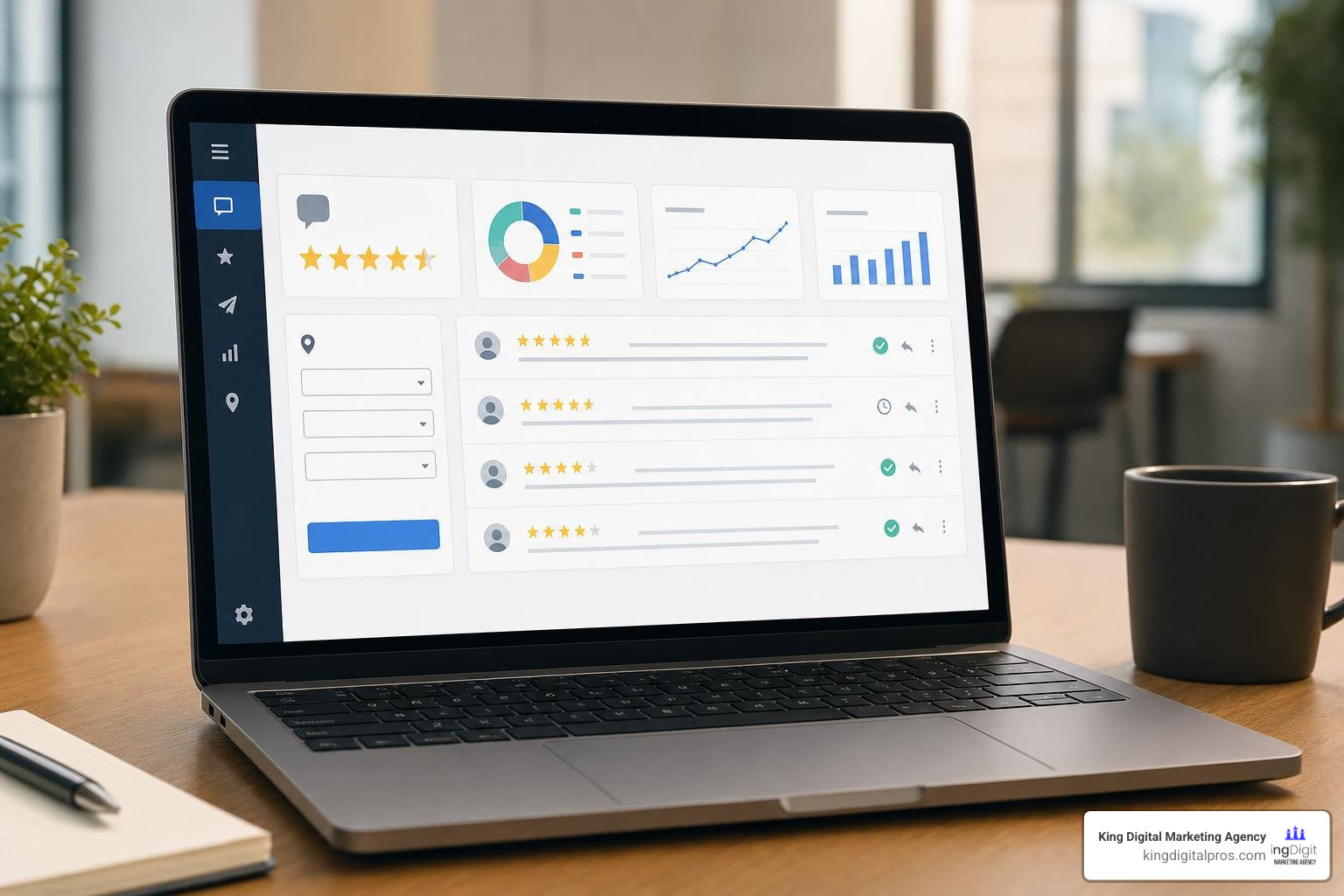
When evaluating platforms, make sure they include:
- A Unified Review Inbox: If you manage multiple locations across Rio Rancho, Corrales, and Santa Fe, you should not have to log in and out of different Google accounts. A unified dashboard aggregates every single review into one clear feed.
- Real-Time Alerts: You need to know the moment a negative review lands so you can address it immediately. Look for tools that send instant notifications via email, SMS, or Slack.
- Multi-Location Support: Essential for growing franchises and multi-unit brands that require role-based access and location-specific reporting.
For a comprehensive breakdown of what to look for in these platforms, refer to our Review Management Software Complete Guide and our breakdown of Customer Feedback Management Software.
How a Google Review Management Tool Automates Review Requests
The main reason businesses lack reviews is simple: they forget to ask, or they make the process too complicated for the customer. A great management tool solves this by automating the request pipeline.
Automation works through multiple touchpoints:
- SMS Requests: Text messages have an incredibly high open rate. Sending a short text with a direct Google link right after a service is completed yields the highest response rates.
- Email Sequences: Strategic follow-up sequences can gently remind customers to share their experiences without being intrusive.
- QR Codes and NFC Tap Stands: For physical storefronts in places like Taos or Los Alamos, placing a physical NFC-enabled “Tap Stand” or a custom QR code at the counter allows customers to leave reviews instantly with a simple tap of their smartphone.
If you are tired of manually chasing down feedback, you will love our guide, Tired Of Begging For Reviews Meet Your New Best Friend Automated Review Generation Software, as well as The Lazy Persons Guide To Automated Review Management.
Leveraging AI and Sentiment Analysis in Your Google Review Management Tool
In 2026, artificial intelligence has completely transformed how local businesses communicate. Modern review management tools use natural language processing (NLP) to read, analyze, and draft responses to customer reviews in seconds.
Instead of writing every response from scratch, the tool drafts a highly personalized reply that mentions specific details from the customer’s review. The best systems can even scan your existing Google Business Profile history to learn your specific brand voice, ensuring that every AI-generated response sounds authentic and matches your preferred tone.
Furthermore, AI-driven sentiment analysis automatically highlights recurring themes in customer feedback. If multiple customers in Santa Fe mention “long wait times” or “friendly staff,” the software flags these keywords, giving you actionable business intelligence to improve your operations. Learn more about these advanced capabilities in our Customer Review Management Software Complete Guide.
Comparing Types of Google Review Management Platforms
Not all tools are built for the same type of business. Choosing the wrong tier can lead to overpaying for complex enterprise features you don’t need, or outgrowing a basic tool within a few months.
| Platform Type | Target Audience | Key Benefits | Typical Pricing |
|---|---|---|---|
| Single-Location / Small Business (e.g., GLocal, ReviewPanel) | Local shops in places like Edgewood or Cedar Crest | Budget-friendly, simple setup, core request automation | Free to $60/month |
| Multi-Location / Franchise (e.g., Birdeye, Podium, ReviewPulse) | Regional brands, medical practices, multi-unit retail | Centralized control, role permissions, deep analytics | $200 to $400+/month |
| Agency Dashboards (e.g., Localo, GMBMantra) | Marketing agencies managing client profiles | White-label reporting, multi-tenant architecture, bulk operations | Custom / Tiered |
If you are trying to decide which platform fits your operational scale, read our detailed comparison of the Top Reputation Management Platforms To Keep Your Brand Squeaky Clean and explore how to scale with our guide on Mastering Franchise Review Management For Multi Location Success.
Strategies for Generating and Responding to Reviews Safely
While using a google review management tool makes collecting feedback incredibly efficient, you must always stay compliant with Google’s strict Terms of Service and FTC guidelines.
To protect your business profile, keep these best practices in mind:
- Avoid Review Gating: You cannot pre-screen customers and only send review links to those who had a positive experience. You must ask every customer for their feedback.
- Never Incentivize Reviews: Offering discounts, free items, or cash in exchange for a Google review is a direct violation of Google’s guidelines and can lead to your profile being suspended.
- The “Golden Hour” Response Rule: Try to respond to positive reviews within 24 hours. For negative reviews, responding within one hour can recover up to 25% of unhappy customers.
When handling a negative review, keep your response calm, professional, and solution-oriented. Acknowledge the customer’s frustration, explain your policy briefly, and immediately offer to take the conversation offline to resolve it. If you run a local eatery, our Restaurant Review Management Guide offers tailored advice on managing food-service feedback.
For the official step-by-step guidelines on handling your reviews directly, you can always consult the official tool to Manage your Google Business reviews .
Measuring the ROI of Your Reputation Management Efforts
Investing in a premium reputation tool or a professional service is a business decision that should yield clear, measurable returns.
To track the success of your review management efforts, monitor these key performance indicators (KPIs) monthly:
- Review Velocity: The rate at which you acquire new reviews. A steady, consistent flow of fresh reviews signals to Google that your business is active and relevant.
- Average Star Rating: Aim to maintain a rating between 4.5 and 4.9. Interestingly, a perfect 5.0 can sometimes look suspicious to highly skeptical modern consumers!
- Response Rate and Time: Tracking how quickly your team responds to incoming feedback.
- Local Search Visibility: Monitor your local Map Pack rankings. As your review count and response rates improve, you should see your business appearing higher in local search results across Albuquerque, Rio Rancho, and Santa Fe.
By turning raw feedback into structured data, you can easily prove the value of your efforts. Explore more about tracking these metrics with our Online Feedback Solutions.
Frequently Asked Questions about Google Review Management
Is review filtering or gating against Google’s policies?
Yes. Google explicitly prohibits “gating” – the practice of routing unhappy customers to a private feedback form while sending happy customers to Google to leave a public review. To stay compliant and avoid profile suspension, you must offer every customer the same direct opportunity to leave a public review.
How do I remove an unfair or fake Google review?
You cannot directly delete a review left by a customer. However, if a review violates Google’s terms (such as containing hate speech, spam, or a clear conflict of interest from a competitor), you can flag it through your Google Business Profile dashboard. Google’s team will review the flagged content and remove it if it violates their policies. To learn how to flag and track these requests, use Google’s official workflow to Manage your Google Business reviews .
Can I collect reviews from customers who didn’t make a purchase?
Yes! Google’s guidelines allow reviews based on any legitimate customer interaction, not just a completed financial transaction. For example, if a home services dispatcher in Albuquerque spends fifteen minutes providing highly helpful free advice over the phone, or if a local clinic provides an exceptional initial consultation, those are real, valuable interactions. Asking for a “character reference” or a review based on that helpful phone call is a highly effective way to build local trust. For specialized industries like healthcare, read our guide on Physician Review Management.
Conclusion
In 2026, local business success is built on trust, visibility, and responsiveness. While implementing a google review management tool is an incredibly powerful step toward automating your reputation, software is only as good as the strategy behind it.
At King Digital Marketing Agency, we specialize in helping local businesses across Albuquerque, Rio Rancho, Santa Fe, Corrales, and surrounding New Mexico communities optimize their Google Business Profiles and dominate local search. We handle the complexities of map listings, local visibility, and reputation strategy so you can focus on running your business.
Ready to turn your customer feedback into your greatest growth engine? Explore our professional Review Management Services today, and let us help you build a brand that stands out.
