Optimize Google business listing: 2025 Ultimate Success
Why Your Google Business Profile is Your Most Powerful Local SEO Tool
To optimize Google business listing, you must understand a crucial fact: most customers start their search for local services online and often never leave the search results page. Google Business Profiles power the “Local 3-Pack” in search and the pins in Google Maps, which are prime real estate for winning nearby customers in markets like Albuquerque, Rio Rancho, or Santa Fe.
When a customer searches, Google’s algorithm ranks businesses for the coveted Local 3-Pack based on three main factors:
- Relevance: How well your profile matches the search query. A complete, detailed profile helps Google understand what you offer so it can connect you with the right search terms.
- Distance: How far your business is from the searcher’s location or the area specified in their search.
- Prominence: How well-known your business is online, based on reviews, links, and mentions across the web.
According to Moz’s Local Search Ranking Factors, these elements work together to determine your local search visibility. This is critical because 84% of Business Profile views come from findy (“findy”) searches – people searching for a category like “pet groomers near me” rather than your specific business name. An optimized profile helps you capture customers who don’t even know you exist yet.
Local search has increasingly become zero-click, meaning users get what they need directly from Google’s results without visiting a website. As SparkToro’s research on zero-click searches notes, a large share of searches now end on Google itself. That makes your Google Business Profile a digital storefront, customer service desk, and sales page all rolled into one.
However, the average profile converts less than 5% of its views into actions such as calls, website visits, or direction requests. The difference between a low-performing listing and a high-performing one comes down to thoughtful optimization and ongoing management. Businesses with complete profiles get 7x more clicks, while those with photos see 42% more direction requests and 35% more website clicks, as reported in Google’s own help documentation on improving local ranking.
This guide will walk you through every step of optimizing your free Google Business Profile, from basic setup to advanced tactics. I’m Bernadette King, founder of King Digital, and I specialize in helping businesses optimize Google business listings to drive measurable growth through local SEO. Our dedicated Google Profile Management services are designed to turn your listing into a reliable, long-term source of leads and revenue.

Understanding Google’s Local Ranking Factors
Before you dive into edits, it helps to know why certain changes move the needle. Google’s local algorithm focuses on three primary factors: relevance, distance, and prominence.
-
Relevance is how closely a local listing matches what someone is searching for. Adding complete and accurate information about your business – categories, services, business description, and attributes – helps Google better understand what you do. This, in turn, increases the likelihood that your profile appears for the right queries.
-
Distance refers to how far each potential search result is from the location term used in a search. If a user does not specify a location, Google will calculate distance based on what it knows about the user’s position. While you cannot control where a searcher is physically located, you can clearly define your address and service areas so Google understands exactly where your business operates.
-
Prominence is how well-known your business is, both offline and online. Google looks at information from across the web (like links, articles, and directories), review count and score, and overall brand visibility. Strong, consistent citations and a steady stream of quality reviews can significantly improve your perceived prominence.
Google outlines these concepts in its official guide, “How to improve your local ranking on Google”, which is an essential reference for any local business. Independent analyses like Moz’s Local Search Ranking Factors further confirm that Business Profile optimization, on-site SEO, and review management are among the biggest levers you can pull.
Understanding how these signals work together helps you approach optimization strategically instead of guessing. Each improvement you make to relevance, distance clarity, and prominence strengthens your chances of earning more visibility and, ultimately, more customers.
The First Steps: Claiming and Verifying Your Listing
Before you can optimize, you must claim and verify your listing to establish ownership of your digital storefront. Without this, you cannot control how your business appears to customers in Albuquerque, Rio Rancho, or Taos, and Google may rely on incomplete third-party data.
To start, visit www.google.com/business to create a new profile or claim an existing one. The verification process confirms you are the legitimate owner, which is crucial for search visibility and for open uping all management features. Common verification methods include:
- Mail: A postcard with a code is sent to your business address.
- Phone or Email: A code is sent via an automated call, text, or email.
- Instant: Available if you’ve already verified your site with Google Search Console and Google can confidently match your business information.
- Bulk: For businesses with 10+ locations, such as a franchise operating across Albuquerque, Cedar Crest, Edgewood, and other nearby communities.
Verification is the gateway to optimization. An unverified profile has limited visibility and impact, and you will not be able to update many key fields or respond to reviews. We at King Digital offer dedicated support for Google My Business Verification to ensure your business is properly authenticated and set up for long-term success.
Core Profile Optimization: Building a Foundation for Success
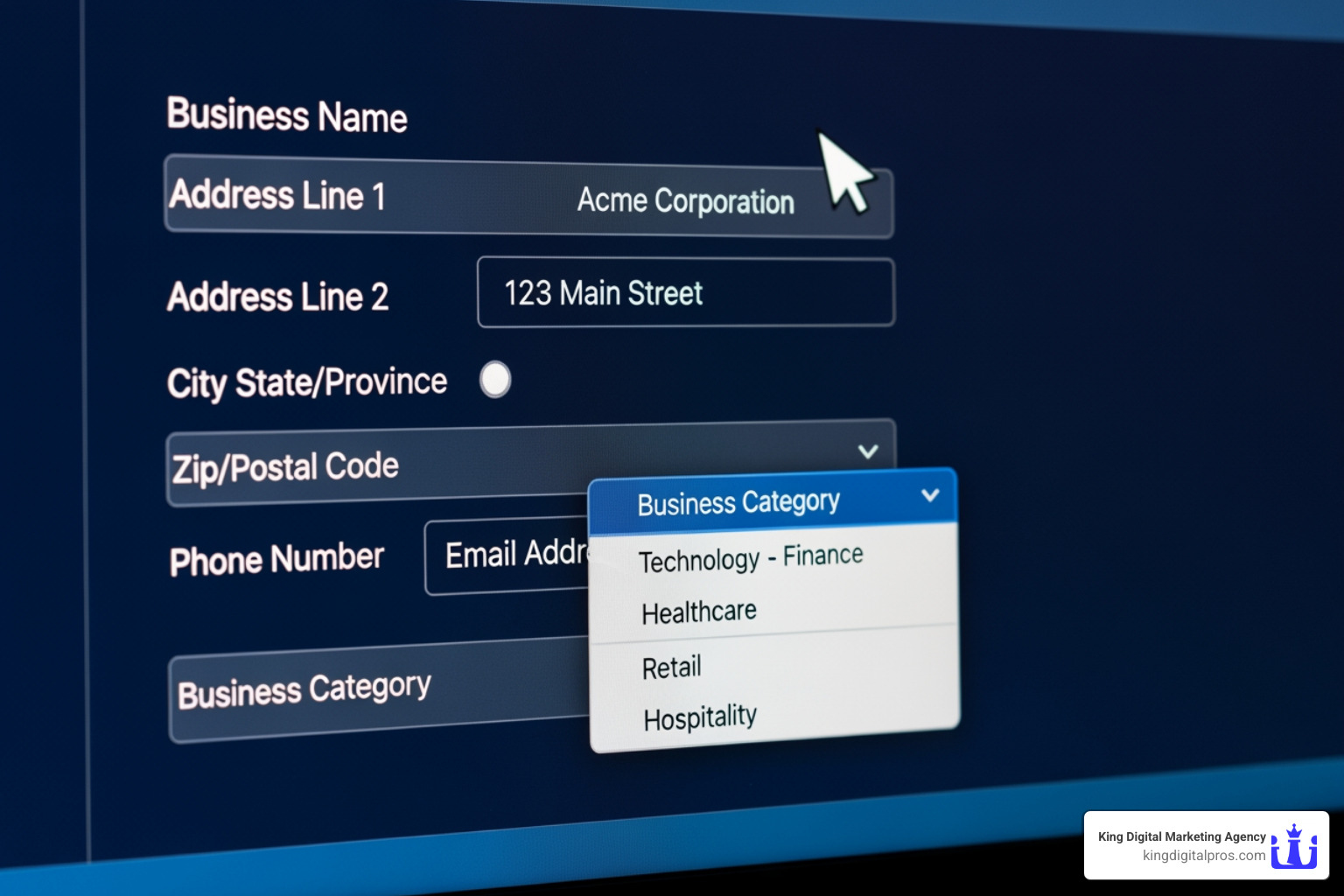
Once your profile is verified, the real work begins. This stage is about building a robust foundation of accurate, comprehensive information. Google favors businesses with complete and accurate profiles, making them easier to match with the right searches.
A critical aspect is NAP consistency: your Business Name, Address, and Phone number must be identical across your Google Profile, website, and all other online directories. Even minor inconsistencies can confuse Google and harm your ranking. Always adhere to the guidance provided by Google to avoid penalties like profile suspension.
How to Optimize Google Business Listing with Core Information
These essential pieces form the backbone of your profile:
- Business Name: Use your actual, legal business name. Do not add keywords or locations (e.g., “King Digital – Best SEO in Albuquerque”), as this can lead to suspension.
- Address: Provide your full, accurate street address. If you’re a service-area business (e.g., a plumber in Grants or Tijeras), you can hide your address and define your service area instead.
- Phone Number (NAP): List your primary business phone number, ensuring it’s consistent everywhere online.
- Website URL: Link to your official website. For multi-location businesses, use location-specific pages (e.g.,
yourbusiness.com/albuquerque). - Service Areas: If you serve customers at their locations, define your service area by city or zip code to appear in relevant local searches.
Maintaining this information with precision is paramount. For a deeper dive, explore our guide on Local SEO Best Practices.
Choosing Effective Categories and Attributes
Selecting the right categories is critical, especially since 84% of profile views come from findy searches (e.g., “plumbers near me”).
Your primary category is the most important; it should be the single best description of your core business (e.g., “Nail Salon,” not just “Salon”). You can add up to nine secondary categories for other services.
Business attributes provide extra details like “Wi-Fi available” or “wheelchair accessible.” These can influence search results when users filter for specific features. Review Google’s official attribute list and select all that apply to help your business stand out.
Writing a Compelling Business Description
Your business description is your chance to tell your story within a 750-character limit. Front-load the most important information in the first 250 characters, as this often appears in search snippets.
Focus on your unique value proposition. Are you a family-owned bakery in Corrales known for green chile bread? Say so. Naturally include keywords, but write for humans first. Avoid links, HTML, and promotional language – use Google Posts for that.
The Importance of Accurate Business Hours
Inaccurate hours create a poor customer experience. To optimize Google business listing, keep your hours carefully updated.
- Regular hours: Your standard weekly operating hours.
- Special hours: Set these in advance for holidays, events, or temporary closures.
- More Hours: Use this for services with different hours (e.g., a restaurant’s breakfast vs. dinner service).
Keeping hours updated builds trust and reliability. For more strategies, see how we Improve Google Local Ranking.
Advanced Strategies to Optimize Google Business Listing and Engage Customers

Once your core details are in place, the next step to optimize Google business listing is turning your profile into an active engagement hub. Advanced strategies move your presence beyond a static listing and into a dynamic marketing asset that consistently attracts and converts local searchers.
Regular updates – photos, posts, review responses, and Q&A management – send strong freshness signals to Google and build trust with potential customers. Studies from BrightLocal’s Local Consumer Review Survey show that consumers increasingly rely on up-to-date information and recent reviews when deciding which local business to contact. This kind of ongoing activity is a cornerstone of our Business Profile Optimization services.
Leveraging Photos and Videos for Maximum Impact
Visual content is incredibly powerful on Google Business Profiles. Businesses with robust photo galleries tend to stand out in both regular search and Maps, and they often see higher engagement rates.
Some key findings:
- Businesses with over 100 photos can experience up to 520% more calls and 2,717% more direction requests, based on aggregated case studies in the local SEO community.
- Customers are 42% more likely to request directions and 35% more likely to click through to your website if your profile has compelling images, according to internal Google data cited in industry analyses.
While customer photos add authenticity, your own uploads let you control the narrative and highlight what matters most. Aim for a diverse range of high-quality images:
- Exterior and interior shots: Help customers recognize your location and get a feel for your space before they visit.
- Team and “at work” photos: Humanize your brand and showcase your expertise or atmosphere.
- Identity photos: A clear logo and an eye-catching cover photo that aligns with your branding.
Do not overlook videos. Short clips of your team in action, a quick walkthrough of your location, or demonstrations of key services can significantly increase engagement. Keep them concise, clear, and relevant to what customers want to see.
Always adhere to Google’s photo guidelines to avoid removal or quality issues. In addition, basic best practices from resources like Google Search Central’s image SEO documentation can help you think about clarity, composition, and user value.
A powerful supplemental tactic is geo-tagging photos before upload, which embeds location data into the image file. While Google does not officially confirm this as a ranking factor, many practitioners referenced in Search Engine Journal’s analysis of how photos impact local SEO have observed stronger local relevance signals when geo-tagged media is used consistently.
Mastering Google Posts, Products, and Services
Google Posts function like mini updates that appear directly on your Business Profile. They are ideal for sharing:
- Limited-time offers and promotions
- New products or services
- Upcoming events, workshops, or webinars
- Helpful announcements (policy changes, new hours, special closures)
Most post types are visible for 7 days, so a consistent posting schedule is important to keep your profile fresh. Each post should include a strong Call-to-Action (CTA) such as “Learn more,” “Call now,” or “Book online” to guide users toward the next step.
The Products and Services features let you structure your offerings in a way that is easy for both customers and Google to understand:
- Products: Ideal for tangible items, with names, photos, prices (or price ranges), and links to purchase or learn more.
- Services: Perfect for service-based businesses like contractors, salons, or agencies. Include clear descriptions, pricing where possible, and concise benefit-focused copy.
Using these sections thoroughly improves your profile’s relevance for a broader set of keywords. For more advanced strategies on formatting and prioritizing offers, our Local Search Marketing Expert services can manage posts, product collections, and service catalogs on your behalf.
Managing Your Reputation with Reviews and Q&A
Your online reputation is both a conversion driver and a ranking factor. Google has stated that “high-quality, positive reviews from your customers can improve your business visibility” in local search, as outlined in its official local ranking help article.
How to encourage more reviews:
- Ask consistently: A BrightLocal survey found that 62% of customers will write a review if asked, yet many businesses never make the request.
- Make it easy: Share a direct review link via email, SMS, receipts, or a QR code on printed materials.
- Automate politely: Use your CRM or email platform to send follow-up messages at logical intervals after a visit or completed service.
Equally important is your response strategy:
- Respond to positive reviews: Thank customers, personalize your reply, and reinforce key services or strengths mentioned.
- Respond to negative reviews: Stay calm, professional, and solution-oriented. A thoughtful response can mitigate damage and even win back unhappy customers.
The Google Q&A section is another underused but powerful feature. Anyone can ask – and anyone can answer – questions about your business, which means you need to be proactive:
- Seed your own Q&A: Log in with a regular Google account, ask common questions (e.g., “Do you offer emergency services?”), and answer them clearly from your official business account. This builds a helpful knowledge base right on your profile.
- Monitor and respond quickly: Aim to answer new questions within 24 hours. Fast, accurate answers demonstrate excellent customer service and prevent incorrect community responses from dominating.
By actively managing reviews and Q&A, you build immense trust and send consistent engagement signals to Google. Over time, this combination of social proof and responsiveness can significantly improve both your rankings and your conversion rate from profile views to real-world customers.
Driving Conversions and Measuring Your Success
The ultimate goal is to optimize Google business listing not just for views, but for conversions – turning searchers into customers. An optimized profile guides potential customers from findy to action. Our expertise in Optimize Local Search focuses on this conversion-driven approach.
Further Steps to Optimize Google Business Listing for Conversions
Several features directly facilitate customer action:
- Enabling Messaging feature: This allows customers to text you directly from your profile. With 82% of smartphone shoppers using their device for local search, this low-friction contact method is invaluable.
- Setting up Bookings and Appointments: If your business relies on appointments (e.g., a salon in Santa Fe), integrating a booking link streamlines the process, allowing instant scheduling. We can help integrate this with our Google Meet Booking solutions.
- Google Local Justifications: These are snippets Google creates (e.g., “Mentions [service] in reviews”) that highlight why your business is a good match. You can’t control them directly, but a well-optimized profile with detailed reviews and relevant keywords helps Google generate these powerful trust signals.
Tracking and Monitoring Your GBP Performance
Optimization is an ongoing process that requires tracking. Google Business Profile’s built-in Insights (or “Performance”) provide valuable data on:
- Views: How many times your profile was seen.
- Searches: The queries customers used to find you (direct vs. findy).
- Actions: The number of website clicks, direction requests, calls, messages, and bookings.
For more granular data, we use UTM tracking. By adding UTM parameters to your website URL, we can track GBP-driven traffic in Google Analytics to measure ROI precisely. This is a key technique discussed in guides on how to track GBP clicks using UTMs. Regularly monitoring these metrics allows us to refine your strategy.
Managing Multiple Locations and Common Issues
For businesses with multiple locations, like clinics in Albuquerque and Rio Rancho, Google’s Business Groups allow for centralized management. This ensures brand consistency across all listings.
Be prepared for common issues:
- Suspensions: Can occur for violating Google’s guidelines. Resolution requires careful review and communication with Google support.
- Spam: Competitors may suggest false edits or post spam reviews. Active monitoring and reporting are essential.
- Verification problems: If the process gets stuck, persistence and contacting support are key.
Our Google Business Page Management expertise means we’re equipped to handle these challenges, keeping your profiles active and optimized.
Conclusion: Make GBP Optimization an Ongoing Process
We’ve covered the essentials, from foundational setup to advanced conversion strategies. The key takeaway is that to truly optimize Google business listing, you must treat it as an ongoing process, not a one-time task.
Your Google Business Profile is a living entity that requires continuous attention. Google’s algorithm evolves, new features emerge, and customer needs change. Regular updates, consistent engagement through posts and reviews, and diligent performance monitoring are all crucial for continuous improvement.
The value of expert management in this dynamic landscape is clear. King Digital Marketing Agency provides the expertise to ensure your business not only ranks higher in local searches across Albuquerque and Santa Fe but also converts those searches into loyal customers.
Don’t let your most powerful local SEO tool go underused. It’s time to transform your Google Business Profile into a lead-generating powerhouse. Get started with our expert services today and let us help you dominate your local market.
