The Ultimate Guide to Google My Business Management
Google my business management is the process of creating, optimizing, and maintaining your business listing on Google Search and Maps. Here’s what you need to know:
- What it is: A free tool (now called Google Business Profile) that displays your business information when people search for you
- Why it matters: 91% of business searches happen on Google, with 50% of searches having local intent
- Key benefits: Increases visibility, builds trust, drives website traffic, and generates calls/visits
- Core management tasks: Setting up/claiming your profile, keeping information updated, posting regularly, responding to reviews, and tracking performance
When managed properly, your Google Business Profile serves as a powerful digital storefront that turns searchers into customers without them ever visiting your website.
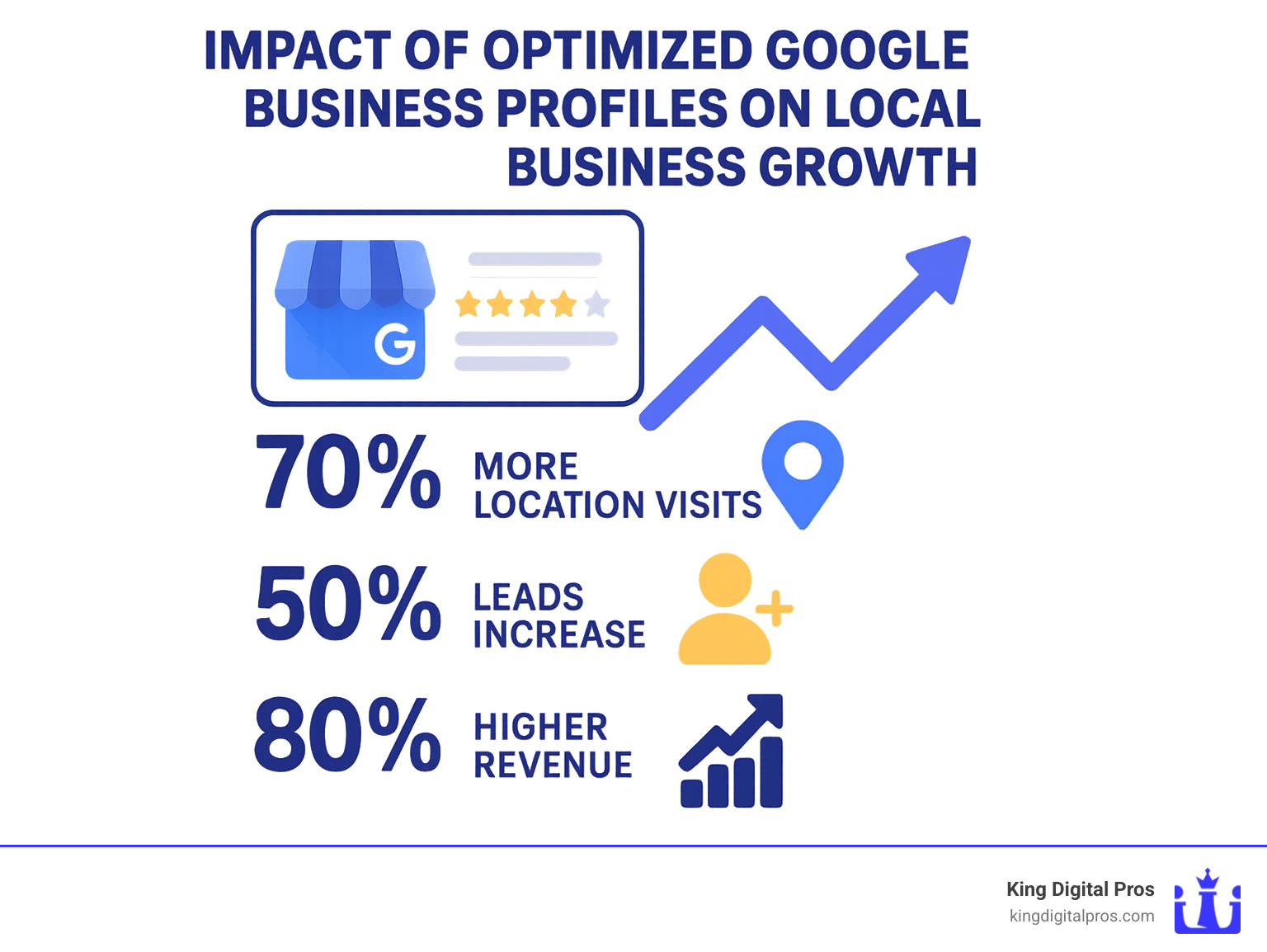
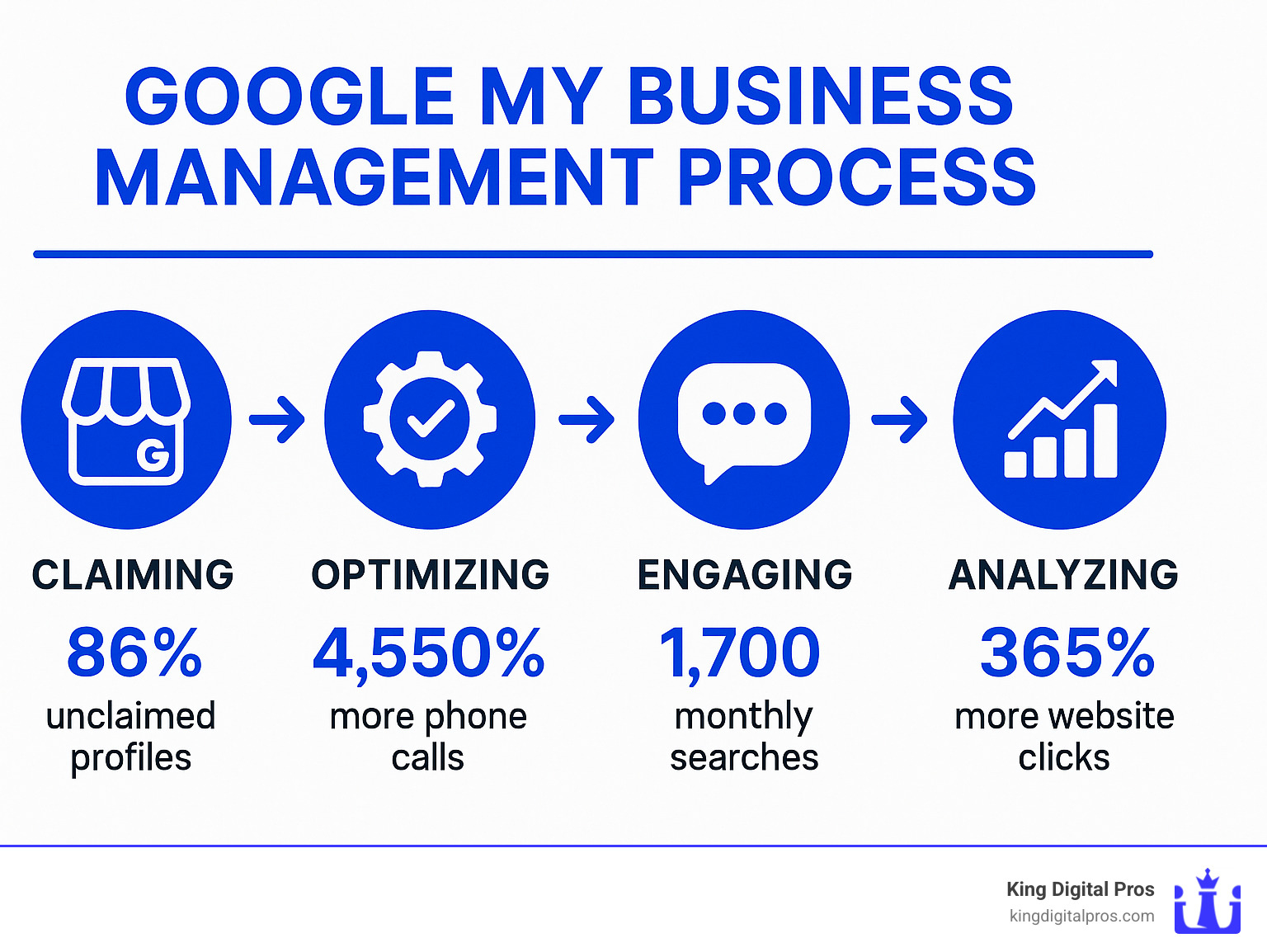
A verified Google Business Profile receives about 200 interactions per month, with optimized listings yielding a 4,550% increase in direct phone calls and a 365% boost in website clicks. For local businesses, this represents one of the highest-ROI marketing activities available today.
The shift from traditional advertising to local search has been dramatic – 50% of consumers who search for a local business on their smartphone visit that business within a day. If you’re not actively managing your Google Business Profile, you’re essentially leaving your front door locked while customers peer through the windows.
I’m Bernadette King, founder of King Digital Marketing Agency, and I’ve helped hundreds of local businesses transform their Google my business management strategies into consistent lead generation machines that deliver measurable results and sustainable growth.
Why a Google Business Profile Is Mission-Critical
When it comes to local SEO, your Google Business Profile (formerly Google My Business) isn’t just important—it’s absolutely essential. With 91% of all business searches happening on Google, your presence in the local “map pack” (those three businesses that appear at the top of local search results with a map) can make or break your visibility.
Let’s talk real numbers that show why this matters. A verified Google Business Profile typically receives around 200 customer interactions every month. Businesses that add photos to their profiles see 42% more requests for directions, and those with complete information enjoy 35% more clicks to their websites. Perhaps most telling of all, 67% of consumers are purchasing from local businesses on a weekly basis.
What makes Google Business Profiles particularly powerful is something called “zero-click searches.” This is when customers get everything they need—your phone number, hours, reviews—directly from your profile without ever visiting your website. It’s the frictionless experience today’s busy consumers crave.
Google determines who shows up in local searches based on three main factors:
- Proximity – How close your business is to the person searching
- Relevance – How well your profile matches what they’re looking for
- Prominence – How established and reputable your business appears to be
While you can’t control where your customers are when they search, effective Google my business management gives you direct influence over the other two factors—and that can make all the difference in whether you show up when potential customers are looking.
Core Benefits for Local Businesses
For businesses serving communities across New Mexico—from Albuquerque to Santa Fe, Rio Rancho to Taos—a well-managed Google Business Profile delivers tangible benefits that directly impact your bottom line.
Improved Visibility means when someone types “plumbers near me” or “best pizza in Taos,” your business has a fighting chance to appear in that coveted map pack position. Think of it as prime real estate on the digital main street.
Credibility Builder is another major advantage. With 85% of consumers trusting online reviews as much as personal recommendations from friends, your profile showcases your reputation through reviews, photos, and accurate business information—building trust before customers ever interact with you.
Your profile also serves as a Free Traffic Generator. Unlike paid advertising that stops the moment you stop paying, your Google Business Profile delivers free visibility 24/7, working for you while you sleep.
It’s also a Direct Communication Channel where customers can call you, get directions, or message you directly from your profile—reducing friction in their journey from “maybe” to “yes.”
Finally, you gain valuable Competitive Intelligence through insights and analytics that show how customers find you and what actions they take, helping you refine your strategy over time.
How Business Profiles Drive Foot-Traffic & Sales
The connection between Google my business management and real-world sales isn’t theoretical—it’s backed by hard data:
Half of consumers who search locally on their smartphones visit a business within 24 hours. Even for those searching on computers or tablets, 34% make an in-person visit within a day. Perhaps most impressive, 18% of local mobile searches result in a sale within one day.
Don’t have a physical storefront? No problem. Service-area businesses like plumbers, landscapers, or mobile pet groomers see equally impressive results. Our clients throughout New Mexico—from Los Alamos to Grants—consistently report that phone calls coming directly from their Google Business Profile are their highest-quality leads.
What makes these leads so valuable? It’s all about intent. When someone searches for “emergency plumber in Cedar Crest” or “window repair in Edgewood,” they’re not casually browsing—they’re actively looking for a solution to an immediate problem. They’re ready to make a decision, and the businesses that appear in those crucial map results gain an enormous advantage.
The scientific research is clear: local search behavior has fundamentally changed how customers find and choose businesses. If you’re not actively managing your Google Business Profile, you’re essentially invisible to the very people looking for exactly what you offer. Create your Google Business Profile today if you haven’t already—it might be the most important 30 minutes you’ll spend on marketing this year.
Mastering Google My Business Management: Step-By-Step
Let’s roll up our sleeves and get your business on the map—literally! Google my business management isn’t rocket science, but it does require attention to detail and a bit of know-how. I’ve guided hundreds of local businesses through this process, and I’m excited to walk you through it too.
1. Create or Claim Your Profile
First things first—you need to establish ownership of your digital storefront. Head over to business.google.com/create or simply Google your business name and look for the “Claim this business” option that appears.
Already see your business on Google but don’t control it? No worries! Search for your business, click on your listing, and select “Claim this business” or “Own this business?” Then follow the verification steps.
If someone else is currently at the wheel of your profile, you’ll need to request access. After searching for your business, click “Request access,” fill out the form, and the current manager will have a week to respond (though most respond much quicker in my experience).
For my multi-location clients across New Mexico, I’ve successfully implemented Google’s bulk verification options—a real time-saver when you’re managing locations from Albuquerque to Zuni!
2. Choose the Right Category
Your primary category might seem like a small detail, but trust me—it’s huge for visibility. Be specific! If you’re a pizza restaurant, “Pizza Restaurant” trumps the generic “Restaurant” every time. You can add secondary categories too, but that primary category is your golden ticket to showing up in the right searches.
I once worked with a client who switched from “General Contractor” to “Kitchen Remodeler” as their primary category and saw their relevant leads double within a month. The power of specificity!
3. Ensure NAP Consistency
NAP (Name, Address, Phone number) consistency is like the foundation of a house—if it’s shaky, everything else becomes unstable. Make sure these details match exactly across your website, Google profile, and any other online directories. Even small differences like “Street” versus “St.” can confuse Google’s algorithms.
For service-area businesses that go to customers rather than having them come to you, you can:
- List your business address (it won’t be publicly visible)
- Define your service areas by cities or zip codes
- Set specific business hours for each service area
I’ve seen this approach work wonders for plumbers, landscapers, and mobile pet groomers throughout New Mexico.
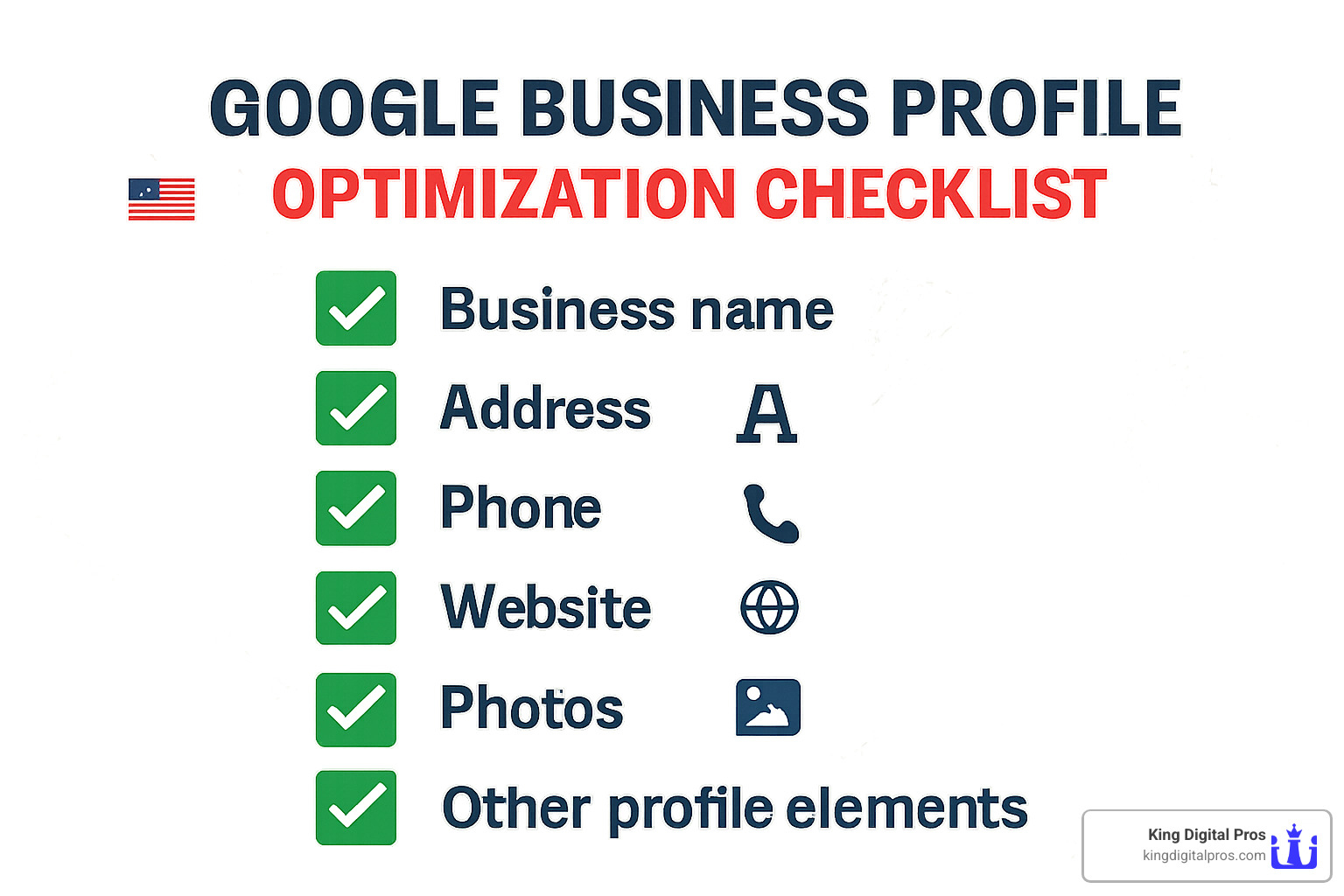
Google My Business Management Checklist
Ready to take your profile from “meh” to “magnificent”? Here’s what to focus on:
Your business name should be your actual name—no keyword stuffing! Select the most specific primary category possible and add relevant secondary ones. Ensure your address is exactly consistent with your website, and define your service areas precisely if you travel to customers.
Don’t forget to update your hours of operation including special holiday hours—nothing frustrates customers more than showing up to a closed shop! Use a local phone number as your primary contact (it builds trust) and link to your website—either your homepage or a location-specific landing page.
If you offer appointments, add booking links to make it easy for customers. List all your services with descriptions (up to 300 characters each) and select all relevant attributes like “wheelchair accessible” or “women-owned business.”
Write a keyword-rich business description (up to 750 characters) and add your opening date to build credibility. Upload high-quality photos of your exterior, interior, team, and products—businesses with photos get 42% more direction requests! Don’t forget your professional logo and an appealing cover photo that represents what you do.
Common Google My Business Management Mistakes
Over the years, I’ve seen some businesses shoot themselves in the foot with these common Google my business management blunders:
Duplicate listings create confusion for both Google and your customers. I recently helped a restaurant in Santa Fe find they had three different profiles—no wonder their visibility was suffering!
Keyword stuffing your business name (like “Albuquerque Best Plumber John Smith”) might seem clever, but it violates Google’s guidelines and can get your listing suspended. I’ve seen businesses disappear from search results overnight because of this.
Neglecting reviews is like ignoring customers who walk through your door. Whether the feedback is glowing or critical, your response demonstrates your commitment to service. Plus, Google notices businesses that actively engage with reviews.
Outdated information like incorrect holiday hours can create real-world frustration. One client told me about driving to a store on Christmas Eve based on Google hours, only to find it closed—don’t be that business!
Incomplete profiles and inconsistent posting significantly reduce your effectiveness. Think of your profile as a digital storefront—would you leave your physical store half-decorated or rarely open?
Pro Tips for Multi-Location Roll-Outs
If you’re managing multiple locations across New Mexico (or beyond), here are some sanity-saving strategies:
Bulk spreadsheet uploads allow you to create and verify multiple locations simultaneously—I’ve helped clients save hours of setup time with this approach.
Location groups help you organize locations logically for easier management. For example, you might group by region (Northern NM, Central NM) or by type (Express Locations, Full-Service Locations).
Maintain consistent branding across all locations while highlighting what makes each one special. Your Taos location might emphasize its proximity to the Pueblo, while your Albuquerque location highlights its connection to the university area.
Localize your content by referencing nearby landmarks or community connections. I’ve seen engagement skyrocket when businesses mention local events or neighborhood features in their posts.
For businesses with 10+ locations, request bulk verification to streamline the process. And for larger operations, dedicated Google my business management tools can help maintain consistency across dozens or hundreds of locations.
Want to dive deeper into optimizing your local presence across multiple locations? Check out our Local SEO resources for more insights.
Your Google Business Profile isn’t a “set it and forget it” tool—it’s a living, breathing part of your business that requires ongoing attention. But the rewards of proper management are well worth the effort!
Advanced Optimization, Tools & Analytics
Ready to take your Google my business management to the next level? Once you’ve got the basics down, it’s time to leverage the platform’s advanced features that can truly set your business apart in the digital landscape.
Google Posts
Think of Google Posts as your own mini-billboard right on your Business Profile. These posts stay visible for seven days (except event posts, which remain until the event date) and give you a direct way to communicate with potential customers.
You can create several types of engaging posts:
- Updates about what’s new with your business
- Upcoming events with all the important details
- Special offers that entice customers to act quickly
- Product highlights complete with images and pricing
I’ve seen how businesses in smaller New Mexico communities like Tijeras and Edgewood connect with locals through weekly posts. The posts that tend to get the most engagement? Those highlighting community involvement and local events. People love seeing businesses that care about their hometown!
Products & Services
Your Google Business Profile isn’t just a digital business card—it’s a full-fledged showcase for what you offer. Service businesses can create detailed categories with descriptions that help potential customers understand exactly what you provide. If you’re a retailer, the Product Editor lets you display your items with eye-catching images, clear pricing, and compelling descriptions.
Additional Features
Google constantly rolls out new features to make your profile more useful, and staying on top of these can give you a competitive edge:

The platform now offers real-time inventory features so customers can see what’s in stock before they visit. The messaging function creates a direct line of communication right through your profile. Want to give customers a peek inside your business? Virtual tours provide an immersive 360° experience that builds trust and familiarity.
Eco-conscious businesses can highlight their practices with sustainability badges, and when you need a break, Away Mode lets you temporarily mark your business as closed without affecting your long-term visibility.
Analytics & Performance Tracking
One of the most powerful aspects of Google my business management is the data you receive through Insights. This information helps you understand exactly how customers find and interact with your profile:
You’ll see the specific search terms people use to find your business, what actions they take (calls, website visits, direction requests), how they engage with your photos, and even demographic information about your audience.
For businesses serious about measuring impact, I recommend taking your tracking to the next level by:
- Creating UTM parameters for your website links
- Setting up dedicated call tracking numbers
- Connecting your profile to Google Analytics
- Comparing performance across locations if you have multiple
There are also excellent third-party tools that can improve your management capabilities, from scheduling platforms for your Google Posts to comprehensive dashboards that make managing multiple locations much simpler.
Review & Reputation Playbook
Let’s talk about reviews—they’re absolute gold for your business. Consider this: 85% of consumers trust online reviews as much as personal recommendations. That’s huge! And here’s the good news: 70% of your customers will leave a review if you simply ask them to.
We’ve developed a three-pronged approach to review management that works wonders:
Proactive Review Generation involves creating simple systems that encourage happy customers to share their experiences. Our clients in Albuquerque, Rio Rancho, and Santa Fe have seen their review counts double or triple with the right approach.
When it comes to responding to reviews, timing is everything. Aim to reply within 24-48 hours, and yes, that includes negative reviews! When someone leaves a less-than-stellar review, thank them for their feedback, apologize for their experience, suggest taking the conversation offline, provide your contact info, and explain how you’ll address their concerns.
Don’t forget spam fighting—monitoring and reporting fake or policy-violating reviews helps maintain the integrity of your profile and protects your reputation.
Want to dive deeper into managing your online reputation? Check out our Reputation Management services page for more strategies.
Integrations That Multiply Results
Your Google Business Profile becomes even more powerful when it’s integrated with other marketing channels:
Google Ads Integration allows your business to appear in both organic and paid results. For businesses in competitive New Mexico markets, this combined approach often delivers the best results.
Performance Max Campaigns use AI to showcase your business across multiple Google platforms simultaneously—Search, Maps, Display, YouTube, and Gmail. These campaigns leverage your Business Profile data for better targeting.
For retailers, connecting your Merchant Center inventory to both your Business Profile and Shopping ads creates a seamless shopping experience that customers love.
Implementing proper Analytics Integration lets you track the entire customer journey from findy on your Business Profile to conversion on your website.
And don’t underestimate the power of Call Tracking—knowing which calls came directly from your Google Business Profile helps you understand the true ROI of your efforts.
The businesses that see the most dramatic results from their Google my business management are those that treat it not as an isolated task but as an integrated part of their overall marketing strategy. When all these pieces work together, the impact on your bottom line can be truly remarkable.
Frequently Asked Questions about Google Business Profile
How do I claim or verify an existing profile?
Claiming your Google Business Profile is actually pretty straightforward! When you’re ready to take ownership, simply:
- Search for your business name on Google
- Click on your business listing when it appears
- Look for “Claim this business” or “Own this business?” and click it
- Choose from several verification options:
Postcard verification is the most common method – Google sends a physical postcard with a verification code to your business address. While it takes 1-2 weeks to arrive, it works for virtually any business type.
If you’re eligible, phone verification offers instant gratification with an automated call delivering your code immediately. Some businesses may qualify for email verification instead, which sends a simple verification link to your inbox.
Video verification is Google’s newest option, where you submit video footage showing your business operations – particularly helpful for businesses without traditional storefronts.
For our clients with multiple locations scattered across New Mexico’s beautiful landscape – from busy Albuquerque to artistic Taos – we regularly help with bulk verification after the first location is confirmed.
What should I post and how often?
The golden rule for Google my business management is consistency over perfection. We recommend sharing at least one post weekly to maintain visibility in the local search ecosystem.
Your posts don’t need to be complicated! Our most successful clients focus on content their customers actually care about:
Seasonal promotions perform exceptionally well – whether it’s winter plumbing tips for Albuquerque homeowners or summer hiking specials in Sandia Park. People love timely, relevant offers.
Behind-the-scenes content humanizes your business. That photo of your team volunteering at the Cedar Crest community center? It shows potential customers the real people behind your business.
Customer success stories with before/after photos build tremendous trust. When someone in Rio Rancho sees how you transformed a neighbor’s kitchen, they can imagine you doing the same for them.
We’ve consistently found that posts featuring local landmarks, events, or community connections generate the strongest engagement. A hardware store posting about “Weekend Projects for Sandia Park Homeowners” simply performs better than generic content.
How can I track performance improvements?
Measuring the impact of your Google my business management efforts doesn’t require an analytics degree – just a methodical approach and a bit of patience.
Before making any changes, document your starting point. Take screenshots of your current profile views, how many people call you directly from Google, request directions to your location, or click through to your website. Note your current review count and average star rating, too.
After implementing optimizations, track these same numbers monthly. Pay particular attention to conversion actions – how many profile visitors actually take the next step by calling or visiting your website?
Local businesses often experience seasonal patterns. A heating repair company in Los Alamos naturally sees different search patterns in January versus July. That’s why comparing year-over-year data provides the most accurate picture of improvement.
Most of our clients see meaningful improvements within 30-90 days of implementing comprehensive Google my business management strategies. The businesses that commit to consistent posting, responsive review management, and regular information updates typically see the strongest results.

One often overlooked metric is your competitive position. While your absolute numbers matter, what’s equally important is how visible you are compared to similar businesses in your service areas. Are you consistently appearing in the map pack when people search for services you offer? Tools like Google’s own Business Profile Insights can help you understand this positioning.
Remember – improvements compound over time. The work you put into your profile this month continues paying dividends long after, creating a powerful foundation for sustainable local visibility.
Conclusion
Google my business management isn’t just another marketing task on your to-do list—it’s the digital front door to your business that either welcomes customers in or leaves them wandering elsewhere. With 91% of business searches happening on Google and half of mobile searchers visiting businesses within a day of searching, can you really afford to leave your digital storefront unattended?
At King Digital Marketing Agency, we’ve walked alongside hundreds of New Mexico businesses—from busy Albuquerque restaurants to small service providers in Tijeras and Cedar Crest—helping them transform their Google presence from “just another listing” into a consistent lead-generating powerhouse.
What makes our approach different? We don’t just tick boxes. We combine technical know-how with storytelling and reputation building to create Google Business Profiles that actually connect with your community. Whether you’re managing a cozy single location or juggling multiple branches across our beautiful state, we bring the systems and expertise to make your business shine in local search results.
I remember working with a small family-owned bakery in Santa Fe that was struggling to compete with bigger chains. After three months of strategic Google my business management, they were appearing in the map pack for their most valuable search terms, and the owner called me in tears because they had to hire extra help to manage all the new weekend customers.
Ready to write your own success story? We’d love to offer you a free strategy session where we’ll:
- Take a deep dive into your current Google Business Profile
- Spot the specific opportunities you’re missing
- Show you exactly where you stand compared to competitors
- Create a customized roadmap for your unique business
The local search landscape keeps evolving, but one thing remains constant—businesses that master their Google presence consistently outperform those that don’t. Don’t let your competitors dominate the map pack while potential customers drive right past your door.
To learn more about our full range of digital marketing services, including hands-on Google my business management, visit our services page or reach out today to schedule your complimentary strategy session.
Let’s put your business on the map—literally.