Optimize Google Maps: Dominate Local SEO 2026
Why Google Maps Optimization Matters for Your Business and Daily Life
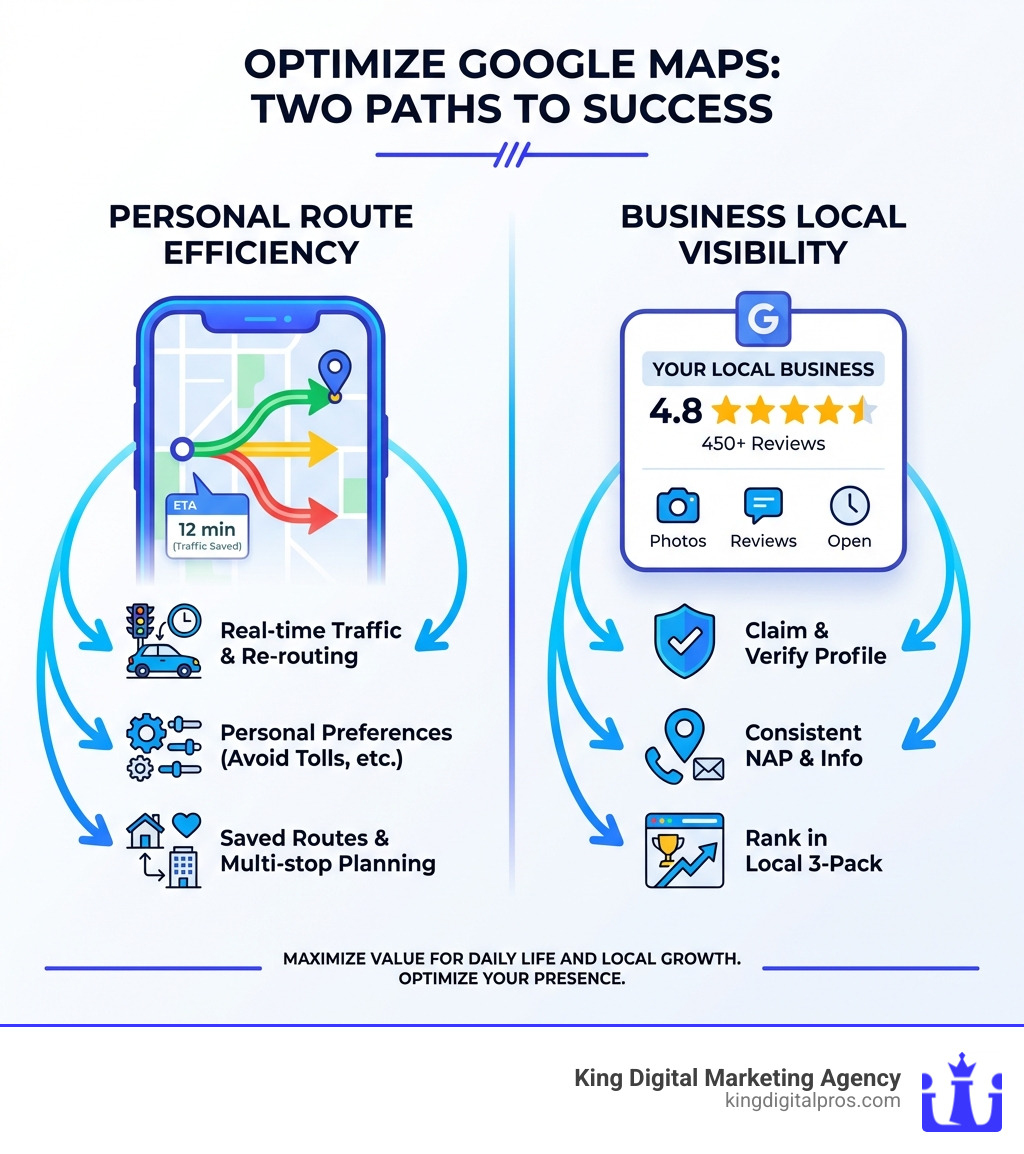
Optimize Google Maps for two distinct but equally powerful purposes: personal route efficiency and business visibility. Here’s what you need to know:
For Personal Use:
- Enable real-time traffic updates for dynamic re-routing
- Set personalized preferences (avoid tolls, highways, ferries)
- Save frequently used routes (home, work)
- Download offline maps for areas without internet
- Use multi-stop planning for errands and deliveries
For Businesses:
- Claim and verify your Google Business Profile
- Maintain consistent NAP (Name, Address, Phone) across all platforms
- Add high-quality photos and respond to customer reviews
- Keep business hours and information current
- Optimize your profile to rank in the local 3-pack
In today’s competitive market, Google Maps is the cornerstone of local visibility. It’s often where customers find businesses first-before they ever visit your website. Yet many businesses leave their profiles unoptimized, essentially handing customers to their competitors.
For individual users, Google Maps has evolved far beyond simple directions. It’s now a sophisticated route optimization tool that considers real-time traffic, multiple transportation modes, and even environmental impact. Whether you’re a daily commuter trying to avoid rush hour or a delivery driver managing multiple stops, understanding how to leverage Google Maps’ features can save you time, fuel, and frustration.
The research is clear: businesses with complete and accurate information are more likely to show up in local search results. More reviews and positive ratings directly improve your local ranking. For developers and fleet managers, the Google Maps Platform APIs offer advanced route optimization capabilities-calculating up to 625 routes and optimizing for up to 25 waypoints with real-time traffic data.
I’m Bernadette King, founder of King Digital, and I’ve spent years helping franchise owners and small businesses transform their digital presence through strategic local SEO and Google Maps optimization. Throughout this guide, I’ll show you exactly how to Optimize Google Maps for both personal efficiency and business growth-no fluff, just actionable strategies that work.
Must-know Optimize Google Maps terms:
- Business profile optimization
- Google local business
- Local business reputation
For the Everyday User: Mastering Personal Route Optimization
Google Maps is our indispensable co-pilot for navigating the world, and knowing its ins and outs can transform our daily commutes and grand adventures. This section covers how we can leverage Google Maps’ powerful features for faster, smarter, and more personalized travel, whether we’re daily commuters, delivery drivers, or road trip enthusiasts.
Core Features for Route Planning
To truly Optimize Google Maps for our personal journeys, we need to understand its foundational features.
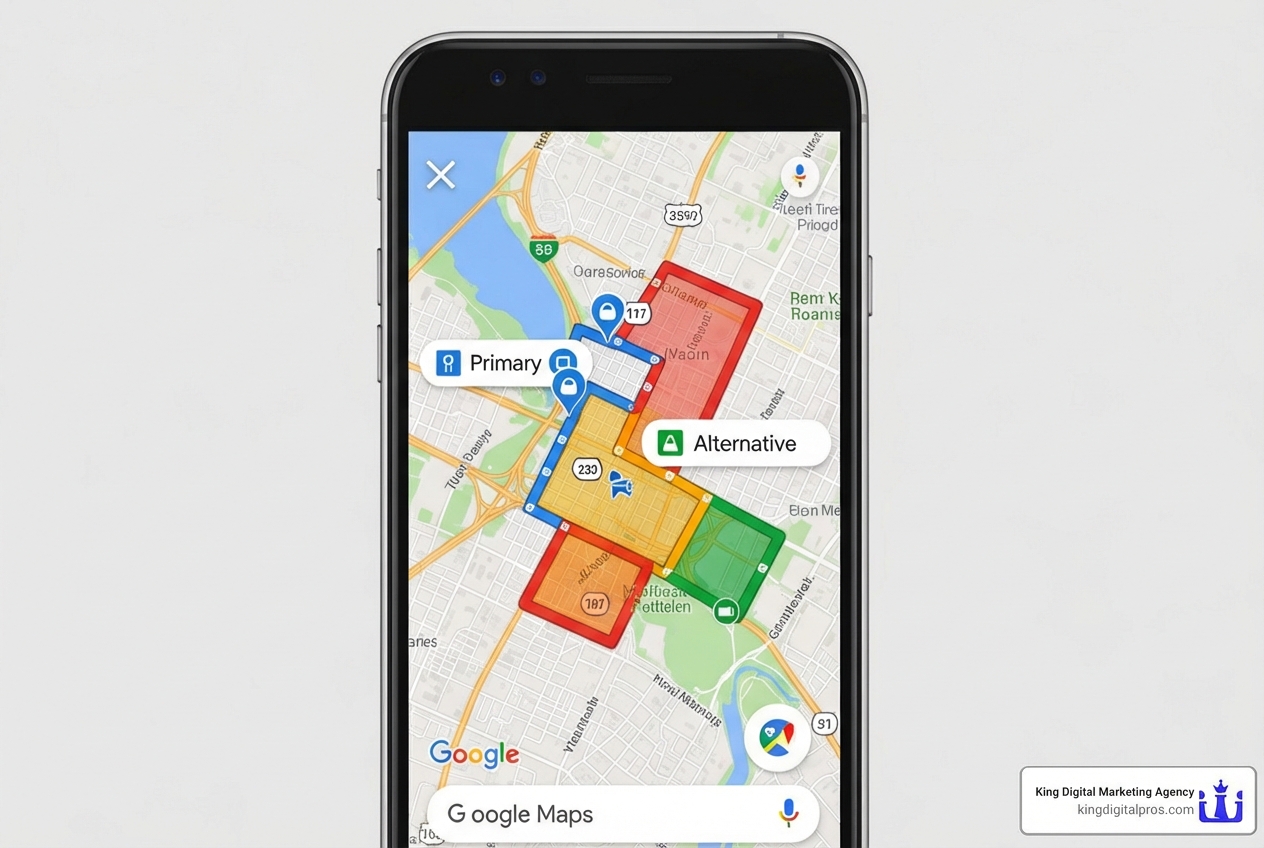
1. Real-time Traffic Updates: Google Maps leverages anonymized location data from countless smartphones to provide incredibly accurate real-time traffic information. This allows the system to identify congestion, slowdowns, and even accidents, dynamically adjusting estimated arrival times (ETAs) and suggesting alternative routes. This is crucial for avoiding unexpected delays (Q2).
2. Multiple Route Options: Google Maps rarely offers just one way to get to our destination. It typically presents several routes, each with its own advantages-perhaps the fastest, the shortest, or one that avoids tolls or highways. Exploring these options is vital (Q7).
3. Multi-stop Routes: For running errands or making deliveries, we can easily add multiple destinations to our route. While the consumer version of Google Maps typically limits this to a starting point plus nine additional stops (a total of 10 stops), it still allows us to plan complex trips efficiently (Q1, Q5). This feature helps us save time, fuel, and money by minimizing backtracking.
4. Travel Mode Selection: Google Maps isn’t just for drivers. We can select various travel modes, including driving, cycling, walking, and public transit. Each mode offers optimized routes custom to that specific form of transport, considering factors like bike lanes for cyclists or pedestrian-friendly paths for walkers (Q1, Q10).
5. Estimated Arrival Times (ETAs): Google Maps’ ETAs are remarkably accurate because they factor in real-time traffic, road conditions, and historical data. While unexpected events like severe weather can impact these estimates, they provide a reliable benchmark for our travel planning.
Personalizing Your Journey
Google Maps allows us to tailor our navigation experience to our specific needs and preferences (Q3).
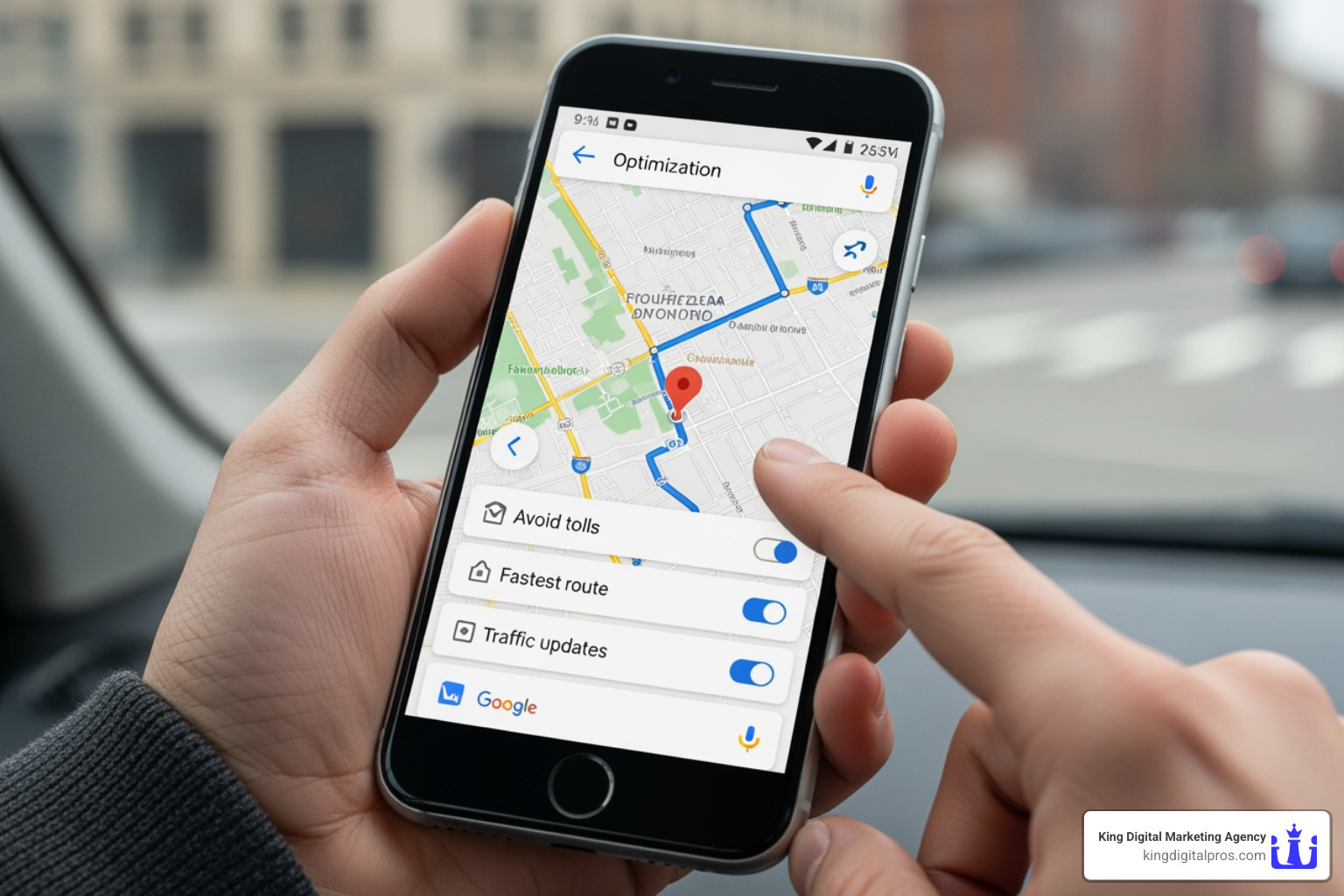
1. Route Preferences: Before starting a journey, we can set preferences to avoid certain road types. This is incredibly useful for customizing our experience:
- Avoid tolls: Perfect for saving money or taking a more scenic route (Q3, Q6).
- Avoid highways: Ideal for those who prefer local roads or a less stressful drive (Q3, Q6).
- Avoid ferries: Useful if we’re not keen on water crossings or want to save time (Q3, Q6).
2. Setting Vehicle Type: For certain travel modes, like cycling, Google Maps will automatically prioritize routes with dedicated lanes or less traffic. While not a direct “vehicle type” setting like for commercial fleets, choosing our mode of transport effectively optimizes the route for our vehicle (Q10).
Here’s a quick comparison of common route options:
| Route Option | Description | Ideal For |
|---|---|---|
| Fastest Route | Prioritizes minimizing travel time, often using highways and main roads, even if it means a slightly longer distance. Accounts for real-time traffic. | Commuters, delivery drivers, urgent travel. |
| Shortest Route | Prioritizes minimizing total distance, which might involve more local roads, turns, or slower speeds. May not always be the fastest due to traffic or speed limits. | Scenic drives, avoiding specific areas, when time isn’t the absolute priority. |
| Eco-Friendly Route | Introduced to help us reduce our carbon footprint and save on fuel. This route suggests paths that are most fuel-efficient, often considering factors like road incline and fewer hard accelerations/braking, even if it’s not the absolute fastest. | Environmentally conscious travelers, long-distance drivers looking to save fuel (Q9). |
Best Practices to Optimize Google Maps for Daily Commutes
Mastering a few best practices can significantly improve our daily navigation (Q5).
1. Live Updates and Dynamic Re-routing: Always keep live updates enabled. If an unexpected accident or traffic jam occurs ahead, Google Maps will automatically notify us and suggest a new, faster route to help us avoid the congestion (Q4, Q5). This proactive re-routing is a game-changer for commuters.
2. Saving Routes (Home & Work): For frequently traveled routes, like our daily commute to work or a friend’s house, saving them can streamline our navigation experience (Q8). This allows for quick access without re-entering destinations every time.
3. Exploring Points of Interest: Google Maps isn’t just about getting from A to B. We can explore points of interest along our route or near our destination, whether it’s a gas station, a coffee shop, or a scenic overlook. This can improve our journey and help us plan stops (Q5).
4. Using Street View for Destination Preview: Before arriving at a new location, especially in a busy urban area like Albuquerque or Santa Fe, Street View can give us a visual understanding of our destination and its surroundings. This helps us recognize the building, find parking, or identify the correct entrance, reducing stress upon arrival (Q9).
5. Sharing Trip Progress: For safety or coordination, we can share our live trip progress with contacts. This allows others to track our ETA and location in real-time.
Advanced & Lesser-Known Features
Beyond the basics, Google Maps offers features that can further refine our navigation (Q9).
1. Offline Maps: For areas with spotty internet coverage or to save data, we can download maps for offline use. While real-time traffic updates won’t be available, we can still steer and get directions without an active connection.
2. Adding Stops Mid-Journey: If our plans change or we remember an errand, we can easily add new stops to our active navigation without restarting the entire route.
3. Eco-Friendly Routing: As mentioned, this feature identifies the most fuel-efficient route, helping us save money and reduce our environmental impact. This is particularly useful for longer drives across New Mexico.
4. Time-Based Traffic Predictions: When planning a trip for a future time, Google Maps can predict traffic conditions based on historical data for that specific day and time. This helps us choose the optimal departure time to avoid peak congestion.
5. Using Voice Commands for Hands-Free Control: For safer driving, we can use voice commands to control Google Maps, asking for directions, adding stops, or checking traffic without taking our hands off the wheel.
For Businesses: How to Optimize Google Maps for Local SEO
For local businesses, optimizing our Google Maps presence isn’t just an option-it’s essential for attracting customers. This is where we turn our map listing into a powerful lead-generation tool, especially in competitive markets like Albuquerque, Rio Rancho, or Santa Fe.
The Foundation: Mastering NAP Consistency
At King Digital, we know that accurate and consistent NAP details are the bedrock of local SEO success (Q13).
1. NAP Defined: NAP stands for Name, Address, and Phone number. These core pieces of information define our business online and help customers and search engines identify and contact us.
2. Importance of Consistency: Google relies on consistent information across the web to confirm a business’s legitimacy and trustworthiness. If our business’s name, address, or phone number varies across different online directories (like Yelp, social media, or our website), Google might perceive this as untrustworthy, leading to lower rankings (Q13). Accurate NAP details are the foundation of local SEO success-if Google can’t trust the basics, it’s less likely to show our business to potential customers.
3. Building Trust with Google: Consistent NAP data builds credibility with Google. When Google sees the same, accurate information for our business everywhere, it becomes more confident in our legitimacy, which positively impacts our local search rankings (Q13).
4. Impact on Local 3-Pack: The “local 3-pack” (or “snack pack”) is the coveted top-three business listings that appear prominently in Google search results for local queries (e.g., “plumber near me” in Grants NM). Achieving a spot in the local 3-pack can dramatically increase visibility and customer inquiries. Consistent NAP data is crucial for ranking here.
Optimizing Your Google Business Profile (GBP)
Our Google Business Profile (GBP) is the most critical tool for managing our presence on Google Maps and local search. Optimizing it is key to attracting local customers (Q16).
1. Verifying Your Business: This is the absolute first step. Verifying our business with Google confirms our ownership and legitimacy, significantly increasing our likelihood of appearing in search results (Q16). This often involves a postcard verification or a phone call with a code.
2. Choosing Correct Categories: Selecting the most accurate and specific categories for our business helps Google understand what we do and match us with relevant searches. For example, instead of just “Restaurant,” we might choose “Italian Restaurant” or “Pizza Restaurant.”
3. Writing a Compelling Business Description: Craft a concise yet informative description that highlights our unique selling points and includes relevant keywords.
4. Adding High-Quality Photos and Videos: Visuals are powerful. Businesses with photos are more likely to receive clicks and calls. We should upload high-quality images of our storefront, products, services, and team.
5. Utilizing Google Posts: Google Posts are like mini-blog posts that appear directly in our GBP. We can use them to announce promotions, events, new products, or important updates, keeping our profile dynamic and engaging.
6. Showcasing Products and Services: If we’re a retail business, we can showcase our in-store products directly on our GBP, helping customers see what we offer before they even visit. Service-based businesses can list their key services.
Managing Your Reputation and Engagement
Our online reputation on Google Maps is a critical factor for local ranking and customer trust (Q16).
1. Responding to Reviews (Positive and Negative): More reviews and positive ratings can significantly help our business’s local ranking. Actively responding to all reviews-both positive and negative-shows that we value customer feedback and are engaged with our community. Thoughtful responses can turn a negative experience into a positive impression.
2. Answering Questions in the Q&A Section: Customers can ask questions directly on our GBP. Regularly checking and answering these questions demonstrates responsiveness and provides valuable information to potential customers.
3. Enabling Messaging: Allowing customers to message us directly through our GBP can open a direct line of communication, making it easier for them to inquire about our services or products.
4. Monitoring User-Suggested Edits: Google Maps allows users to suggest edits to business information. We must regularly monitor our GBP for these suggestions and approve or reject them to maintain accuracy.
Common Mistakes to Avoid
Even well-intentioned businesses can make mistakes that hinder their Google Maps visibility (Q17).
1. Inconsistent NAP Listings: This is the cardinal sin of local SEO. As discussed, varying names, addresses, or phone numbers across online platforms confuse both Google and potential customers.
2. Using P.O. Boxes or Virtual Addresses: Google prioritizes physical storefronts for local search. Using a P.O. box or a virtual office address for a local business can severely limit our visibility in local search results. We need a verifiable physical location in places like Corrales or Edgewood.
3. Forgetting to Update Hours: Customers rely on accurate business hours. Failing to update holiday hours, temporary closures, or regular operating hours can lead to frustration and negative reviews.
4. Neglecting Reviews: Not responding to reviews or actively soliciting new ones means missing out on a powerful ranking factor and a chance to build customer loyalty.
5. Keyword Stuffing Your Business Name: While keywords are important, cramming irrelevant keywords or location names into our business name on our GBP is a common mistake that violates Google’s guidelines and can lead to penalties. Our business name should be our actual, real-world business name. For a full overview of best practices, follow the official Guidelines for representing your business on Google.
For Developers & Fleets: Technical Route Optimization
Beyond personal use and local SEO, the Google Maps Platform offers a suite of powerful APIs for businesses that rely on logistics, delivery, and fleet management. This is where we can truly Optimize Google Maps on an industrial scale.
Understanding the Route Optimization API
For businesses with fleets, such as delivery services in Taos or field technicians covering Los Alamos, the Route Optimization API is a game-changer (Q14, Q15).
1. Fleet Management: This API is designed to improve the operational efficiency of transportation fleets by generating optimized route plans for single or multiple vehicles and their stops. It helps businesses adjust for cost, time constraints, customer needs, and other objectives (Q15).
2. Task Assignment: The API can intelligently assign tasks (e.g., pickups, deliveries, service calls) to the most suitable vehicles or drivers based on various factors.
3. Solving the Traveling Salesperson Problem (TSP): At its core, the Route Optimization API tackles variations of the classic Traveling Salesperson Problem, finding the most efficient sequence of stops to minimize travel time or distance. The Routes API can optimize the provided route by rearranging stops in a more efficient order (Q14).
4. Setting Constraints: Businesses can incorporate complex constraints into their optimization, such as:
- Time windows: Ensuring deliveries or service calls happen within specific timeframes.
- Vehicle capacity: Respecting the load limits of each vehicle.
- Driver work hours: Adhering to labor regulations.
- Dependencies: Ensuring certain stops are completed before others.
5. Optimizing for Up to 25 Waypoints: While the consumer Google Maps is limited, the Route Optimization API can find optimized routes for up to 25 waypoints, making it suitable for more complex multi-stop scenarios (Q14). We can even calculate up to 625 routes for broader planning.
You can learn more about this powerful tool at the Route Optimization API overview and explore how to Optimize the order of stops on your route.
Key APIs for Route and Location Intelligence
The Google Maps Platform offers a comprehensive suite of APIs that can be integrated to build robust routing and location-based solutions (Q11).
- Routes API: Provides directions with real-time traffic for various modes of transport (driving, walking, biking, 2-wheel motorized vehicles) between multiple locations. This is an improved version of the Directions and Distance Matrix APIs.
- Compute Routes Matrix API: Calculates travel times and distances for multiple destinations, handling up to 625 route elements. This is invaluable for dispatching the closest driver by ETA or distance (Q15).
- Roads API: Determines the exact route a vehicle travels, snapping GPS coordinates to the actual road network.
- Address Validation API: Validates and standardizes addresses, ensuring accurate geocoding and reducing delivery errors (Q11).
- Autocomplete API: Helps users quickly find exact places by suggesting businesses and points of interest as they type, improving data entry efficiency.
How to Optimize Google Maps API Usage for Performance
When working with Google Maps APIs, developers need to consider security, performance, and cost (Q11, Q19).
1. API Security Best Practices: API keys are project-centric credentials. They require careful management, similar to user IDs and passwords. We should restrict API keys to specific web addresses, IP addresses, or mobile SDKs to prevent unauthorized use and unexpected charges (Q19).
2. Caching Strategies: Implementing caching for frequently requested but static data can reduce API calls and improve application responsiveness.
3. Using exponential backoff to handle errors: If our applications experience errors from excessive API calls within a short period, such as quota errors, we should use exponential backoff. This strategy involves increasing the waiting period between retries, which is particularly useful for handling 500-level errors gracefully (Q19).
4. Optimizing Markers with Clustering: When displaying a large number of markers (e.g., all our business locations in New Mexico), performance can suffer. The Marker Clusterer library helps manage this by grouping nearby markers into a single cluster, making the map cleaner and more performant (Q11).
5. Cloud-based Maps Styling: This feature allows us to customize and style interactive maps for real-time updates across all devices and platforms. In addition to route optimization algorithms, it can improve route visualization, making optimized routes clearer or highlighting specific fleet information (Q18). We can copy JSON styles into the Google Cloud console to create new map styles. Cloud-based maps styling is available for the Maps JavaScript API at no extra charge, though other Maps API usage is subject to pricing.
Security, Performance, and Consumption
Ensuring the optimal use of Google Maps APIs means balancing these three critical aspects (Q19).
1. Managing API Keys: As mentioned, securing API keys with proper restrictions is paramount to prevent misuse and control costs.
2. Setting Budgets and Alerts: Google Cloud Platform allows us to set daily, monthly, or project-wide budgets for our API usage. We can also configure alerts to notify us when we approach or exceed these thresholds, helping us manage our spending effectively (Q19).
3. Monitoring Usage: Regularly reviewing our API usage reports in the Google Cloud Console helps us identify any unexpected spikes or inefficiencies.
4. Cost Management Strategies: Beyond budgets, we can optimize costs by:
- Only requesting the data we need (e.g., using field masks).
- Implementing client-side logic to reduce server-side API calls.
- Leveraging free tiers where available (Essentials Map Tiles APIs provide up to 100,000 calls at no cost per SKU per month).
5. Performance Best Practices:
- Sending user-interaction requests only on demand (after a user action).
- Avoiding displaying overlay content when a map is moving to prevent lag.
- Refraining from intensive operations within
Draw()methods (e.g., large queries, DOM manipulation). - Using raster images (.PNG, .JPG) for markers instead of SVG to improve rendering performance.
Furthermore, Google Maps Platform is continuously introducing new AI-powered products and tools, which promise to improve route optimization even further, offering more intelligent and adaptive solutions for complex logistics (Q20). Businesses like InDriver and Parcel Shuttle have already seen significant benefits from integrating Google Maps Platform for route optimization and efficient deliveries.
Frequently Asked Questions about Google Maps Optimization
How does Google Maps get its real-time traffic data?
Google collects anonymized location data from smartphones with location services enabled. This data is aggregated to show traffic density, slowdowns, and accidents, allowing for accurate ETAs and dynamic re-routing (Q2). This crowdsourced information, combined with historical traffic patterns and road network data, creates a comprehensive and highly accurate picture of current traffic conditions.
Can Google Maps optimize a route with more than 10 stops?
The standard consumer version of Google Maps is limited to 10 stops (your starting point plus nine destinations). For more complex needs, businesses can use the Google Maps Platform’s Route Optimization API, which can handle many more waypoints-specifically, it can find optimized routes for up to 25 waypoints (Q1, Q14). Third-party extensions like Routora also exist to help optimize multi-stop routes beyond Google Maps’ native consumer limit.
How does prominence affect my business’s ranking on Google Maps?
Prominence refers to how well-known your business is. Google assesses this based on information from across the web, such as links, articles, directories, and the quantity and quality of your Google reviews. A more prominent business is more likely to rank higher in local search results (Q16). This means a strong online presence beyond just your Google Business Profile, with mentions and positive sentiment across various platforms, contributes to your prominence.
Take Your Local Visibility to the Next Level
Optimize Google Maps is a multi-faceted strategy. For individuals, it means saving time and fuel with smarter routes. For businesses, it means opening up a steady stream of local customers by mastering your Google Business Profile and ensuring your information is accurate and compelling. While you can apply these strategies yourself, partnering with an expert ensures you dominate your local market. King Digital specializes in changing your Google Maps presence into your most powerful customer acquisition channel.
Ready to get found? Explore our digital marketing services for small businesses and let’s put your business on the map.
