

TL;DR:
- Website performance directly influences user retention, search rankings, and revenue by emphasizing Core Web Vitals metrics. Improving LCP, INP, and CLS through image optimization, script refinement, and layout stability enhances usability and trust. Regular monitoring with real user data and proactive audits ensure sustained site speed and responsiveness for small and medium-sized businesses.
Your website is either working for you or working against you. If pages take more than a few seconds to load, visitors leave before they even see what you offer. Studies consistently show that slow load times cost businesses real revenue, not just rankings. These website performance improvement tips will walk you through what actually moves the needle: the Core Web Vitals metrics Google uses to evaluate your site, specific fixes for each metric, and a monitoring workflow to keep performance from slipping the moment you stop paying attention.
Table of Contents
- Key takeaways
- 1. Understanding Core Web Vitals and why they matter
- 2. Tips to improve Largest Contentful Paint (LCP)
- 3. Strategies to improve Interaction to Next Paint (INP)
- 4. How to minimize Cumulative Layout Shift (CLS)
- 5. How to audit, monitor, and maintain your performance gains
- My honest take on website performance for SMBs
- Ready to put these tips to work for your business?
- FAQ
Key takeaways
| Point | Details |
|---|---|
| Core Web Vitals drive rankings | LCP, INP, and CLS scores directly influence where your site appears in Google search results. |
| Images and JavaScript cause most slowdowns | Optimizing media and scripts yields the biggest speed gains for most small business websites. |
| Fix the right thing first | Audit with real user data before touching code so you address bottlenecks that actually affect visitors. |
| Layout stability builds trust | Preventing content from jumping around keeps users engaged and reduces accidental clicks that frustrate people. |
| Monitor continuously | Performance gains erode without regular checks after updates, plugin changes, or new content additions. |
1. Understanding Core Web Vitals and why they matter
Google does not rank websites on a vague notion of “speed.” It uses three specific, measurable signals called Core Web Vitals. Think of them as your website’s report card, graded on how real users actually experience your pages.
The three metrics you need to know:
- Largest Contentful Paint (LCP): How fast the biggest visible element on the page loads. Usually a hero image or large headline. Target: under 2.5 seconds.
- Interaction to Next Paint (INP): How quickly your site responds when someone clicks, taps, or types. Target: under 200 ms.
- Cumulative Layout Shift (CLS): How much the page layout jumps around while loading. Target: under 0.1.
Google evaluates these scores at the 75th percentile of real visits to your URL. That means your site needs to perform consistently well for most users, not just under ideal conditions. Lab tools like PageSpeed Insights can diagnose problems, but real user data drives rankings.
“Optimization requires understanding your site’s unique bottlenecks through real user data, not just generic speed tips.” — DebugBear performance workflow research
For SMB owners, this matters because a single slow page on your service or product listing can lose you a customer who found you through a paid ad or organic search. Prioritizing Core Web Vitals over less measurable performance tweaks keeps your effort focused where it counts most.
2. Tips to improve Largest Contentful Paint (LCP)
LCP is typically the first thing visitors notice, even if they do not realize it. A slow-loading hero image on your homepage tells the brain: this site is sluggish. Here is how to fix it.
- Convert images to modern formats. Replacing JPEG and PNG files with WebP or AVIF can cut image file sizes 25 to 50% with no visible quality loss. Most page builders support these formats now.
- Use responsive images with srcset. Serve a smaller image to mobile visitors rather than making their phone download a desktop-sized file.
- Preload your LCP image. Add "fetchpriority=“high”` to the image tag so the browser prioritizes it above other resources.
- Never lazy-load the hero image. Lazy loading belongs below the fold, not on the first visible element. Applying it to your LCP image delays the most important load on the page.
- Cut server response time. Use a content delivery network (CDN) to serve files from servers close to your visitors. Pair that with server-side caching to reduce how often your server has to regenerate pages from scratch.
- Remove render-blocking resources above the fold. CSS and JavaScript that load before your page content push LCP back. Load non-critical styles and scripts after the main content.
Pro Tip: Run your URL through PageSpeed Insights and look for the element labeled “LCP element” in the diagnostics. That tells you exactly which image or text block is the bottleneck, so you know what to fix first instead of guessing.
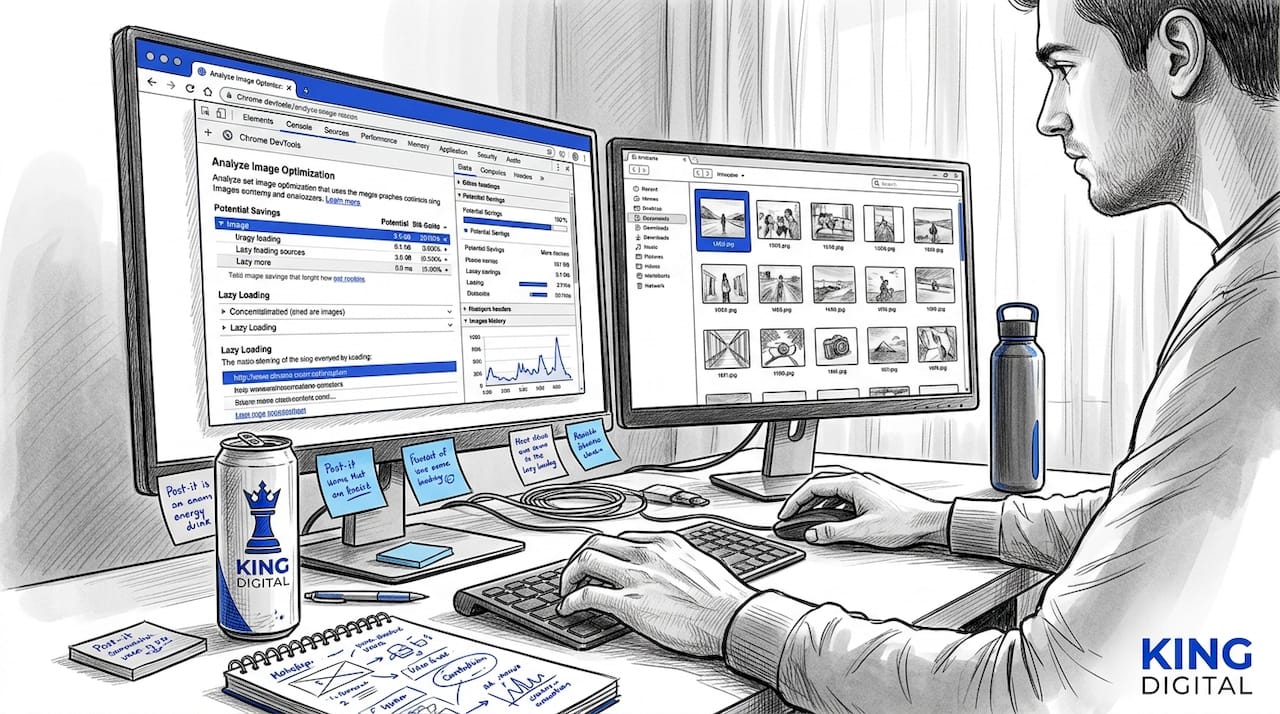
Images and JavaScript make up the bulk of page weight on most sites. The median mobile page carries over 900 KB of images and 630 KB of JavaScript. Cutting either of those by half can produce a dramatic improvement in load time.
3. Strategies to improve Interaction to Next Paint (INP)
INP measures how quickly your site reacts when a user does something. Click a button. Open a menu. Submit a form. If the page freezes for even half a second, the visitor notices. It feels broken, even if everything technically works.
The main culprits behind poor INP are long JavaScript tasks running on the main browser thread. Long tasks exceeding 50ms block the browser from responding to user input. Here is how to address them:
- Defer non-critical JavaScript. Add
deferorasyncto script tags that do not need to run before the page is interactive. - Audit third-party scripts. Chat widgets, marketing pixels, and analytics tools all add to main thread work. Remove any script you do not actively use. Load the rest after the page is interactive.
- Break up long tasks. Use
setTimeoutor the newerscheduler.yield()method to split heavy operations into smaller chunks that give the browser room to breathe between them. - Use code splitting. If your site uses a JavaScript framework, load only the code needed for the current page rather than the entire application at once.
- Consider web workers. Move heavy data processing off the main thread entirely by running it in the background with a web worker.
Pro Tip: Open Chrome DevTools, go to the Performance panel, and record a click interaction on your page. Look for tasks highlighted in red. Those are your long-task offenders. Fix the longest ones first for the fastest INP gains.
Reducing reliance on heavy third-party scripts is often the single highest-impact fix for SMB sites. Many businesses install plugins and widgets over time without realizing each one slows down their site’s responsiveness.
4. How to minimize Cumulative Layout Shift (CLS)
Imagine reading a product description on your phone, about to tap the “Buy Now” button, and the page shifts. You tap an ad instead. That is CLS in action. It frustrates visitors and breaks their trust in your site before they have even decided whether to buy.
- Set explicit width and height on all images and videos. This reserves space in the layout before the media loads so the page does not jump when it arrives.
- Reserve space for ads and embeds. Give ad slots and embedded widgets a fixed minimum height in your CSS so they do not push content down when they load.
- Preload critical fonts and use
font-display: optional. Font swaps are a common source of CLS. Loading fonts early and telling the browser to use a fallback if the custom font is not ready prevents text from reflowing mid-read. - Avoid injecting content above the fold after load. Cookie banners, promotional bars, and pop-ups that appear above existing content are CLS culprits. Either load them as part of the initial render or push them to the bottom of the screen.
- Use CSS
transformfor animations. Animating position withtop,left, ormargintriggers layout recalculations. Transform properties liketranslateXandscalerun on the compositor thread and do not cause shifts. - Apply
aspect-ratioin CSS for responsive placeholders. This maintains a container’s proportions before the content loads, preventing the layout from collapsing and expanding as images arrive.
Pro Tip: Check your CLS score in PageSpeed Insights and click through to the “Avoid large layout shifts” diagnostic. It highlights the specific elements causing shifts and often shows you a filmstrip of exactly when and where the jump happens.
5. How to audit, monitor, and maintain your performance gains
Fixing performance once and walking away is like tuning a car engine and then never changing the oil. Gains erode the moment you add a new plugin, update your theme, or publish a content-heavy blog post.
Here is a practical audit workflow:
- Start with Google Search Console. Open the Core Web Vitals report to see which pages have “Poor” or “Needs Improvement” status based on 28-day field data from real visitors. These are your highest-priority targets.
- Run PageSpeed Insights or Lighthouse on problem pages. Lab tools give you a diagnostic snapshot with specific recommendations tied to your actual page content.
- Understand the difference. Lab data shows what your page does under controlled conditions. Field data reflects what real users on real devices experience. Field data drives your ranking. Use lab tools to diagnose, field data to confirm.
- Set a performance budget. Decide on a maximum acceptable LCP, INP, and CLS for your key pages and check against it after every major update.
- Use a monitoring tool. Tools like DebugBear or WebPageTest can run automated checks on a schedule and alert you when scores drop.
- Audit after every significant change. New plugin installed? Theme updated? Run a Lighthouse check before you move on.
- Prioritize mobile. Google uses mobile-first indexing, meaning your mobile performance score carries more weight than your desktop score for ranking purposes.
Audit vs. monitoring comparison:
| Approach | When to use | What it measures | Best tool |
|---|---|---|---|
| One-time audit | After changes or complaints | Current state snapshot | PageSpeed Insights, Lighthouse |
| Ongoing monitoring | Always running in the background | Trends and regressions over time | DebugBear, WebPageTest |
| Field data review | Monthly review cycle | Real user experience and rankings | Google Search Console |
A tool-driven audit workflow catches the bottlenecks that matter most for your specific site. Generic checklists miss issues that are unique to your page structure, hosting setup, or the scripts you happen to be running.
My honest take on website performance for SMBs
I have worked with enough SMB clients to see a clear pattern. Owners either ignore website performance entirely until something breaks, or they chase every tip on a generic list and wonder why nothing improved.
The businesses that actually see results treat performance as a business investment. Faster pages mean lower bounce rates, more completed purchases, and better rankings. That is money. When one of our clients finally committed to fixing their Core Web Vitals instead of just adding more content, their contact form submissions increased within two months without touching their ad budget.
The trap I see most often is prioritizing fixes by gut feel instead of data. You might spend hours compressing images when your real problem is a bloated chat widget blocking the main thread. Start with real user data from Search Console. Let that tell you where to focus.
Small, consistent improvements beat a big overhaul done once. Build the habit of checking performance after every update. It takes ten minutes and prevents the kind of gradual slowdown that quietly costs you customers over months.
If you want to see how web design and performance connect to your broader marketing results, our guide on web design for Albuquerque SMBs walks through how design decisions directly affect your visibility and conversion rates.
— Bernadette
Ready to put these tips to work for your business?
Understanding website performance improvement tips is one thing. Actually implementing them across your site while running a business is another challenge entirely. At Kingdigitalpros, we work specifically with small and medium-sized businesses to audit, fix, and monitor site performance as part of a broader digital growth strategy.

Our team handles everything from Core Web Vitals optimization and technical SEO to local SEO strategies that put your business in front of the right customers. If you want a clear picture of where your site stands and a prioritized plan to improve it, we are here to help. Explore our digital marketing solutions or reach out to Kingdigitalpros today for a personalized performance review.
FAQ
What are the most impactful website performance improvement tips for SMBs?
Optimizing images with WebP or AVIF formats, removing unused JavaScript, and setting explicit dimensions on media elements deliver the fastest gains for most small business websites. Start with a PageSpeed Insights audit to identify your specific bottlenecks before making changes.
How does page speed affect my Google rankings?
Google uses Core Web Vitals scores including LCP, INP, and CLS as ranking signals, evaluated at the 75th percentile of real user visits. Consistently poor scores can push your pages below competitors who offer a faster experience.
How long does it take to see ranking improvements after fixing performance issues?
Google Search Console uses a 28-day rolling window of field data, so ranking-relevant improvements typically take four to six weeks to fully reflect after fixes go live. Lab tools like Lighthouse will show immediate progress, but field data confirmation takes time.
Should I prioritize mobile or desktop performance first?
Prioritize mobile. Google’s mobile-first indexing means your mobile performance score has more weight in determining your search rankings. Fix mobile issues first, then verify that your desktop experience meets the same thresholds.
What is the easiest way to monitor site performance without a developer?
Google Search Console’s Core Web Vitals report is free and shows real user data broken down by page group. Check it monthly and run PageSpeed Insights on any page you update to catch regressions before they accumulate into a larger problem.
Recommended
- Web Design Essentials for Albuquerque SMBs: Boost Leads & SEO
- Website content optimization steps for Albuquerque SMBs
- Step-by-step conversion optimization guide for Albuquerque SMBs